Here are a few troubleshooting steps you can try to resolve the issue:
- Check the volume: Make sure that the volume on your iPhone is turned up and not muted. The touch tones may not be audible if the volume is too low or muted.
- Check the ringer switch:
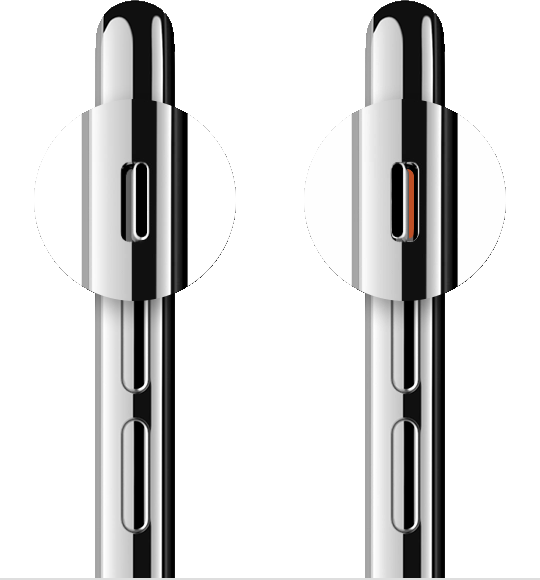
- Restart your iPhone: Sometimes, restarting your device can help resolve temporary glitches. Try turning off your iPhone and then turning it back on again.
- Restart the device. That's it.

- Still not solved --> Force restart iPhone - Apple Support

- Update your iPhone's software: Ensure that your iPhone is running the latest version of iOS 16.4.1 (a). Software updates often include bug fixes and improvements that could potentially address issues like this. You can check for updates by going to Settings > General > Software Update.
- Disable Noise Cancellation: If you have noise cancellation enabled, it may interfere with the detection of touch tones. You can disable it by going to Settings > Accessibility > Audio/Visual > Phone Noise Cancellation and toggling it off.
- Reset network settings: Resetting your network settings can sometimes help resolve issues related to call functionality. To do this, go to Settings > General > Reset > Reset Network Settings. Keep in mind that this will remove your saved Wi-Fi networks and passwords, so you'll need to re-enter them afterward.
If none of the above steps solve the problem, it's possible that there may be a hardware issue with your iPhone. In that case, I recommend reaching out to Apple support or visiting an authorized service center for further assistance.

