Someone is sharing family subscription for apple music but i cant access apple music without paying

Someone is sharing family subscription for apple music but i cant access apple music without paying

iPhone X, iOS 16

Posted on May 5, 2023 6:36 AM

Reply
Question marked as Top-ranking reply

Posted on May 8, 2023 11:45 AM

Hello teodoraruvceski,


If you can't access Family Sharing content, the following can help:


"Check your Family Sharing settings

Make sure that you're using the same Apple ID for Family Sharing and Media & Purchases. And make sure that purchase sharing is turned on. Then ask your family members to check their settings too.

On your iPhone or iPad with iOS 16 or later
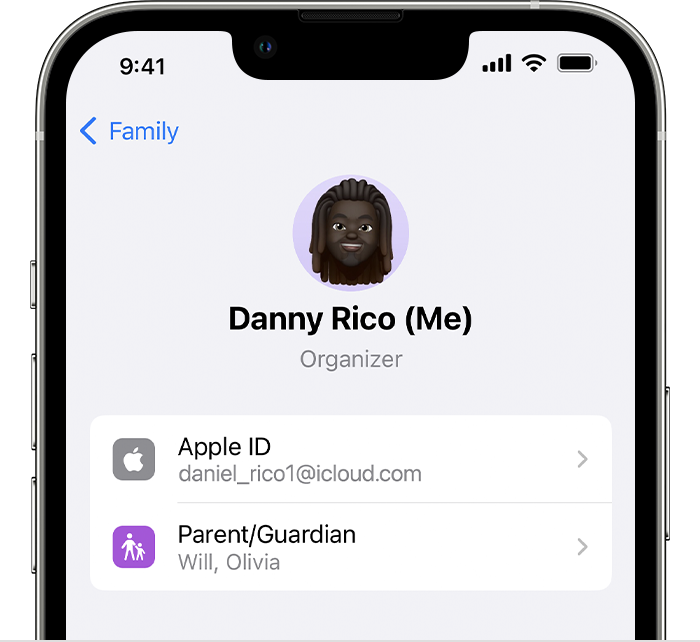
  1. Go to Settings > Family.
  2. Tap your name. 
  3. Make a note of which Apple ID is listed.
  4. Tap Purchases. 
  5. Tap Apple ID for Purchases and make sure that you're signed in with with the same Apple ID that you use for Family Sharing. If not, tap Share using secondary Apple ID and enter the Apple ID and password for that Apple ID. 

On your iPhone, iPad, or iPod touch with iOS 15 or earlier

  1. Go to Settings, tap your name, then tap Family Sharing.
  2. Tap your name. 
  3. Make a note of which Apple ID is listed. You'll need to use this Apple ID to sign in later.
  4. Tap Back to go back to Family Sharing.
  5. Tap Purchase Sharing and make sure that Share Purchases with Family is turned on.
  6. Tap Back, then tap Apple ID.
  7. Tap Media & Purchases.
  8. Tap View Account.
  9. Sign in with your Apple ID. Make sure that you sign in with with the same Apple ID that you use for Family Sharing.

"


If you can't find your family's shared content - Apple Support


Cheers.

1 reply
Question marked as Top-ranking reply

May 8, 2023 11:45 AM in response to teodoraruvceski

Hello teodoraruvceski,


If you can't access Family Sharing content, the following can help:


"Check your Family Sharing settings

Make sure that you're using the same Apple ID for Family Sharing and Media & Purchases. And make sure that purchase sharing is turned on. Then ask your family members to check their settings too.

On your iPhone or iPad with iOS 16 or later
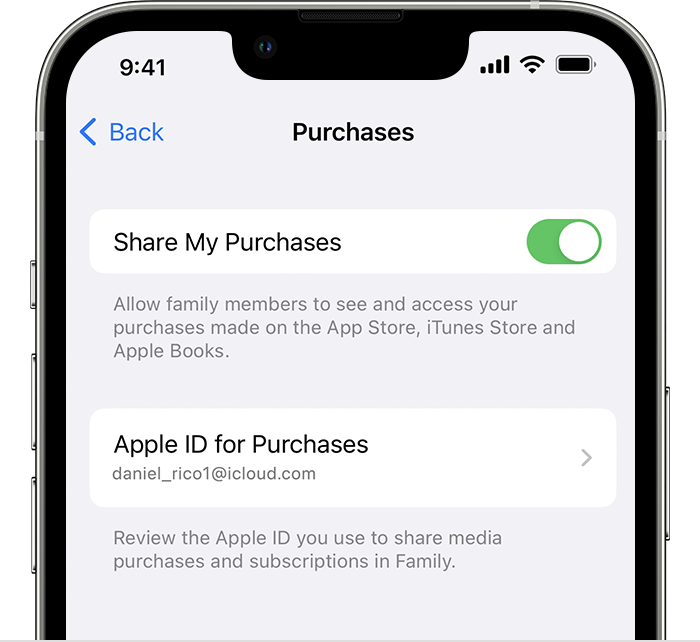
  1. Go to Settings > Family.
  2. Tap your name. 
  3. Make a note of which Apple ID is listed.
  4. Tap Purchases. 
  5. Tap Apple ID for Purchases and make sure that you're signed in with with the same Apple ID that you use for Family Sharing. If not, tap Share using secondary Apple ID and enter the Apple ID and password for that Apple ID. 

On your iPhone, iPad, or iPod touch with iOS 15 or earlier

  1. Go to Settings, tap your name, then tap Family Sharing.
  2. Tap your name. 
  3. Make a note of which Apple ID is listed. You'll need to use this Apple ID to sign in later.
  4. Tap Back to go back to Family Sharing.
  5. Tap Purchase Sharing and make sure that Share Purchases with Family is turned on.
  6. Tap Back, then tap Apple ID.
  7. Tap Media & Purchases.
  8. Tap View Account.
  9. Sign in with your Apple ID. Make sure that you sign in with with the same Apple ID that you use for Family Sharing.

"


If you can't find your family's shared content - Apple Support


Cheers.

This thread has been closed by the system or the community team. You may vote for any posts you find helpful, or search the Community for additional answers.

Someone is sharing family subscription for apple music but i cant access apple music without paying

Welcome to Apple Support Community
A forum where Apple customers help each other with their products. Get started with your Apple Account.