How do you find a request from your child after the request approval message disappears from your screen.
How do you find a child's app approval request after the approval request message has disappeared from your screen?
How do you find a child's app approval request after the approval request message has disappeared from your screen?
Hey Hntr,
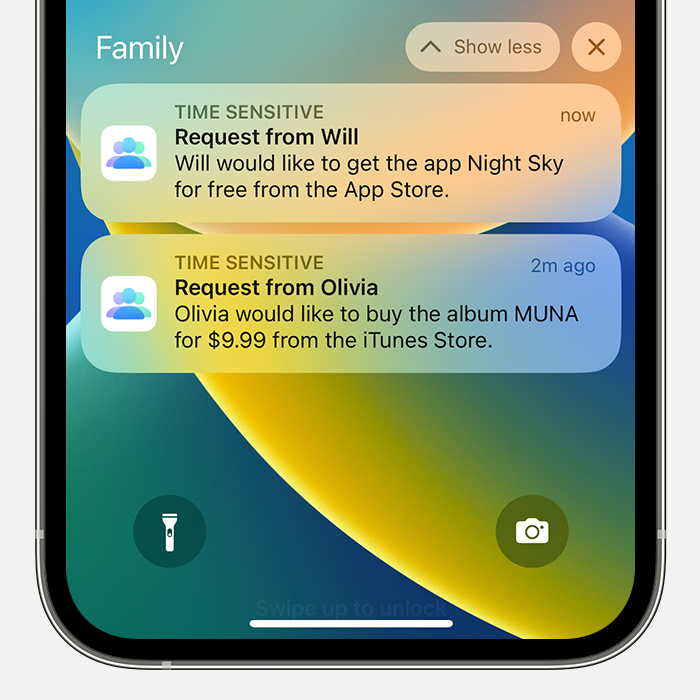
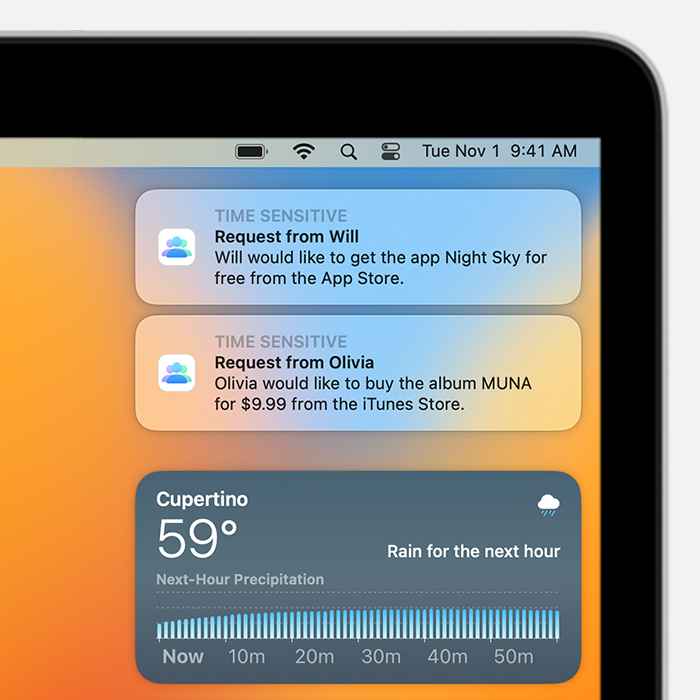
We’d be happy to help. Sounds like you need help locating an Ask to Buy request. You’d just want to check your Notification Center by sliding down from center top of your iPhone’s screen if unlocked, or by swiping up if on the Lock Screen. For more info, check out these steps:
If your Ask to Buy requests are missing
If you miss an Ask to Buy notification, you can find the request in Notification Center on your iPhone, iPad, iPod touch, or Mac. If you still don't see your Ask to Buy requests, check your Family Sharing settings, check which Apple ID you're signed in with, and make sure that you're on a supported device.
Open Notification Center on your iPhone, iPad, or iPod touch
* From the Lock Screen, swipe up from the middle of the screen.
* From any other screen, swipe down from the center of the top of your screen.
Open Notification Center on your Mac
Click the date in the upper right corner of your screen or swipe left with two fingers from the right edge of your trackpad. Notifications show up at the top of Notification Center.
This is outlined further here: If Ask to Buy isn't working - Apple Support
We hope this helps out.
Take care!
Hey Hntr,
We’d be happy to help. Sounds like you need help locating an Ask to Buy request. You’d just want to check your Notification Center by sliding down from center top of your iPhone’s screen if unlocked, or by swiping up if on the Lock Screen. For more info, check out these steps:
If your Ask to Buy requests are missing
If you miss an Ask to Buy notification, you can find the request in Notification Center on your iPhone, iPad, iPod touch, or Mac. If you still don't see your Ask to Buy requests, check your Family Sharing settings, check which Apple ID you're signed in with, and make sure that you're on a supported device.
Open Notification Center on your iPhone, iPad, or iPod touch
* From the Lock Screen, swipe up from the middle of the screen.
* From any other screen, swipe down from the center of the top of your screen.
Open Notification Center on your Mac
Click the date in the upper right corner of your screen or swipe left with two fingers from the right edge of your trackpad. Notifications show up at the top of Notification Center.
This is outlined further here: If Ask to Buy isn't working - Apple Support
We hope this helps out.
Take care!
How do you find a request from your child after the request approval message disappears from your screen.