Itunes

I didnt make any purchase any Itunes, but it charges my card twice, how can i take my refund? Please tell me the solution

Thank you

iPhone 8, iOS 16

Posted on May 11, 2023 9:54 PM

Reply
Question marked as Top-ranking reply

Posted on May 14, 2023 4:30 PM

Hi phúc171,


You can check out the steps here to get help understanding a charge:

If you see 'apple.com/bill' on your billing statement


After locating the purchase, you'll want to follow the steps here to request a refund: Request a refund for apps or content that you bought from Apple - Apple Support


"How to request a refund
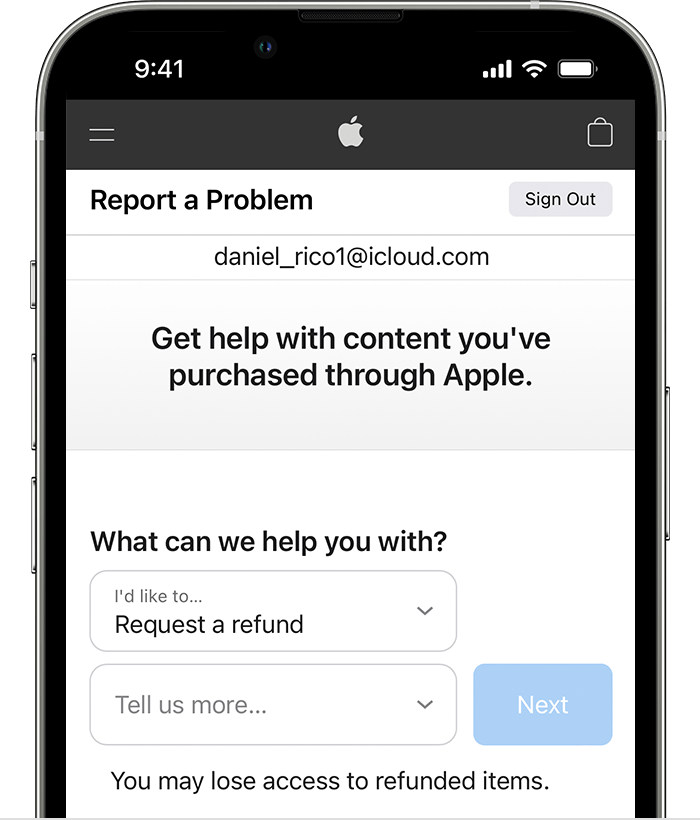

  1. Sign in to reportaproblem.apple.com.
  2. Tap or click "I'd like to," then choose "Request a refund." iPhone showing the Report a Problem website where you can request a refund. After you choose Request a refund, choose the reason why you're asking for the refund.
  3. Choose the reason why you want a refund, then choose Next.
  4. Choose the app, subscription, or other item, then choose Submit. If you were charged for a subscription that you no longer want, you can also cancel the subscription.


If you can't request a refund on reportaproblem.apple.com

  • If the charge is pending, you canʼt request a refund yet. After the charge goes through, try to request a refund again.
  • If you have an unpaid order, you need to pay for that order before you request a refund. You might need to update your payment information.
  • If you don't know why you were charged, review your family members' purchases. If you're the family organizer, tap or click the Apple ID button, then choose All. Purchases charged to your shared payment method appear."


If you can't find the info for your charge, contact Apple Support for help:

Get Support


Thanks for using the Apple Support Communities.


1 reply
Question marked as Top-ranking reply

May 14, 2023 4:30 PM in response to phúc171

Hi phúc171,


You can check out the steps here to get help understanding a charge:

If you see 'apple.com/bill' on your billing statement


After locating the purchase, you'll want to follow the steps here to request a refund: Request a refund for apps or content that you bought from Apple - Apple Support


"How to request a refund


  1. Sign in to reportaproblem.apple.com.
  2. Tap or click "I'd like to," then choose "Request a refund." iPhone showing the Report a Problem website where you can request a refund. After you choose Request a refund, choose the reason why you're asking for the refund.
  3. Choose the reason why you want a refund, then choose Next.
  4. Choose the app, subscription, or other item, then choose Submit. If you were charged for a subscription that you no longer want, you can also cancel the subscription.


If you can't request a refund on reportaproblem.apple.com

  • If the charge is pending, you canʼt request a refund yet. After the charge goes through, try to request a refund again.
  • If you have an unpaid order, you need to pay for that order before you request a refund. You might need to update your payment information.
  • If you don't know why you were charged, review your family members' purchases. If you're the family organizer, tap or click the Apple ID button, then choose All. Purchases charged to your shared payment method appear."


If you can't find the info for your charge, contact Apple Support for help:

Get Support


Thanks for using the Apple Support Communities.


This thread has been closed by the system or the community team. You may vote for any posts you find helpful, or search the Community for additional answers.

Itunes

Welcome to Apple Support Community
A forum where Apple customers help each other with their products. Get started with your Apple Account.