Hi enzo253,
To make sure we're on the same page, you're attempting to view an email password on your Mac to then enter that password on your iPhone, is that correct?
If so, and you're already signed into your email on your Mac, you may be able to view the password using the steps below:
"View saved passwords and passkeys in System Settings
- Choose Apple menu > System Settings. In macOS Monterey, choose Apple menu > System Preferences.
- Click Passwords.
- Sign in with Touch ID, or enter your user account password.
- Select a website, then click the Show Details button
 . In macOS Monterey, click Edit.
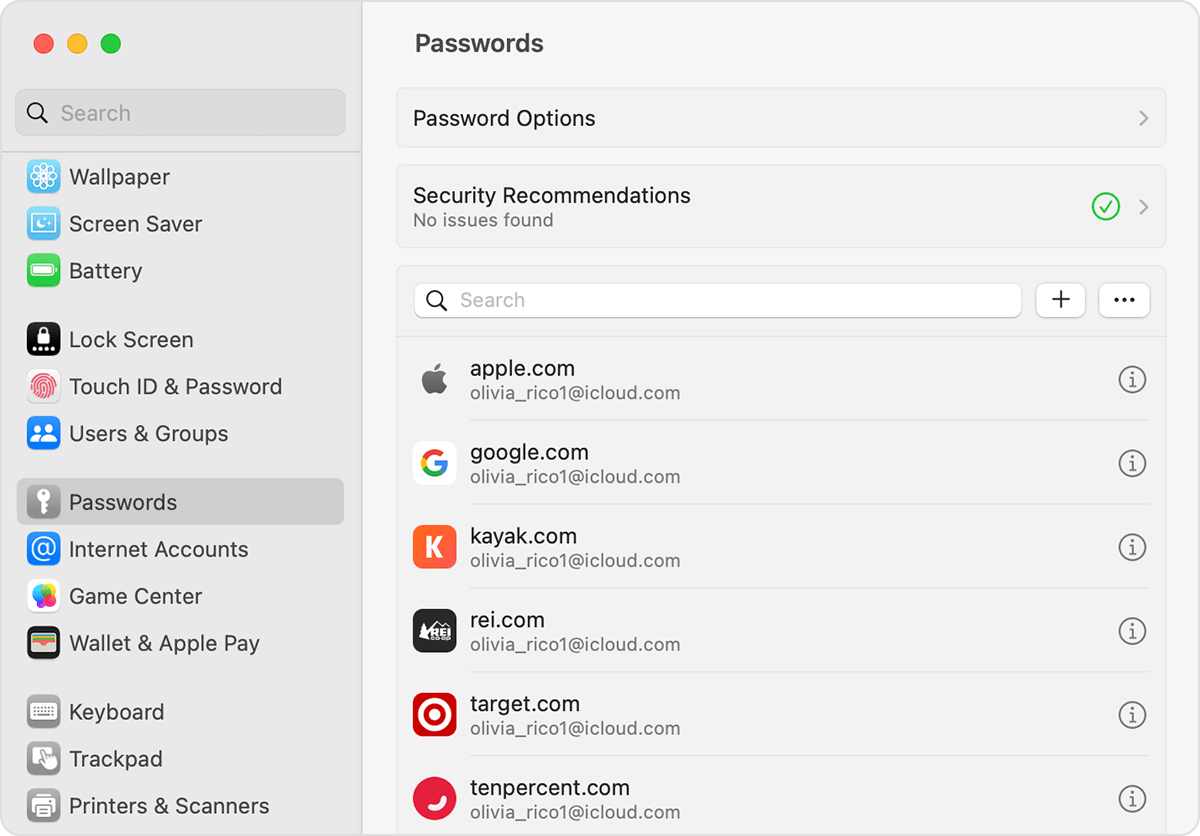
- To delete a password, click Delete Password
- To update a password, change it and then click Save.
View saved passwords and passkeys in Safari
- Open Safari.
- From the Safari menu, choose Settings (or Preferences), then click Passwords.
- Sign in with Touch ID, or enter your user account password.
- Select a website, then click Edit.
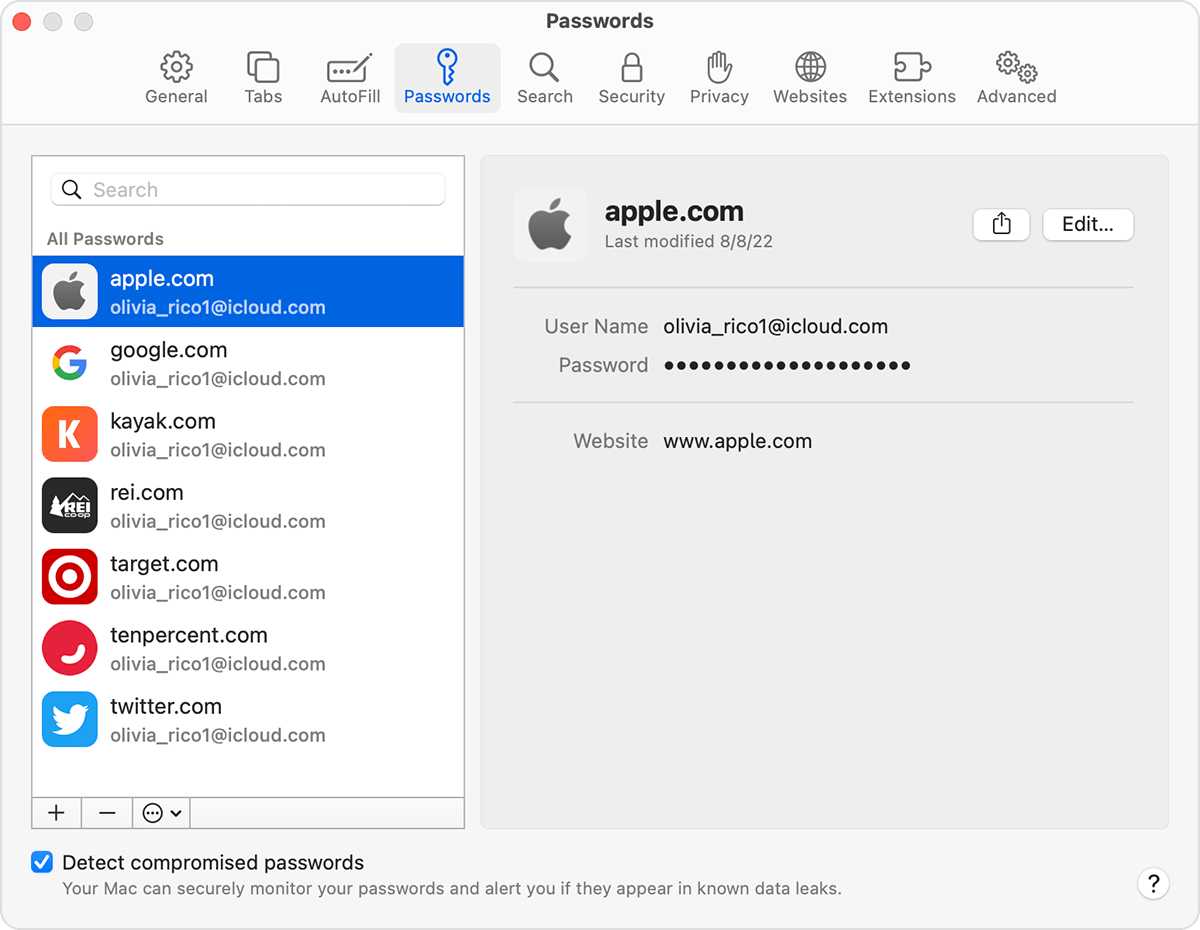
- To delete a password, click Delete Password.
- To update a password, change it and then click Save.
You can also use Siri to view your passwords by saying something like "Hey Siri, show my passwords."
Additionally, if this is a new iPhone or if you have never added your email to your iPhone, it is expected to need to add it the first time. After locating your email password, you can see the steps to add an email address to your iPhone using the tips in the following link:
Feel free to reply to this post if you need further assistance.
Cheers!


