text messages
How do you attach a document to text?
iPhone 7 Plus, iOS 10
How do you attach a document to text?
iPhone 7 Plus, iOS 10
Hello wlawsonpsy,
Thank you for posting to Apple Support Communities.
We understand you'd like to share attachments in the Messages app. We're happy to help.
To do this, you'd need to use the share button from the app where the attachment is. Then, use that to select the Messages app from the share sheet.
"To share content from another app (for example Podcasts, News, or Music), select the content you want to share, tap  , then choose Messages."
Send and receive content in Messages on iPhone - Apple Support
That should help. Let us know if you have any questions.
Take care.
Hello wlawsonpsy,
Thank you for posting to Apple Support Communities.
We understand you'd like to share attachments in the Messages app. We're happy to help.
To do this, you'd need to use the share button from the app where the attachment is. Then, use that to select the Messages app from the share sheet.
"To share content from another app (for example Podcasts, News, or Music), select the content you want to share, tap , then choose Messages."
Send and receive content in Messages on iPhone - Apple Support
That should help. Let us know if you have any questions.
Take care.
Hi wlawsonpsy,
When you're in an app and wish to share content, you will see a share button if the content is shareable. It will look like the symbol posted in the earlier response. If you're using a third-party app and trying to share, it would be best to contact the app developer to assist with their app.
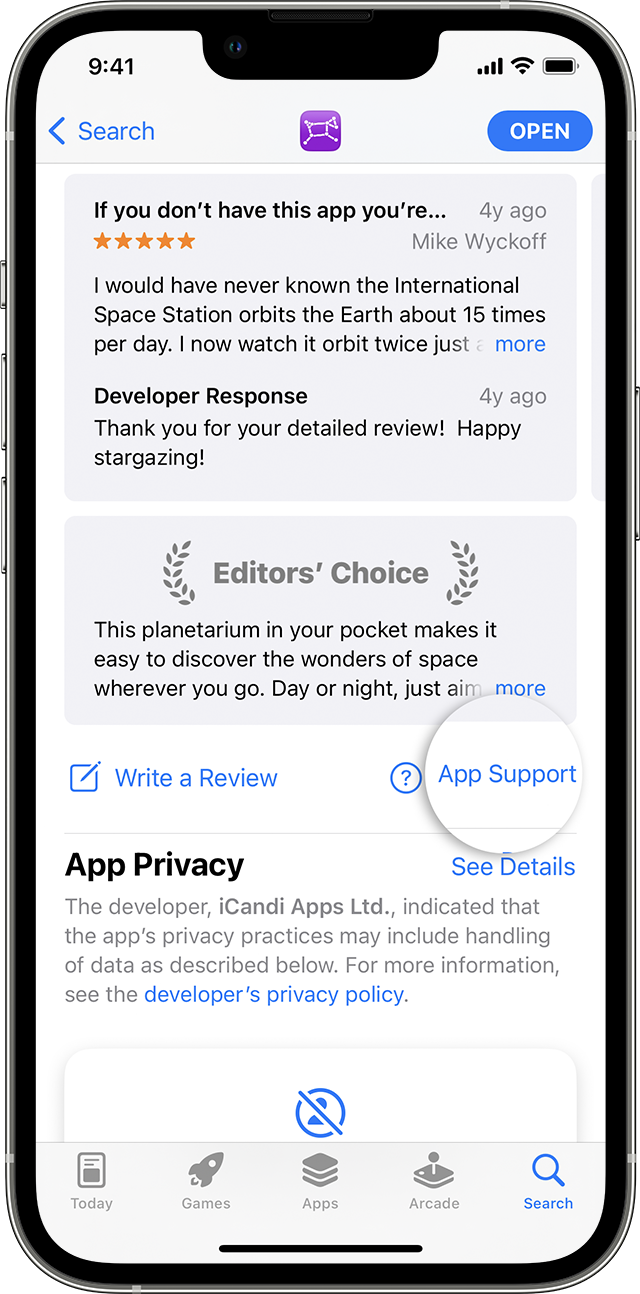
Contact the developer of an iOS, iPadOS, or watchOS app
1. Open the App Store on your iPhone or iPad.
2. Search for the app, then tap it. If you can't find it, tap the account buttonor your photo at the top of the screen, tap Purchased, tap "Not on this [device]," then tap the app.
3. The app's product page appears. Scroll to the Ratings & Reviews section, then tap App Support. If you don't see App Support, make sure that you're signed in with the correct Apple ID.
4.
How to contact an app developer - Apple Support
Regards.
"To do this, you'd need to use the share button from the app where the attachment is." i dont know what this means. I am sending material to messenger and do not see a share button.
text messages