how many times I can repeatedly trying put password?
hi
I'm putting the password but its keeping tell me is wrong password. I haven't change my password for sometimes now
iPhone 12 Pro Max, iOS 16
hi
I'm putting the password but its keeping tell me is wrong password. I haven't change my password for sometimes now
iPhone 12 Pro Max, iOS 16
Hi Judilicious,
Thanks for posting in Apple Support Communities.
If you continue to try entering the password, your account made be locked and you will need to reset your Apple ID. Since there hasn't been any changes to your password, make sure you do not have caps lock on and there isn't an additional space at the end of your password. Go to the Apple ID website to login and make sure the password is accepted.
If you need, reset your Apple ID password.
Reset your Apple ID password on your iPhone or other trusted Apple device
1. Go to Settings.
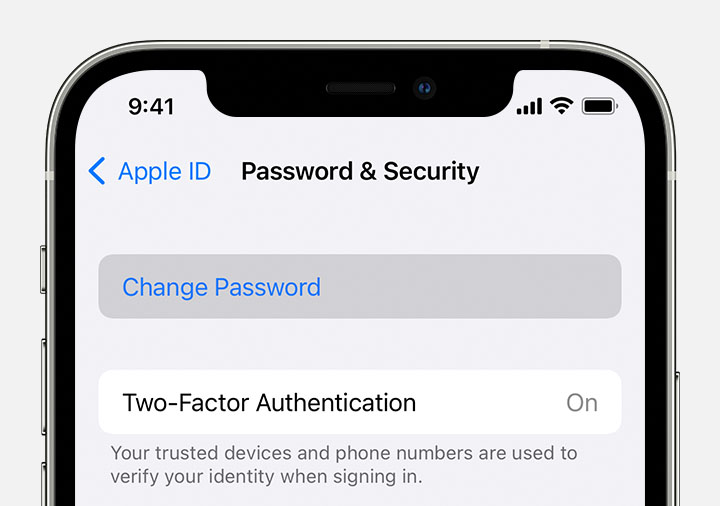
2. Tap your name > Password & Security > Change Password.
3. Follow the onscreen instructions to reset your password.
4.
You can also follow this process on a trusted iPad, iPod touch, or Apple Watch.
To reset your password on your trusted Mac, choose Apple menu > System Settings (or System Preferences) > Sign in with your Apple ID (or Apple ID). Then click Password & Security, Change Password, and follow the onscreen instructions.
If you forgot your Apple ID password - Apple Support
Regards.
Hi Judilicious,
Thanks for posting in Apple Support Communities.
If you continue to try entering the password, your account made be locked and you will need to reset your Apple ID. Since there hasn't been any changes to your password, make sure you do not have caps lock on and there isn't an additional space at the end of your password. Go to the Apple ID website to login and make sure the password is accepted.
If you need, reset your Apple ID password.
Reset your Apple ID password on your iPhone or other trusted Apple device
1. Go to Settings.
2. Tap your name > Password & Security > Change Password.
3. Follow the onscreen instructions to reset your password.
4.
You can also follow this process on a trusted iPad, iPod touch, or Apple Watch.
To reset your password on your trusted Mac, choose Apple menu > System Settings (or System Preferences) > Sign in with your Apple ID (or Apple ID). Then click Password & Security, Change Password, and follow the onscreen instructions.
If you forgot your Apple ID password - Apple Support
Regards.
how many times I can repeatedly trying put password?