
My icloud account can
My iCloud account can’t be signed in my mail(application). What can I do?
iPhone 12, iOS 16
My iCloud account can’t be signed in my mail(application). What can I do?
iPhone 12, iOS 16
Hello Sergiiiito,
Thanks for choosing the Apple Support Communities. We understand you cannot access iCloud Mail on your iPhone. We have a few steps that can help you set this up and get things running. Check that out below.
Set up iCloud Mail on all your devices - Apple Support
"Set up iCloud Mail on your iPhone, iPad, or iPod touch
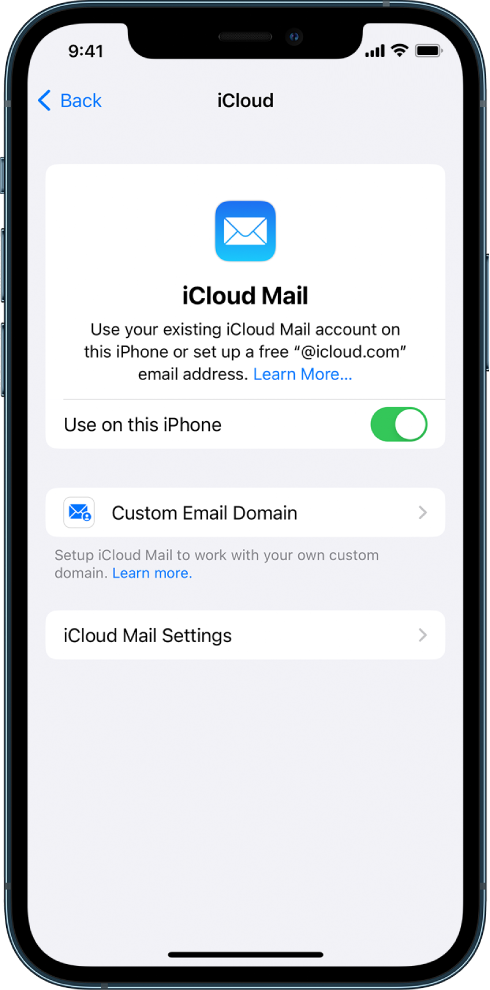
3. If you want to keep Mail settings up to date across your devices, turn on iCloud Drive. The following settings stay up to date:
4. To view your iCloud Mail, open the Mail app. Tap a mailbox or folder in the iCloud section.
For more information on how to use Mail on your iPhone, iPad, or iPod touch, see any of the following:
If that doesn't help, please let us know exactly what you are seeing, and we will do everything we can to help. However, do not include any personal information, as this is a public forum.
Thank you!
My icloud account can

