my front camera isn't working on my iphone se
my front camera isn't working on my iphone se
iPhone SE, iOS 15
my front camera isn't working on my iphone se
iPhone SE, iOS 15
Hello Hfinger123,
Thanks for posting in the Apple Support Communities. We're happy to look into this with you.
We see that article, If the camera or flash on your iPhone, iPad, or iPod touch isn't working - Apple Support, is linked to your post. Were you able to try all the troubleshooting actions recommended there? If not, give those a try and see if they help.
You may also want to try restarting your iPhone, using the steps below, to see if that helps.
Restart your iPhone - Apple Support
How to restart your iPhone 6, 7, 8, or SE (2nd or 3rd generation)
1. Press and hold the side button until the power-off slider appears.
2. Drag the slider, then wait 30 seconds for your device to turn off. If your device is frozen or unresponsive, force restart your device.
3. To turn your device back on, press and hold the side button until you see the Apple logo.
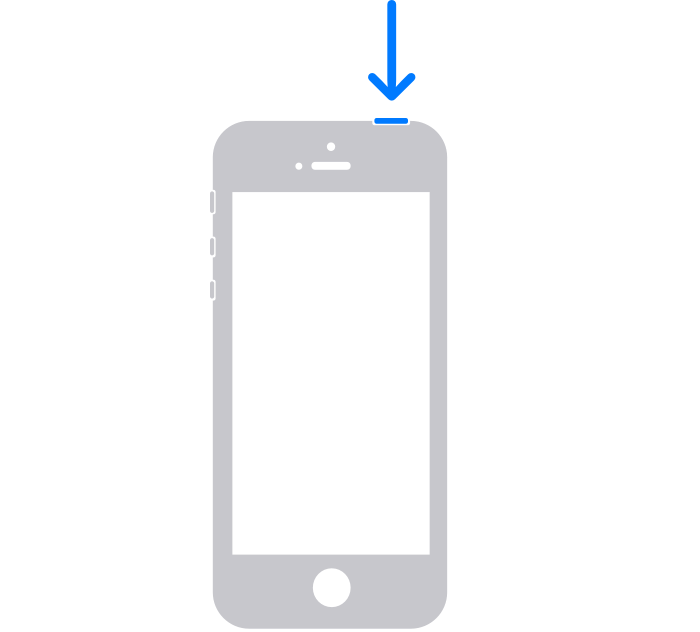
How to restart your iPhone SE (1st generation), 5, or earlier
1. Press and hold the top button until the power-off slider appears.
2. Drag the slider, then wait 30 seconds for your device to turn off. If your device is frozen or unresponsive, force restart your device.
3. To turn your device back on, press and hold the top button until you see the Apple logo.
If you continue to experience issues, be sure to connect with Apple Support for additional help at Get Support.
Best regards.
Hello Hfinger123,
Thanks for posting in the Apple Support Communities. We're happy to look into this with you.
We see that article, If the camera or flash on your iPhone, iPad, or iPod touch isn't working - Apple Support, is linked to your post. Were you able to try all the troubleshooting actions recommended there? If not, give those a try and see if they help.
You may also want to try restarting your iPhone, using the steps below, to see if that helps.
Restart your iPhone - Apple Support
How to restart your iPhone 6, 7, 8, or SE (2nd or 3rd generation)
1. Press and hold the side button until the power-off slider appears.
2. Drag the slider, then wait 30 seconds for your device to turn off. If your device is frozen or unresponsive, force restart your device.
3. To turn your device back on, press and hold the side button until you see the Apple logo.
How to restart your iPhone SE (1st generation), 5, or earlier
1. Press and hold the top button until the power-off slider appears.
2. Drag the slider, then wait 30 seconds for your device to turn off. If your device is frozen or unresponsive, force restart your device.
3. To turn your device back on, press and hold the top button until you see the Apple logo.
If you continue to experience issues, be sure to connect with Apple Support for additional help at Get Support.
Best regards.
I've tried everything, including taking my phone to the apple store. They could not figure it out either. The facial rec works but the front facing camera is blurry no matter what I've tried. We use iphone's for our company and it just seems that they only last 2 years! Can't turn up the volume on one of our other phones, contact information goes missing every time we have an update! Probably why they've dropped 25% and are now behind Samsung, get it together Apple!
my front camera isn't working on my iphone se