Airpods won’t go into pairing mode

Hoping someone can resolve this issue for me


i bought a new AirPods Pro case Because my last one broke. When the new case arrived I forgot the old case from my paired Bluetooth devices and put the airpods into the new case. I charged it fully opened the lid and held the button as instructed with the pop up pairing menu, when I open the lid the light shows green as it should but when I hold the button the green light disappears. I’ve tried the limited solutions online but I have found nothing that helps.


to summarise, I haven’t been able to put it into pairing mode because the white light won’t appear


Please help!!


Posted on Jun 17, 2023 3:14 AM

Reply

Similar questions

1 reply

Jun 18, 2023 10:40 AM in response to Stroved

Hi Stroved,


Thanks for using Apple Support Communities. We understand you are running into an issue with your AirPods. When you get a replacement, be sure to use the steps below to set that up with your AirPods:


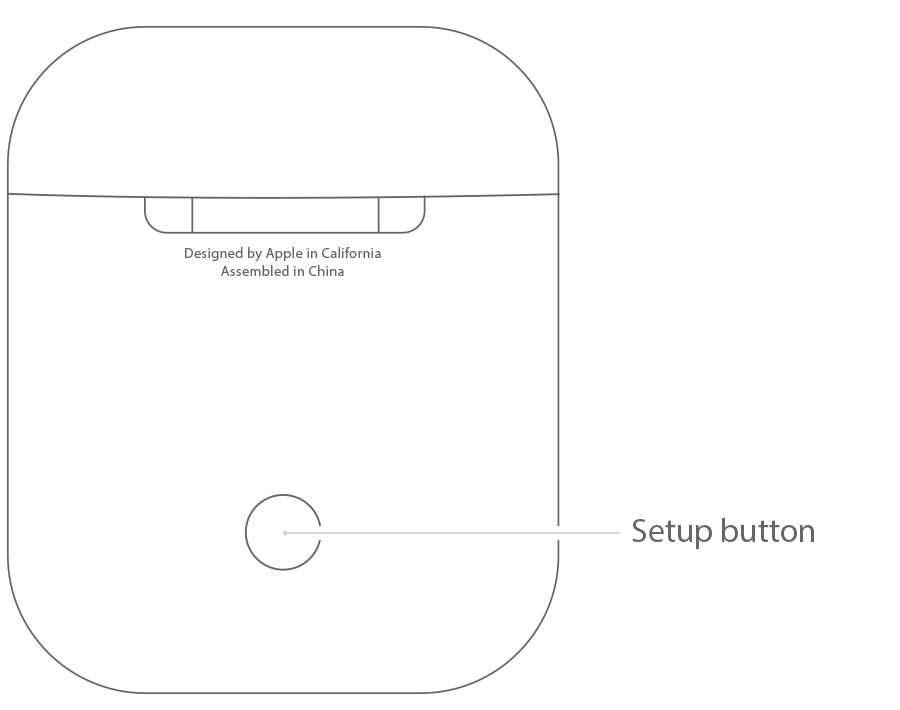
setup button on your AirPods charging case

Set up your AirPods or charging case
1. On your iPhone, iPad, or iPod touch, go to Settings > Bluetooth and tap the Information button  next to your AirPods.
2. Tap Forget This Device.
3. Tap Forget Device, and tap again to confirm.
4. Put both AirPods in your charging case.
5. Open the lid and check the status light. It should flash amber.
6. Press and hold the setup button on the back of the case for a few seconds. The status light should flash white.*
7. Go to the Home Screen on your iPhone, iPad, or iPod touch.
8. Open the case—with your AirPods inside—and hold it next to your iPhone, iPad, or iPod touch. A setup animation appears on your screen.
9. Tap Connect, then tap Done.

See more about those steps here: Set up your replacement AirPods or charging case - Apple Support


Thanks.

This thread has been closed by the system or the community team. You may vote for any posts you find helpful, or search the Community for additional answers.

Airpods won’t go into pairing mode

Welcome to Apple Support Community
A forum where Apple customers help each other with their products. Get started with your Apple Account.