Find people
How do I find other friends .
How do I find other friends .
Hello Itzmekt26,
In order to see a friends location you need to follow these steps from Find people and share your location with Find My - Apple Support:
Follow a friend's shared location
If someone shares their location with you or you request their location and they agree to share it, you can then follow their location.
Ask to follow someone's location
To start following another person, you need to first share your location with them. Then follow these steps:
1. Open the Find My app and select the People tab.
2. Select the person that you shared your location with.
3. Scroll down and choose Ask To Follow Location.
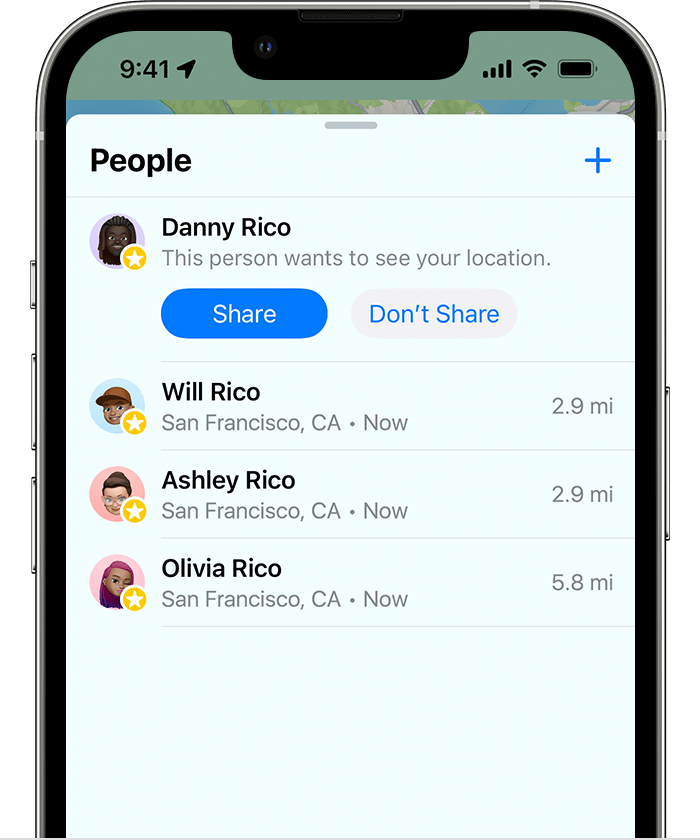
Respond to a location sharing request
When someone shares their location with you, you can choose to share your location back:
1. Open the Find My app and select the People tab.
2. Under the name of the person who sent you their location, choose Share to let them follow your location.
3. If you don't want to share your location with that person, select Don't Share (or Cancel).
Additional information on how Find My works is also available there.
Cheers.
Hello Itzmekt26,
In order to see a friends location you need to follow these steps from Find people and share your location with Find My - Apple Support:
Follow a friend's shared location
If someone shares their location with you or you request their location and they agree to share it, you can then follow their location.
Ask to follow someone's location
To start following another person, you need to first share your location with them. Then follow these steps:
1. Open the Find My app and select the People tab.
2. Select the person that you shared your location with.
3. Scroll down and choose Ask To Follow Location.
Respond to a location sharing request
When someone shares their location with you, you can choose to share your location back:
1. Open the Find My app and select the People tab.
2. Under the name of the person who sent you their location, choose Share to let them follow your location.
3. If you don't want to share your location with that person, select Don't Share (or Cancel).
Additional information on how Find My works is also available there.
Cheers.
Find people