How do I see other devices if I'm in the icould
How do I see other devices if I'm in the icould?
How do I see other devices if I'm in the icould?
Hello GMSeaton,
If you're using a website browser to view your account, you can find your Devices on the Apple ID website instead of iCloud. These steps will walk you through finding your other devices.
Use the web to find where you're signed in
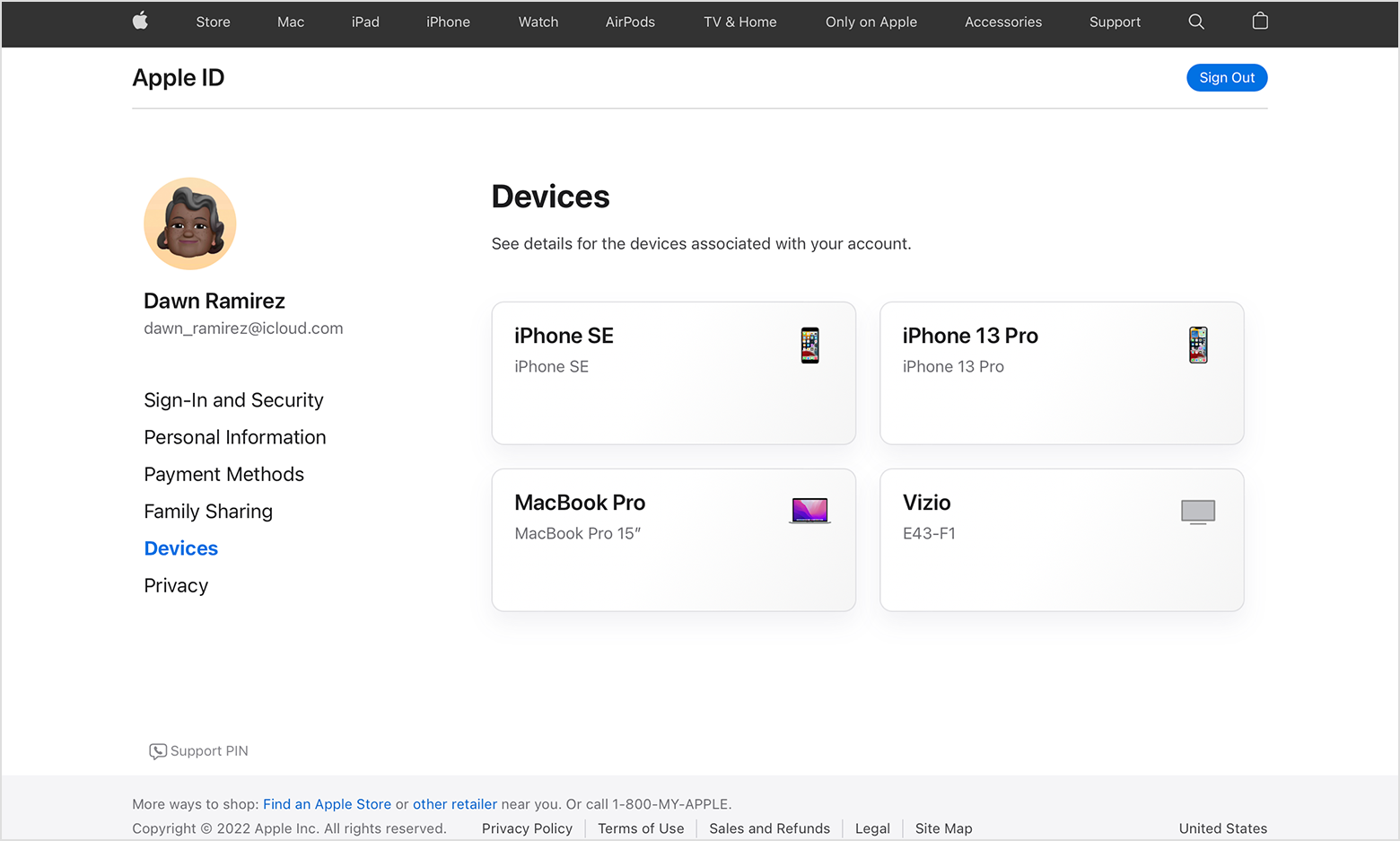
From the Devices section of your Apple ID account page, you can find all of the devices that you're currently signed in to with your Apple ID, including Android devices, consoles, and smart TVs:
1. Sign in to appleid.apple.com,* then select Devices.
2. If you don’t see your devices right away, click View Details and answer your security questions.
3. Click any device name to view that device's information, such as the device model, serial number, OS version, and whether it's a trusted device that can be used to receive Apple ID verification codes. The information might vary depending on the device type.
Check your Apple ID device list to find where you're signed in - Apple Support
You can also find ways to check your Devices list from various other Apple devices in the link above.
Regards.
Hello GMSeaton,
If you're using a website browser to view your account, you can find your Devices on the Apple ID website instead of iCloud. These steps will walk you through finding your other devices.
Use the web to find where you're signed in
From the Devices section of your Apple ID account page, you can find all of the devices that you're currently signed in to with your Apple ID, including Android devices, consoles, and smart TVs:
1. Sign in to appleid.apple.com,* then select Devices.
2. If you don’t see your devices right away, click View Details and answer your security questions.
3. Click any device name to view that device's information, such as the device model, serial number, OS version, and whether it's a trusted device that can be used to receive Apple ID verification codes. The information might vary depending on the device type.
Check your Apple ID device list to find where you're signed in - Apple Support
You can also find ways to check your Devices list from various other Apple devices in the link above.
Regards.
How do I see other devices if I'm in the icould