
No recommendation to increase move goal
I’ve had my Apple Watch SE for over 2 months and I’ve consistently been over the starting goal of 90 cal but it has never recommended an increase. Is this normal?
Apple Watch SE, watchOS 9
I’ve had my Apple Watch SE for over 2 months and I’ve consistently been over the starting goal of 90 cal but it has never recommended an increase. Is this normal?
Apple Watch SE, watchOS 9
Make sure your personal information is up-to-date:
Get the most accurate measurements using your Apple Watch - Apple Support
Try calibrating the watch:
Calibrate your Apple Watch for improved Workout and Activity accuracy - Apple Support
If that doesn't help, I would recommend unpairing and re-pairing the watch.
Turn on daily coaching.
Click crown on Apple Watch to open the app menu. Click the Settings app. Scroll down and select Activity. Toggle on Daily Coaching.
Hey belugagirl,
We'd recommend reviewing this article as it provides your options for changing your goals: Change your goals on your Apple Watch - Apple Support
"Change your goals
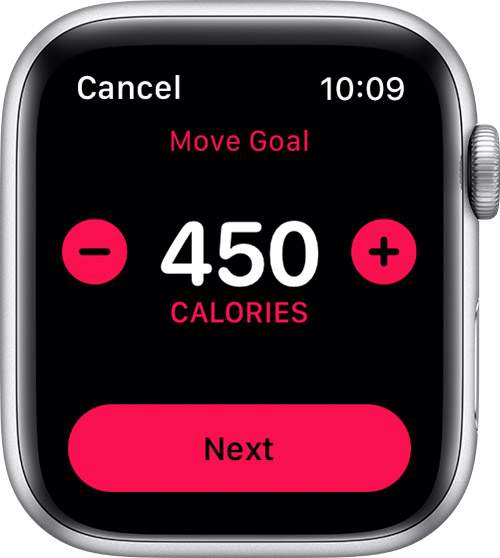
If you don't see the option to update your Stand and Exercise goals, make sure you have an Apple Watch Series 3 or later with the latest version of watchOS."
Thanks!
Hi there belugagirl,
Per Track daily activity in Fitness on iPhone:
Every Monday, you’re notified about the previous week’s achievements, and you can adjust your goals for the upcoming week. Goals are suggested based on your performance in the previous week.
If your performance in the previous week indicates that a change in your goals would be beneficial, then we would recommend changing them using the steps that we previously provided. Also ensure you are following the recommendations here to get the most accurate measurements with your Apple Watch: Get the most accurate measurements using your Apple Watch
Take care!
Thanks for your response, WinsC1. I am aware that I can change the goals whenever I want but I was hoping to follow the recommendations according to my performance. Do you know if these will ever kick in for me or should I change them myself?
IdrisSeabright,
so, I made sure my personal info was up to date and unpaired and repaired my watch with no effect.
I couldn’t recalibrate without deleting my history so I haven’t tried that yet.
Is that the next step?
I’m going to be honest with you and go ahead and tell you that this issue may not be resolved with any of the steps listed. I’ve had my Apple Watch Series 7 for over a year now and have the same issue with no solution. Unfortunately, we may have to stick with just changing it ourselves :(
No recommendation to increase move goal



