Hi teddymaster,
Thanks for posting in Apple Support Communities.
We understand you need to get some information on to your new iPhone. If you used iCloud for your contacts, simply sign in to Settings with the same Apple ID used for iCloud. Check that you have the Contacts button enable and your contacts will sync to your device as long as you have an internet connection.
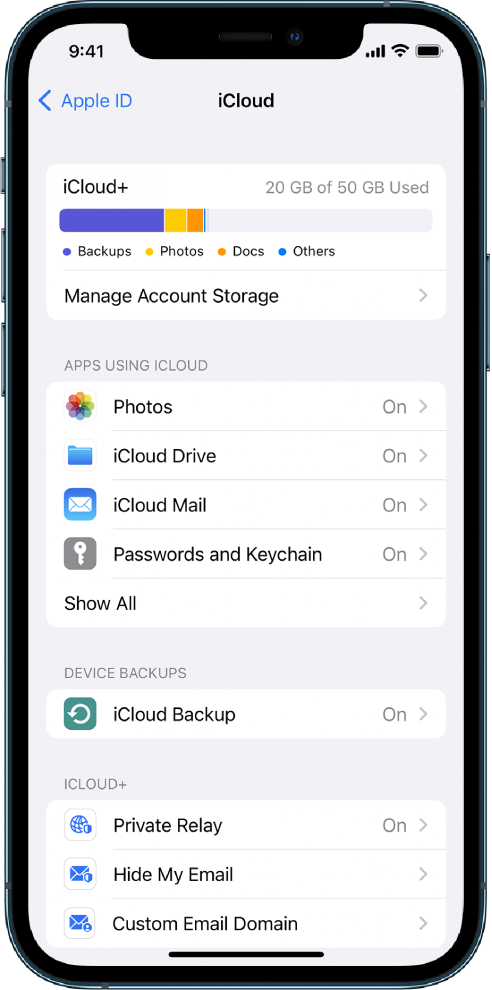
Set up iCloud on your iPhone, iPad, or iPod touch
1. On your iPhone, iPad, or iPod touch, go to Settings > [your name].
2. If you don’t see [your name], tap “Sign in to your [device],” then enter your Apple ID and password.
3. Do one of the following:
* iOS 16, iPadOS 16, or later: Tap iCloud, then turn on each app or feature you want to use. Tap Show All to see more apps.
* 
* iOS 15, iPadOS 15, or earlier: Tap iCloud, then turn on each app or feature you want to use.
Sign in to iCloud on all your devices - Apple Support
You would need to speak with the manufacturers of Huawei to find ways to retrieve content from that device.
Regards.


