find my phone was used to gain app id and now forgot Apple ID and password and we have restarted phone it has locked me out

fresh started iPhone se and I forgot my user app id and password and now phone has locked me out it did say that due to using find my phone we have to sign backing

iPhone SE (3rd generation)

Posted on Jun 21, 2023 1:29 AM

Reply
Question marked as Top-ranking reply

Posted on Jun 22, 2023 10:04 AM

Hello woodwoodward,


If you do not remember your Apple ID, these steps from If you forgot your Apple ID email address or phone number - Apple Support are designed to help you find it:


See if you're already signed in with your Apple ID
Check to see if you're signed in on your device. Or check if you're signed in to Apple apps or services

On your iPhone, iPad, or Apple Watch
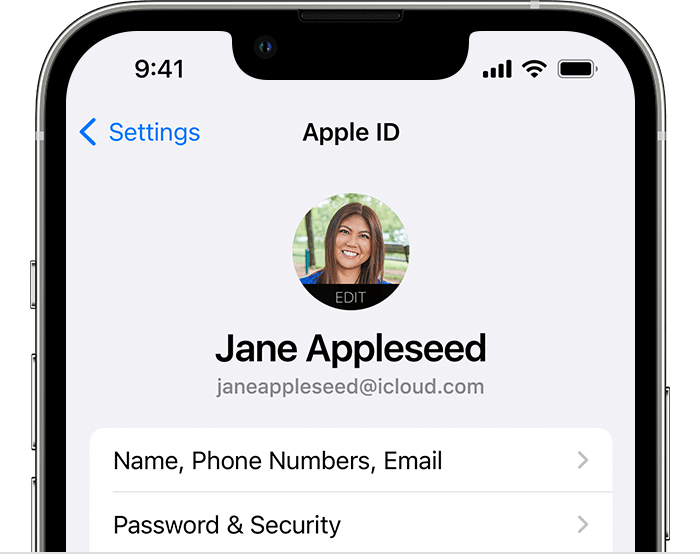
On iPhone, tap your name to see your Apple ID email address

Tap Settings, then tap your name.

On your Mac
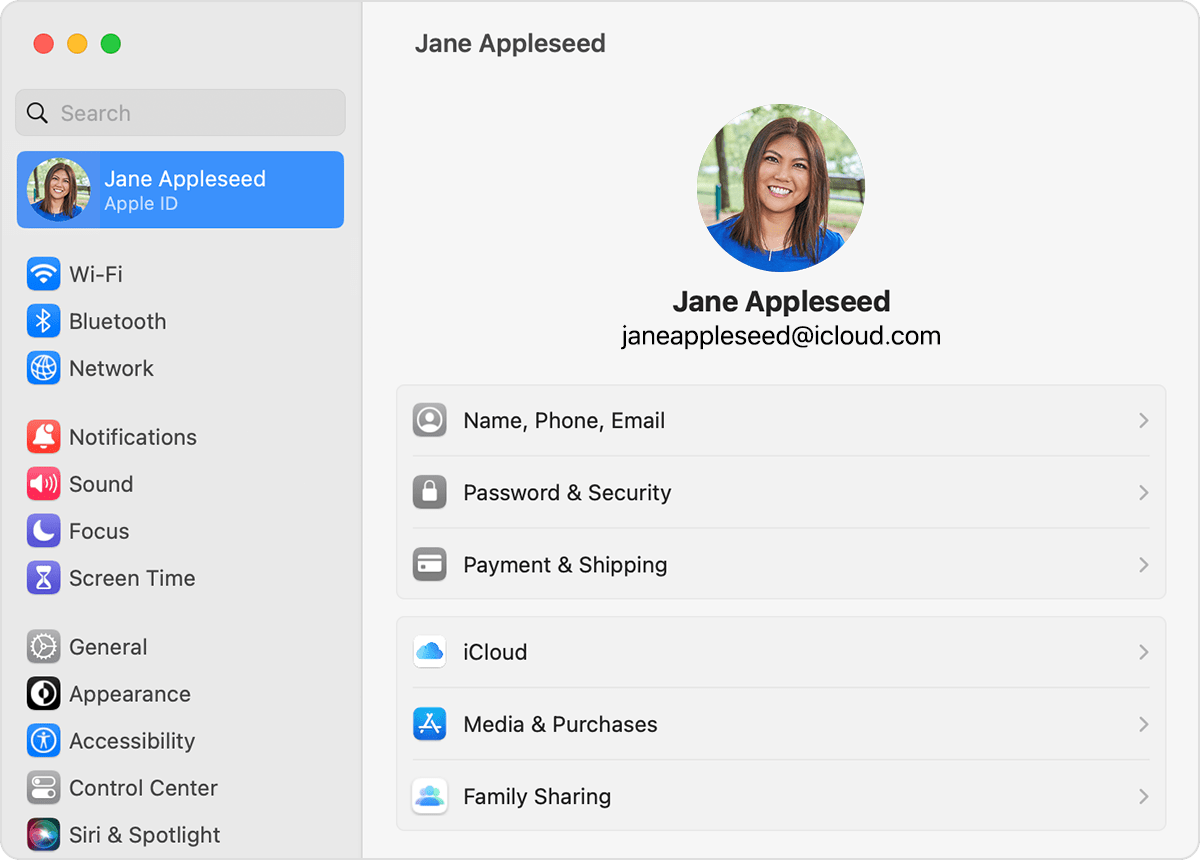
On Mac, open System Settings and tap your name to find your Apple ID email address
* In macOS Ventura, choose Apple menu  > System Settings, then click your name. 
* In earlier versions of macOS, choose Apple menu  > System Preferences, then click Apple ID.

On your PC
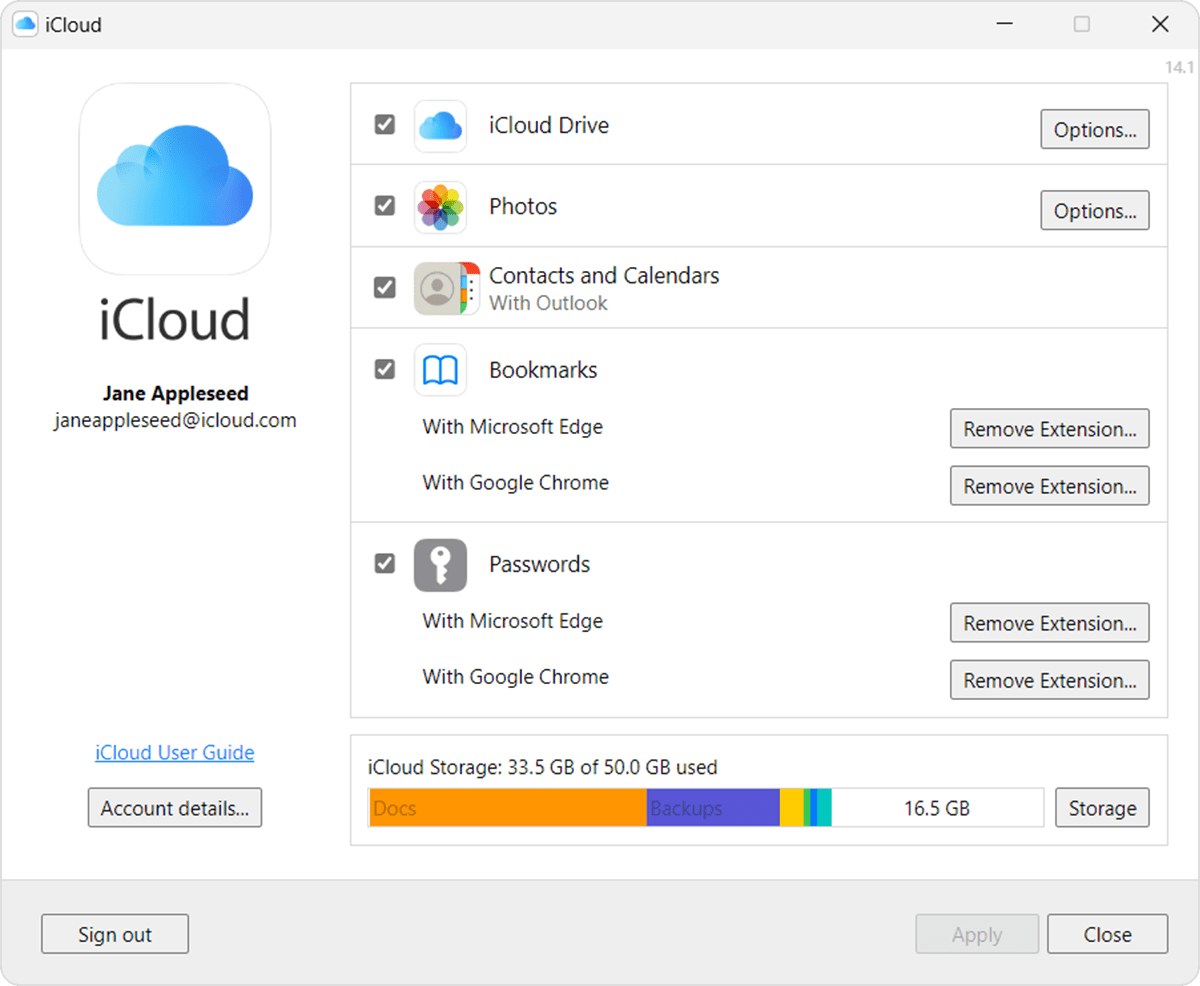
In iCloud for Windows, your Apple ID email address is listed underneath your name.  
Open iCloud for Windows, then look for your Apple ID under your name. 

Other ways to find your Apple ID
* Check if you're signed in to the App Store, FaceTime, or Messages on your iPhone, iPad, or Mac, or check if you're signed in to iTunes for Windows on a PC. 
* Go to iCloud.com or appleid.apple.com and see if your Apple ID prefills on the sign-in screen. 
* If you're part of a Family Sharing group, you can ask a family member to check their Family Sharing settings for your Apple ID. 


Once you have the Apple ID, if you need to reset the password, here is how: If you forgot your Apple ID password - Apple Support


Cheers.

1 reply
Question marked as Top-ranking reply

Jun 22, 2023 10:04 AM in response to woodwoodward

Hello woodwoodward,


If you do not remember your Apple ID, these steps from If you forgot your Apple ID email address or phone number - Apple Support are designed to help you find it:


See if you're already signed in with your Apple ID
Check to see if you're signed in on your device. Or check if you're signed in to Apple apps or services

On your iPhone, iPad, or Apple Watch
On iPhone, tap your name to see your Apple ID email address

Tap Settings, then tap your name.

On your Mac
On Mac, open System Settings and tap your name to find your Apple ID email address
* In macOS Ventura, choose Apple menu  > System Settings, then click your name. 
* In earlier versions of macOS, choose Apple menu  > System Preferences, then click Apple ID.

On your PC
In iCloud for Windows, your Apple ID email address is listed underneath your name.  
Open iCloud for Windows, then look for your Apple ID under your name. 

Other ways to find your Apple ID
* Check if you're signed in to the App Store, FaceTime, or Messages on your iPhone, iPad, or Mac, or check if you're signed in to iTunes for Windows on a PC. 
* Go to iCloud.com or appleid.apple.com and see if your Apple ID prefills on the sign-in screen. 
* If you're part of a Family Sharing group, you can ask a family member to check their Family Sharing settings for your Apple ID. 


Once you have the Apple ID, if you need to reset the password, here is how: If you forgot your Apple ID password - Apple Support


Cheers.

This thread has been closed by the system or the community team. You may vote for any posts you find helpful, or search the Community for additional answers.

find my phone was used to gain app id and now forgot Apple ID and password and we have restarted phone it has locked me out

Welcome to Apple Support Community
A forum where Apple customers help each other with their products. Get started with your Apple Account.