Using the back buttons on my mouse on my Mac

I can't seem to use the back and forward buttons on my mouse on my Mac. I've tried using different mice but none of them work. Is there a reason why? (Both mice work perfectly fine on windows)

MacBook Air, macOS 13.4

Posted on Jun 28, 2023 6:19 AM

Reply
2 replies

Jun 29, 2023 1:36 PM in response to Hoomantan

Hi Hoomantan,


To clarify, is this an external third party mouse? Or the Apple Magic Mouse or Trackpad?


The Magic Mouse and Trackpad have a back and forward gesture, you essentially swipe a finger across the mouse or trackpad to go back or forward.


"
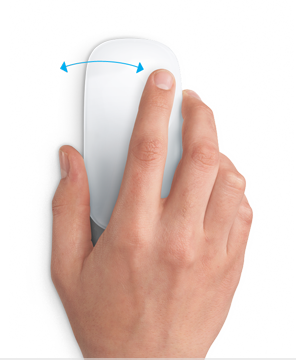
Swipe between pages

Swipe left or right with one finger to show the previous or next page.
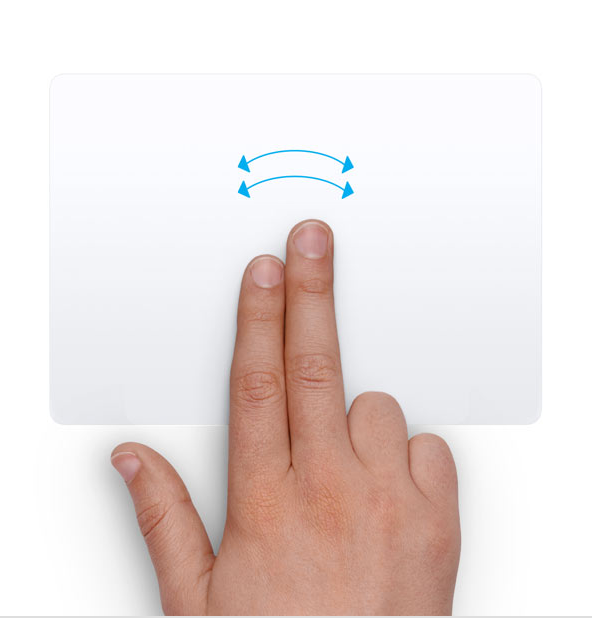

Swipe between pages

Swipe left or right with two fingers to show the previous or next page."


If you're using a third-party mouse, you may be able to configure similar settings in System Settings > Mouse. Most mice will allow you to at the least set the secondary click however some brands may have more options, depending on their compatibility with macOS.


Cheers!


This thread has been closed by the system or the community team. You may vote for any posts you find helpful, or search the Community for additional answers.

Using the back buttons on my mouse on my Mac

Welcome to Apple Support Community
A forum where Apple customers help each other with their products. Get started with your Apple Account.

