
How do I switch payment
I would like to use a different credit card for payment for the storage delete Apple Pay / Apple Card
iPhone 13, iOS 16
I would like to use a different credit card for payment for the storage delete Apple Pay / Apple Card
iPhone 13, iOS 16
You can re-order the payment methods on your Apple ID by tapping "Edit" and then dragging them up or down in the list on your Apple ID directly (not Wallet) by the 3 bars on the right side. iCloud Storage and all other purchases in the iTunes & App Stores will use the first one shown on your Apple ID first and then move down the list if the payment method is declined for any reason.
click here to manage payment methods on your Apple ID ➜ If you need to change or update your Apple ID payment method - Apple Support
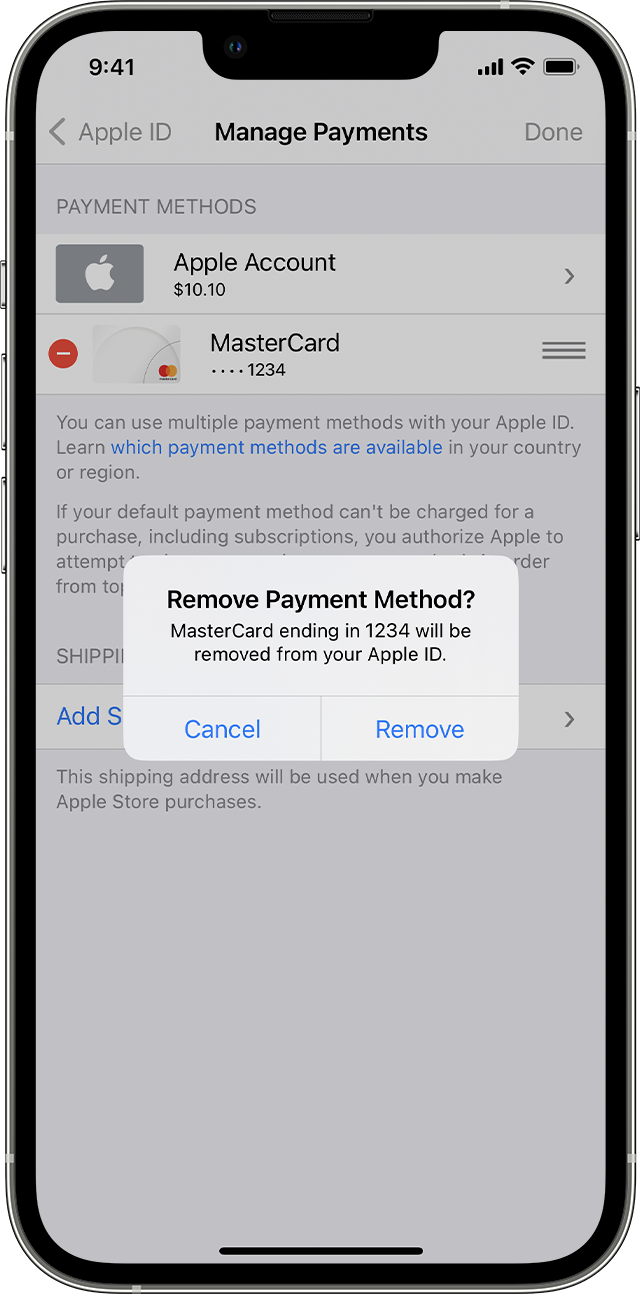
You can re-order the payment methods on your Apple ID by tapping "Edit" and then dragging them up or down in the list on your Apple ID directly (not Wallet) by the 3 bars on the right side. iCloud Storage and all other purchases in the iTunes & App Stores will use the first one shown on your Apple ID first and then move down the list if the payment method is declined for any reason.
click here to manage payment methods on your Apple ID ➜ If you need to change or update your Apple ID payment method - Apple Support
How do I switch payment
