You should pay attention to two commonly overlooked aspects...
- Configuring device restrictions for your child's device.
- Setting up a screen time passcode on your own device for your child.

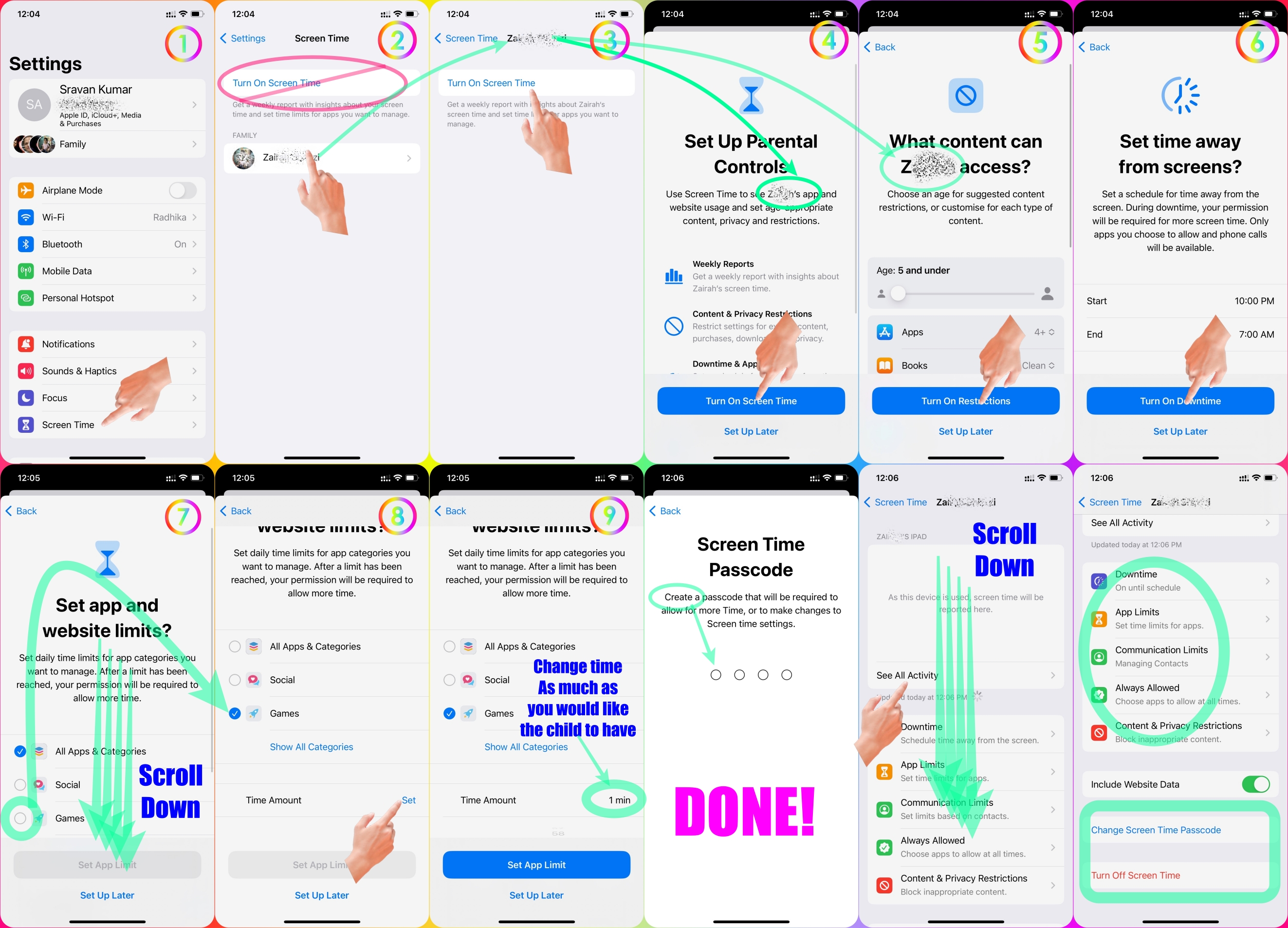
Set Screen Time Restrictions for your Child in your Family using Parental Control.
Please see the pic below which is self-explanatory.
Set Screen Time Passcode for your child's device through your device.
Please see the pic below which is self-explanatory.
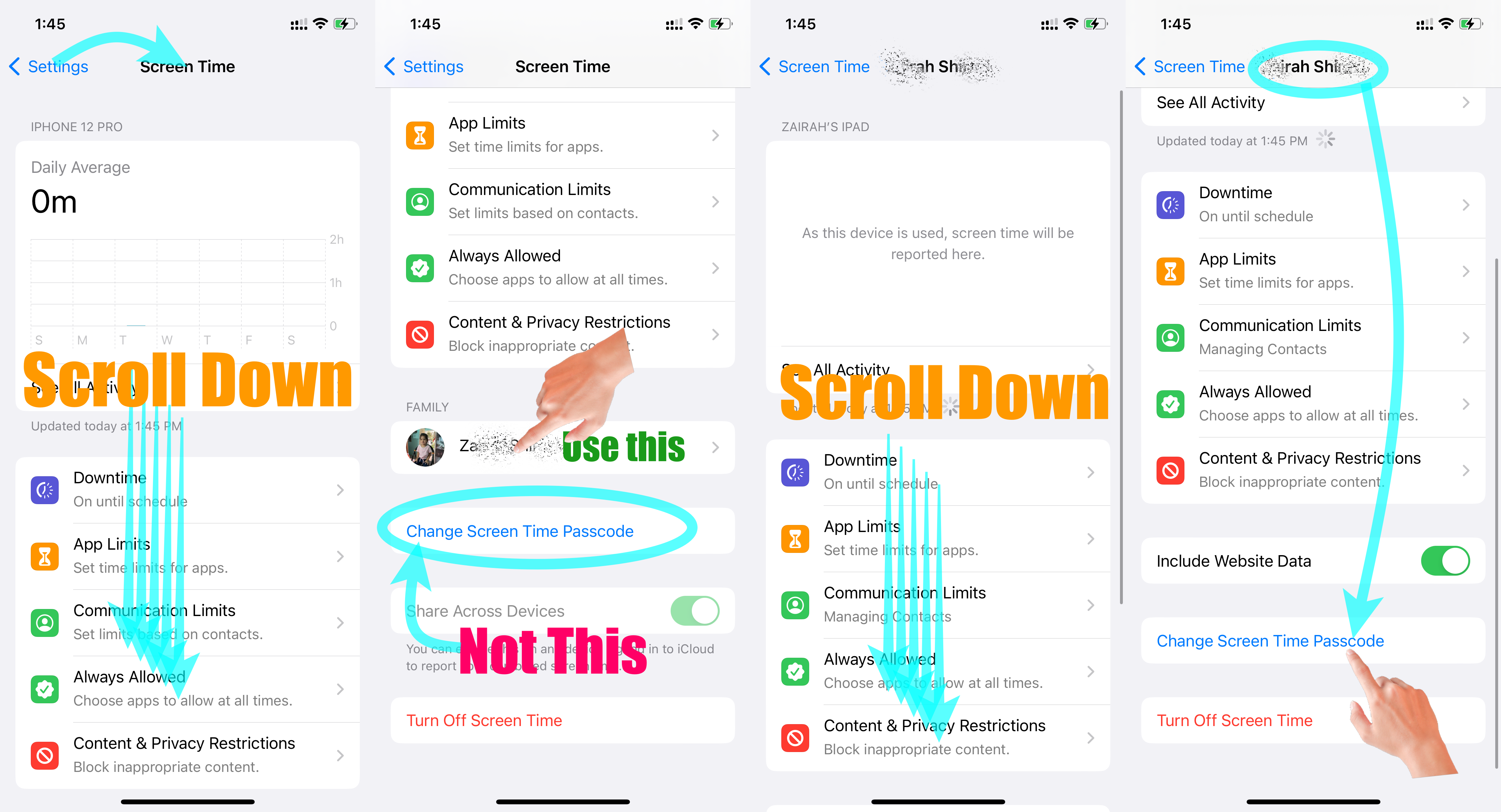
Go to Settings and tap Screen Time. Tap Content & Privacy Restrictions and enter your Screen Time passcode. Tap Content Restrictions, then tap Web Content. Choose Unrestricted Access, Limit Adult Websites, or Allowed Websites Only.
Use parental controls on your child's iPhone, iPad, and iPod ...
Set up parental controls with Family Sharing on iPhone
- Go to Settings > [your name] > Family Sharing > Screen Time.
- Tap the name of a child in your family group, tap Turn On Screen Time, then follow the onscreen instructions.
Set up parental controls with Family Sharing on iPhone

