
I want to cancel Apple iTunes but am having trouble reaching the right site.

I want to cancel Apple iTunes but am having trouble reaching the right site.

iMac 24″, macOS 12.6

Posted on Jul 1, 2023 11:12 AM

Reply
Question marked as Top-ranking reply

Posted on Jul 3, 2023 1:27 PM

Hello LadyFlyingTiger,


Weren't quite understanding what you are wanting to cancel here, as iTunes is not a subscription service directly. We'd be happy to offer some possible solutions to this issue. Many Apple-based subscriptions can be cancelled by following the information in this article: If you want to cancel a subscription from Apple - Apple Support. Follow this guidance:


"How to cancel a subscription on your iPhone or iPad
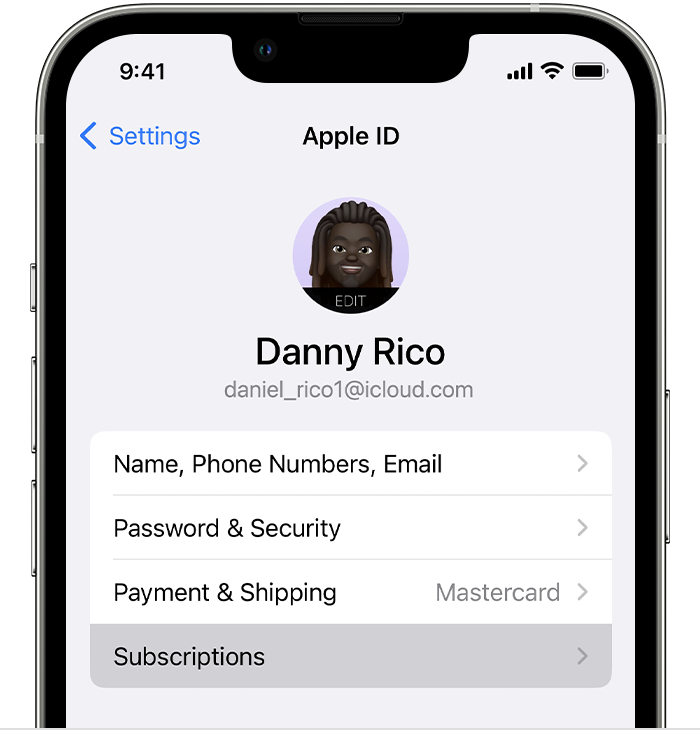
  1. Open the Settings app.
  2. Tap your name.
  3. Tap Subscriptions.
  4. The Subscriptions button in Settings on iPhone.

  5. Tap the subscription.
  6. Tap Cancel Subscription. You might need to scroll down to find the Cancel Subscription button. If there is no Cancel button or you see an expiration message in red text, the subscription is already canceled.

If you can't find the subscription that you want to cancel


Cancel a subscription on your Mac
  1. Open the App Store app.
  2. Click your name. If you can't find your name, click Sign In.
  3. Click Account Settings.
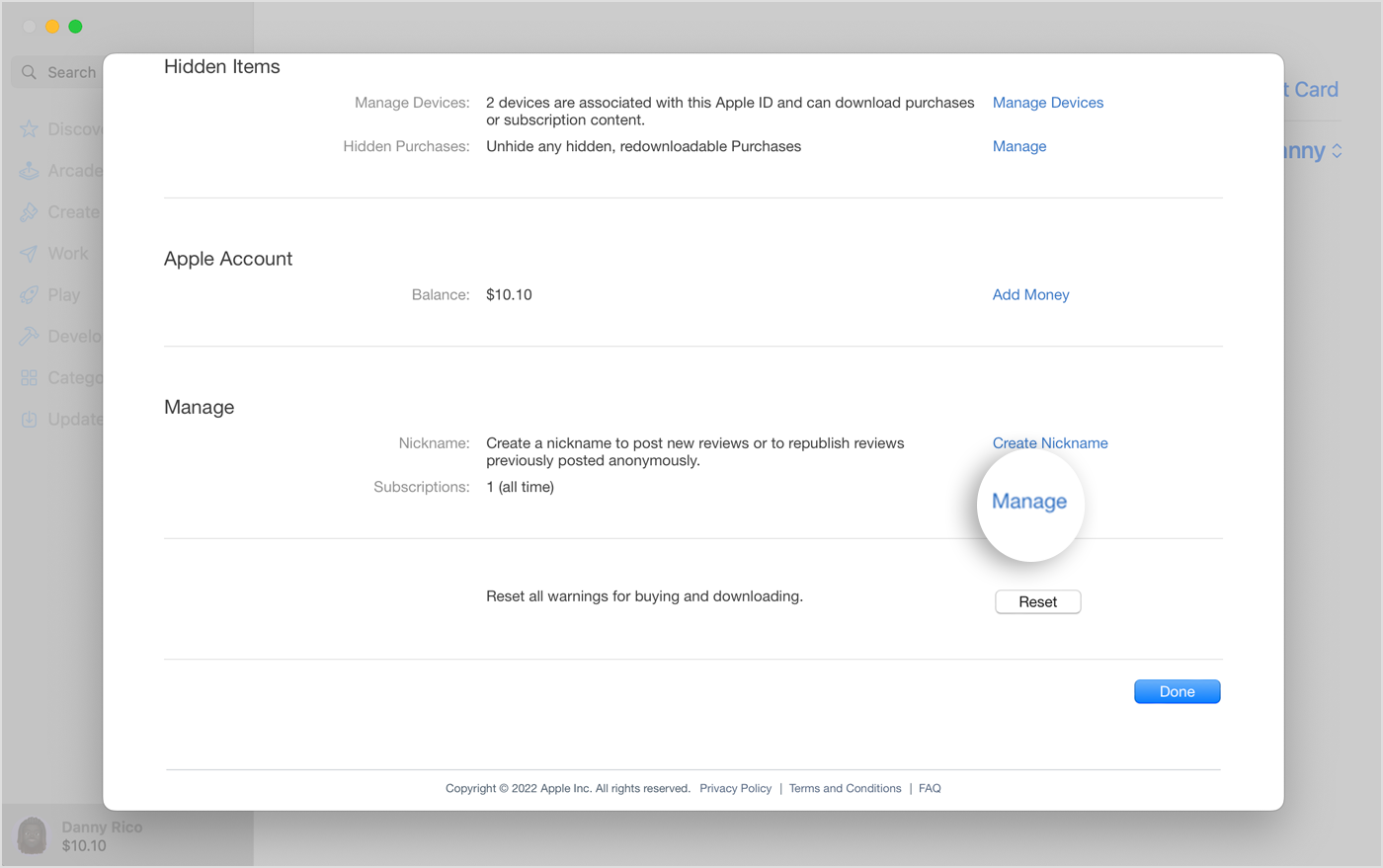
  4. Scroll to Subscriptions, then click Manage.
  5. The Manage button next to Subscriptions in the App Store on Mac.

  6. Next to the subscription, click Edit.
  7. Click Cancel Subscription. If there is no Cancel or Cancel Subscription button, the subscription is already canceled.

If you can't find the subscription that you want to cancel


Cancel a subscription on your Windows PC
  1. On your PC, open iTunes. If you don't have iTunes, learn how to download iTunes for Windows.
  2. From the menu bar at the top of the iTunes window, choose Account, then choose View My Account.
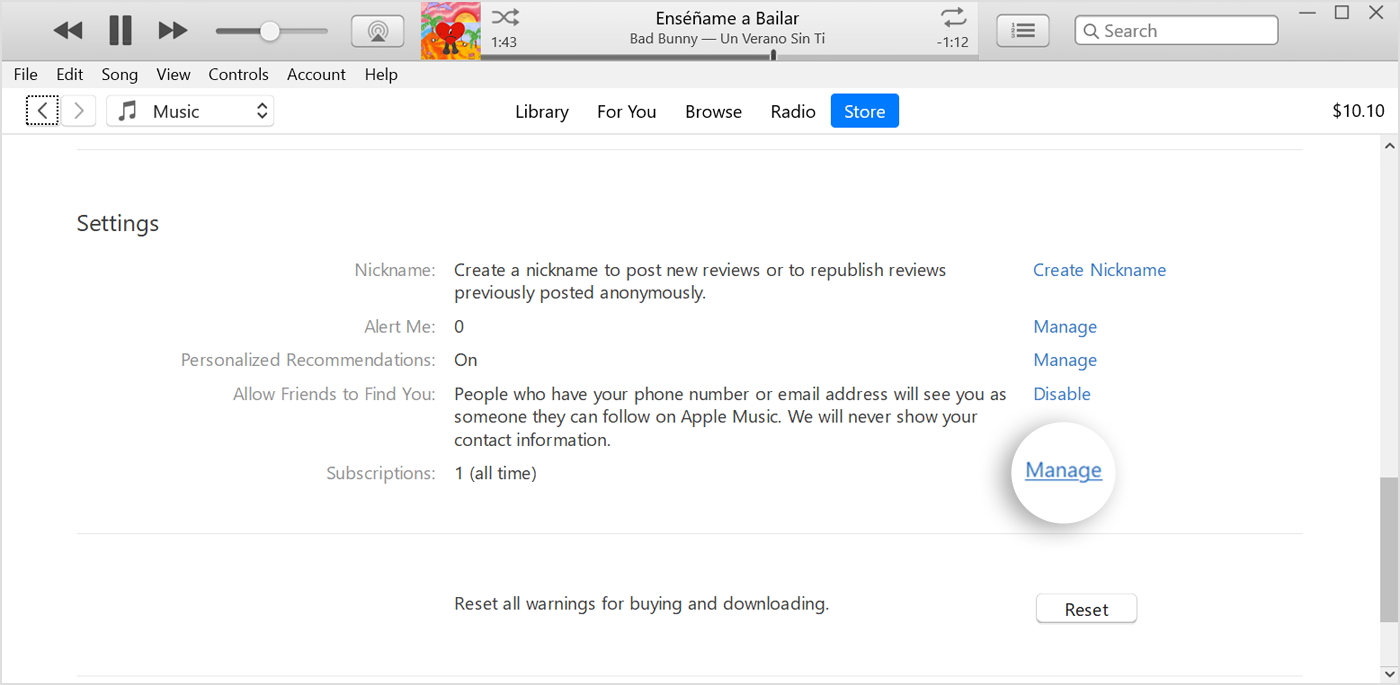
  3. Scroll to the Settings section. Next to Subscriptions, click Manage.
  4. The Manage button next to Subscriptions in iTunes.

  5. Find the subscription that you want to cancel, then click Edit.
  6. Click Cancel Subscription. If there is no Cancel or Cancel Subscription button, the subscription is already canceled.

If you can't find the subscription that you want to cancel


Can’t find the subscription that you want to cancel?

You can cancel iCloud+ in your iCloud storage settings.

If you aren't trying to cancel iCloud+, find your receipt:
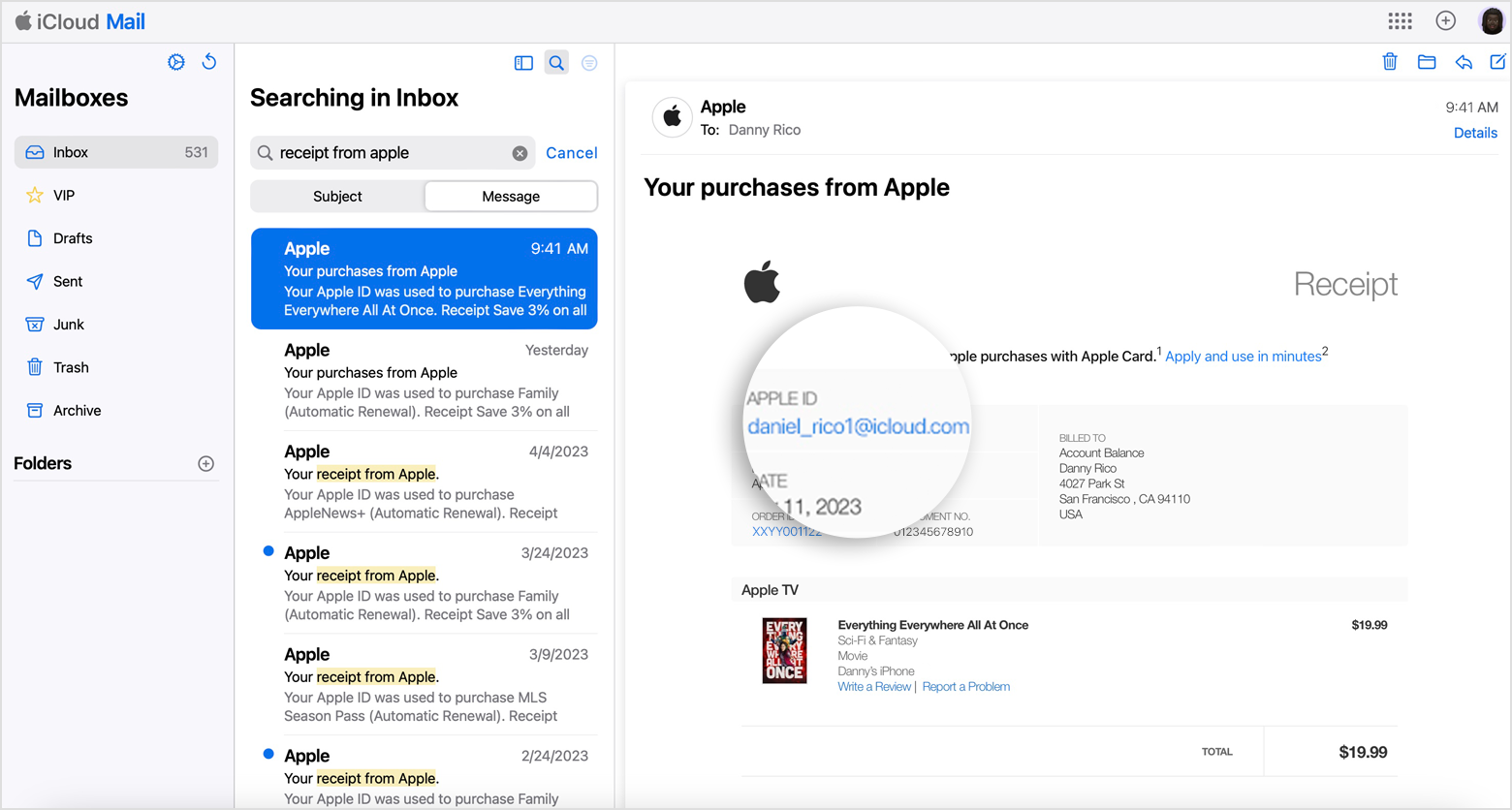
  1. Search your email for the words "receipt from Apple."
  2. On the receipt for the subscription, check which Apple ID was used.

Email receipt that shows the Apple ID that was used for a purchase from Apple.

  • If a family member's Apple ID appears on the receipt, ask that family member to use the steps in this article to cancel the subscription. You can’t cancel a family member's subscription.
  • If another Apple ID that you use appears on the receipt, sign in with that Apple ID and use the steps in this article to cancel the subscription.
  • If you can't find a receipt from Apple for the subscription, you might have bought the subscription from another company. To find out which company bills you, check your bank or credit card statement. To cancel the subscription, you must contact the company that bills you for the subscription.


Contact Apple Support

Contact Apple Support


About subscriptions


We hope this helps. Let us know if we can assist with anything else at all. Take care.

1 reply
Question marked as Top-ranking reply

Jul 3, 2023 1:27 PM in response to LadyFlyingTiger

Hello LadyFlyingTiger,


Weren't quite understanding what you are wanting to cancel here, as iTunes is not a subscription service directly. We'd be happy to offer some possible solutions to this issue. Many Apple-based subscriptions can be cancelled by following the information in this article: If you want to cancel a subscription from Apple - Apple Support. Follow this guidance:


"How to cancel a subscription on your iPhone or iPad

  1. Open the Settings app.
  2. Tap your name.
  3. Tap Subscriptions.
  4. The Subscriptions button in Settings on iPhone.

  5. Tap the subscription.
  6. Tap Cancel Subscription. You might need to scroll down to find the Cancel Subscription button. If there is no Cancel button or you see an expiration message in red text, the subscription is already canceled.

If you can't find the subscription that you want to cancel


Cancel a subscription on your Mac

  1. Open the App Store app.
  2. Click your name. If you can't find your name, click Sign In.
  3. Click Account Settings.
  4. Scroll to Subscriptions, then click Manage.
  5. The Manage button next to Subscriptions in the App Store on Mac.

  6. Next to the subscription, click Edit.
  7. Click Cancel Subscription. If there is no Cancel or Cancel Subscription button, the subscription is already canceled.

If you can't find the subscription that you want to cancel


Cancel a subscription on your Windows PC

  1. On your PC, open iTunes. If you don't have iTunes, learn how to download iTunes for Windows.
  2. From the menu bar at the top of the iTunes window, choose Account, then choose View My Account.
  3. Scroll to the Settings section. Next to Subscriptions, click Manage.
  4. The Manage button next to Subscriptions in iTunes.

  5. Find the subscription that you want to cancel, then click Edit.
  6. Click Cancel Subscription. If there is no Cancel or Cancel Subscription button, the subscription is already canceled.

If you can't find the subscription that you want to cancel


Can’t find the subscription that you want to cancel?

You can cancel iCloud+ in your iCloud storage settings.

If you aren't trying to cancel iCloud+, find your receipt:

  1. Search your email for the words "receipt from Apple."
  2. On the receipt for the subscription, check which Apple ID was used.

Email receipt that shows the Apple ID that was used for a purchase from Apple.

  • If a family member's Apple ID appears on the receipt, ask that family member to use the steps in this article to cancel the subscription. You can’t cancel a family member's subscription.
  • If another Apple ID that you use appears on the receipt, sign in with that Apple ID and use the steps in this article to cancel the subscription.
  • If you can't find a receipt from Apple for the subscription, you might have bought the subscription from another company. To find out which company bills you, check your bank or credit card statement. To cancel the subscription, you must contact the company that bills you for the subscription.


Contact Apple Support

Contact Apple Support


About subscriptions


We hope this helps. Let us know if we can assist with anything else at all. Take care.

This thread has been closed by the system or the community team. You may vote for any posts you find helpful, or search the Community for additional answers.

I want to cancel Apple iTunes but am having trouble reaching the right site.

Welcome to Apple Support Community
A forum where Apple customers help each other with their products. Get started with your Apple Account.