How do I find the Apple ID “login” keychain password?

How do I find the Apple ID client identifier in the keychain


[Re-Titled by Moderator]

MacBook Pro 13″, macOS 11.3

Posted on Jul 1, 2023 11:30 AM

Reply
Question marked as Top-ranking reply

Posted on Jul 3, 2023 9:45 AM


Keychain Access User Guide for Mac - Apple Support

Manage passwords using keychains on Mac - Apple Support

Keychains | Apple Developer Documentation

Keychain Services | Apple Developer Documentation


Your product (Mac) 'Help files' include most/all systems details; search from

Finder menu-bar Help to locate more. Following, found in macOS 10.13.6:


Manage passwords using Keychains:

You can use the Keychain Access app on your Mac to view and manage your keychains. If you set up iCloud Keychain on your Mac, you can store your keychains in iCloud Keychain and access them from any of your Mac computers or iOS devices.

What is a keychain?

A keychain is an encrypted container that securely stores your account names and passwords for your Mac, apps, servers, and websites, and confidential information, such as credit card numbers or bank account PIN numbers.

When you access a website, email account, network server, or other password-protected item, you can choose to save the password in your keychain so you don’t have to remember or enter the password each time.
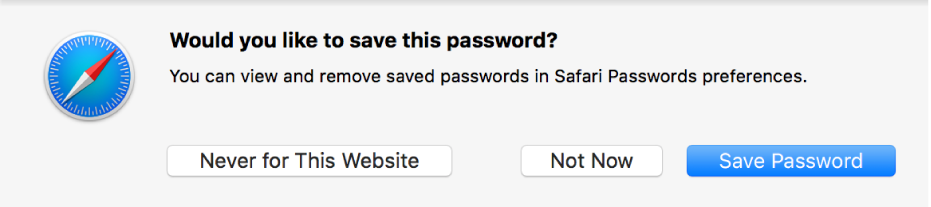
Each user on a Mac has a login keychain. The password for your login keychain matches the password you use to log in to your Mac. If an administrator on your Mac resets your login password, you’ll need to reset your login keychain password.


View the information stored in a keychain

Keychain Access lets you view the keys, certificates, passwords, account information, notes, or other information stored in a keychain.

Open Keychain Access for me

  1. If you don’t see a list of keychains, choose View > Show Keychains.
  2. Select the keychain that you want to view.
  3. To see more information about an item, double-click it.
  4. If the item is a key:
  • The Attributes pane in the Get Info window reveals basic identifying information for an item, such as its name and type.
    • If you want to see the password for an item, click “Show password,” then enter the password for the keychain that contains that item.
    • The Access Control pane in the Get Info window lets you determine whether you need a password to use an item. For example, if you select “Ask for Keychain password” for an item, you have to type the keychain password as well as the item’s password to gain access to that item.
  1. If the item is a certificate:
    • The Trust section displays details about the certificate’s trust policies.
    • The Details section displays information about the source and parameters of the certificate.

See also

Determine if a certificate is valid

Certificate trust policies


[Blue links here, may (or not / but used to) open corresponding support

help pages; yours match the macOS version inside one you are using.]


6 replies
Question marked as Top-ranking reply

Jul 3, 2023 9:45 AM in response to Kchirlin


Keychain Access User Guide for Mac - Apple Support

Manage passwords using keychains on Mac - Apple Support

Keychains | Apple Developer Documentation

Keychain Services | Apple Developer Documentation


Your product (Mac) 'Help files' include most/all systems details; search from

Finder menu-bar Help to locate more. Following, found in macOS 10.13.6:


Manage passwords using Keychains:

You can use the Keychain Access app on your Mac to view and manage your keychains. If you set up iCloud Keychain on your Mac, you can store your keychains in iCloud Keychain and access them from any of your Mac computers or iOS devices.

What is a keychain?

A keychain is an encrypted container that securely stores your account names and passwords for your Mac, apps, servers, and websites, and confidential information, such as credit card numbers or bank account PIN numbers.

When you access a website, email account, network server, or other password-protected item, you can choose to save the password in your keychain so you don’t have to remember or enter the password each time.

Each user on a Mac has a login keychain. The password for your login keychain matches the password you use to log in to your Mac. If an administrator on your Mac resets your login password, you’ll need to reset your login keychain password.


View the information stored in a keychain

Keychain Access lets you view the keys, certificates, passwords, account information, notes, or other information stored in a keychain.

Open Keychain Access for me

  1. If you don’t see a list of keychains, choose View > Show Keychains.
  2. Select the keychain that you want to view.
  3. To see more information about an item, double-click it.
  4. If the item is a key:
  • The Attributes pane in the Get Info window reveals basic identifying information for an item, such as its name and type.
    • If you want to see the password for an item, click “Show password,” then enter the password for the keychain that contains that item.
    • The Access Control pane in the Get Info window lets you determine whether you need a password to use an item. For example, if you select “Ask for Keychain password” for an item, you have to type the keychain password as well as the item’s password to gain access to that item.
  1. If the item is a certificate:
    • The Trust section displays details about the certificate’s trust policies.
    • The Details section displays information about the source and parameters of the certificate.

See also

Determine if a certificate is valid

Certificate trust policies


[Blue links here, may (or not / but used to) open corresponding support

help pages; yours match the macOS version inside one you are using.]


Dec 18, 2023 8:47 PM in response to dontclickonit23

If the Mac has multiple login user accounts, then I think you wouldn’t have access for data from other users. If the Mac has just one user, then I am perplexed for this.


I have not seen the described behavior on my own computers. Unless someone else chimes in with a new idea, I would suggest to contact an expert from the Apple Support staff for further assistance. Contact Apple for support and service (phone numbers) or start your support request online (chat/​email/​callback).

This thread has been closed by the system or the community team. You may vote for any posts you find helpful, or search the Community for additional answers.

How do I find the Apple ID “login” keychain password?

Welcome to Apple Support Community
A forum where Apple customers help each other with their products. Get started with your Apple Account.

