My Phone number not saving to iMessage
My personal phone number will not safe to a message after transferring my information to a new phone any tips or help
My personal phone number will not safe to a message after transferring my information to a new phone any tips or help
Hello Shep2389,
If you're having issues with adding your phone number to be reached at in Messages then this page may be able to help provide assistance: Add or remove your phone number in Messages or FaceTime - Apple Support
On your iPhone:
1. Go to Settings > Messages and make sure that iMessage is on. You might need to wait a moment for it to activate.
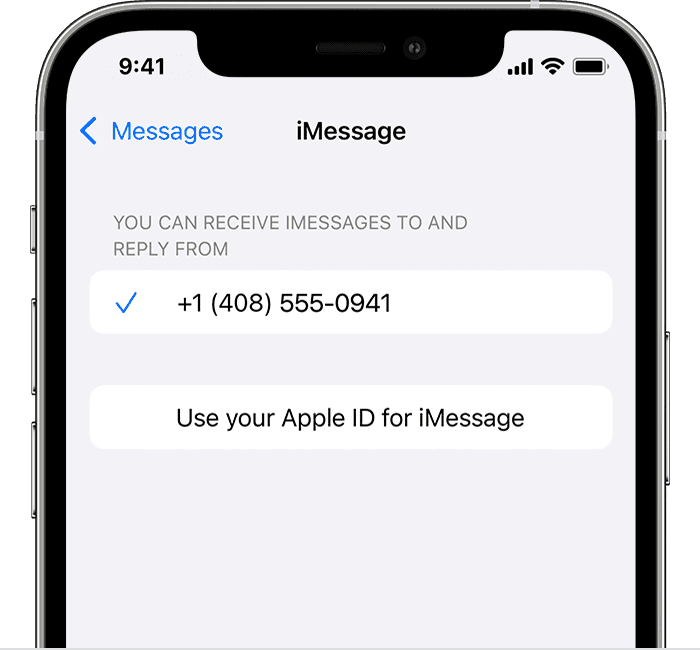
2. Tap Send & Receive. If you see “Use your Apple ID for iMessage,” tap it and sign in with the same Apple ID that you use on your Mac, iPad, and iPod touch.
3. In the "You can receive iMessages to and Reply From" section, make sure that your phone number and Apple ID are selected.
4. Go to Settings > FaceTime and make sure that your phone number and Apple ID are selected in the "You can be reached by FaceTime at" section.
On your other devices, you can now turn on the phone number that you just set up:
* Turn on your phone number for your Mac
* Turn on your phone number for your iPad or iPod touch
If the above steps haven't helped, try scrolling to the bottom of the above link's "If you can't see or select your number in Messages or FaceTime" section for additional things to try out.
Cheers.
Hello Shep2389,
If you're having issues with adding your phone number to be reached at in Messages then this page may be able to help provide assistance: Add or remove your phone number in Messages or FaceTime - Apple Support
On your iPhone:
1. Go to Settings > Messages and make sure that iMessage is on. You might need to wait a moment for it to activate.
2. Tap Send & Receive. If you see “Use your Apple ID for iMessage,” tap it and sign in with the same Apple ID that you use on your Mac, iPad, and iPod touch.
3. In the "You can receive iMessages to and Reply From" section, make sure that your phone number and Apple ID are selected.
4. Go to Settings > FaceTime and make sure that your phone number and Apple ID are selected in the "You can be reached by FaceTime at" section.
On your other devices, you can now turn on the phone number that you just set up:
* Turn on your phone number for your Mac
* Turn on your phone number for your iPad or iPod touch
If the above steps haven't helped, try scrolling to the bottom of the above link's "If you can't see or select your number in Messages or FaceTime" section for additional things to try out.
Cheers.
My Phone number not saving to iMessage