
Recent calls on iPhone
When I click on recent’s on my iPhone, it shows no messages, but when I go to my iPad and FaceTime, I see all the last calls. How do I fix this?
iPhone X, iOS 16
When I click on recent’s on my iPhone, it shows no messages, but when I go to my iPad and FaceTime, I see all the last calls. How do I fix this?
iPhone X, iOS 16
Hello Madfiru,
Thank you for reaching out to Apple Support Communities, and we'll be happy to help in any way we can. We understand you're having issues with last calls showing up on your iPad and in FaceTime. Is the iPad using the same Apple ID as your iPhone? Are they both connected to the same Wi-Fi network? Try restarting your iPad as described here to see if that resolves the issue: Restart your iPad - Apple Support
"How to restart an iPad without a Home button
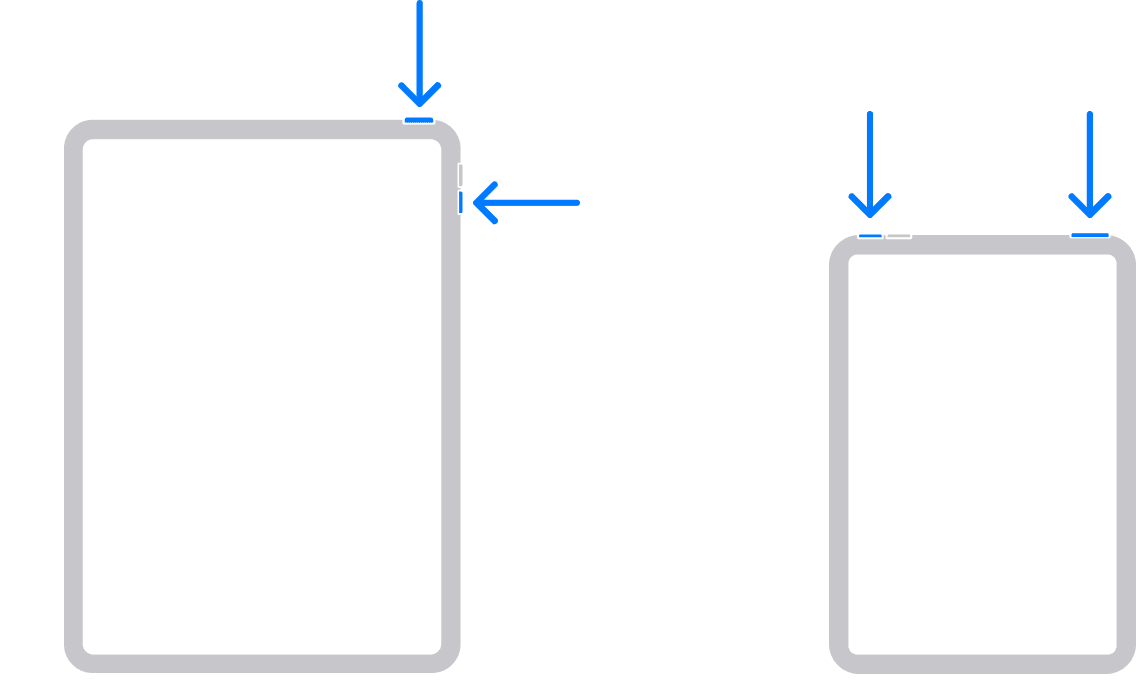
How to restart an iPad with a Home button

We hope this helps.
Cheers!
Recent calls on iPhone

