Air pod won’t charge and all the chargers I have tried are good and light won’t turn on
Air pods or case won’t charge and all the chargers I used are good what do I do
AirPods (1st generation)
Air pods or case won’t charge and all the chargers I used are good what do I do
AirPods (1st generation)
Hello Zac420,
Thank you for reaching out in Apple Support Communities. We noticed that you were reviewing this article: If your AirPods won’t charge - Apple Support Were you able to follow the suggested steps within that article to help troubleshoot your AirPods? If so and you continue to experience the inability of charging your AirPods, we suggest to perform a reset. This is a step that may help when a set of AirPods cannot be charged. Here's how to reset our AirPods:
You might need to reset your AirPods if they won't charge, or to fix a different issue.
1. Put your AirPods in their charging case, and close the lid.
2. Wait 30 seconds.
3. Open the lid of your charging case, and put your AirPods in your ears.
4. Go to Settings > Bluetooth. Or go to Settings > [your AirPods].
* If your AirPods appear there as connected, tap the More Info buttonnext to your AirPods, tap Forget This Device, then tap again to confirm.
* If your AirPods don't appear there, continue to the next step.
5. Put your AirPods in their charging case, and keep the lid open.
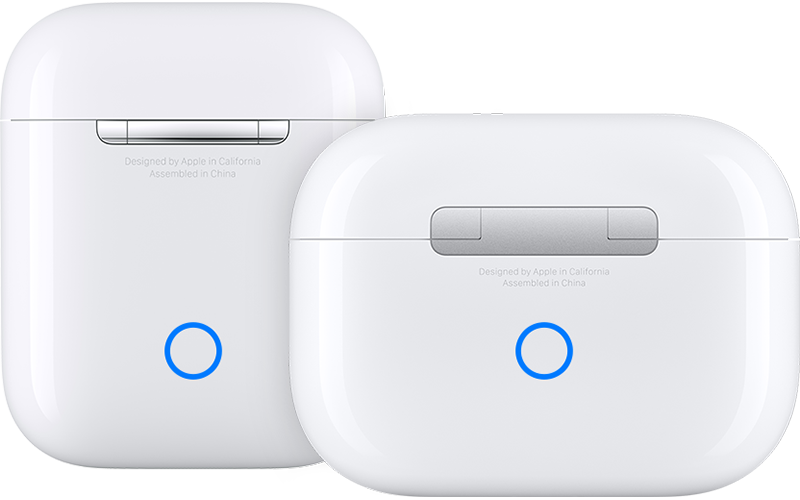
6. Press and hold the setup button on the back of the case for about 15 seconds, until the status light on the front of the case flashes amber, then white.*
7. Reconnect your AirPods: With your AirPods in their charging case and the lid open, place your AirPods close to your iPhone or iPad. Follow the steps on your device's screen.
Following these steps may help and is outlined in this helpful article: How to reset your AirPods and AirPods Pro - Apple Support
We look forward to hearing back from you with an update.
Kind regards.
Hello Zac420,
Thank you for reaching out in Apple Support Communities. We noticed that you were reviewing this article: If your AirPods won’t charge - Apple Support Were you able to follow the suggested steps within that article to help troubleshoot your AirPods? If so and you continue to experience the inability of charging your AirPods, we suggest to perform a reset. This is a step that may help when a set of AirPods cannot be charged. Here's how to reset our AirPods:
You might need to reset your AirPods if they won't charge, or to fix a different issue.
1. Put your AirPods in their charging case, and close the lid.
2. Wait 30 seconds.
3. Open the lid of your charging case, and put your AirPods in your ears.
4. Go to Settings > Bluetooth. Or go to Settings > [your AirPods].
* If your AirPods appear there as connected, tap the More Info button
* If your AirPods don't appear there, continue to the next step.
5. Put your AirPods in their charging case, and keep the lid open.
6. Press and hold the setup button on the back of the case for about 15 seconds, until the status light on the front of the case flashes amber, then white.*
7. Reconnect your AirPods: With your AirPods in their charging case and the lid open, place your AirPods close to your iPhone or iPad. Follow the steps on your device's screen.
Following these steps may help and is outlined in this helpful article: How to reset your AirPods and AirPods Pro - Apple Support
We look forward to hearing back from you with an update.
Kind regards.
I’m having this issue too. I tried troubleshooting it and nothing is working. The light doesn’t turn on unless I plug them in to the charger and then when I take out the charger the light doesn’t turn on despite being fully charged
Air pod won’t charge and all the chargers I have tried are good and light won’t turn on