Forgotten Password

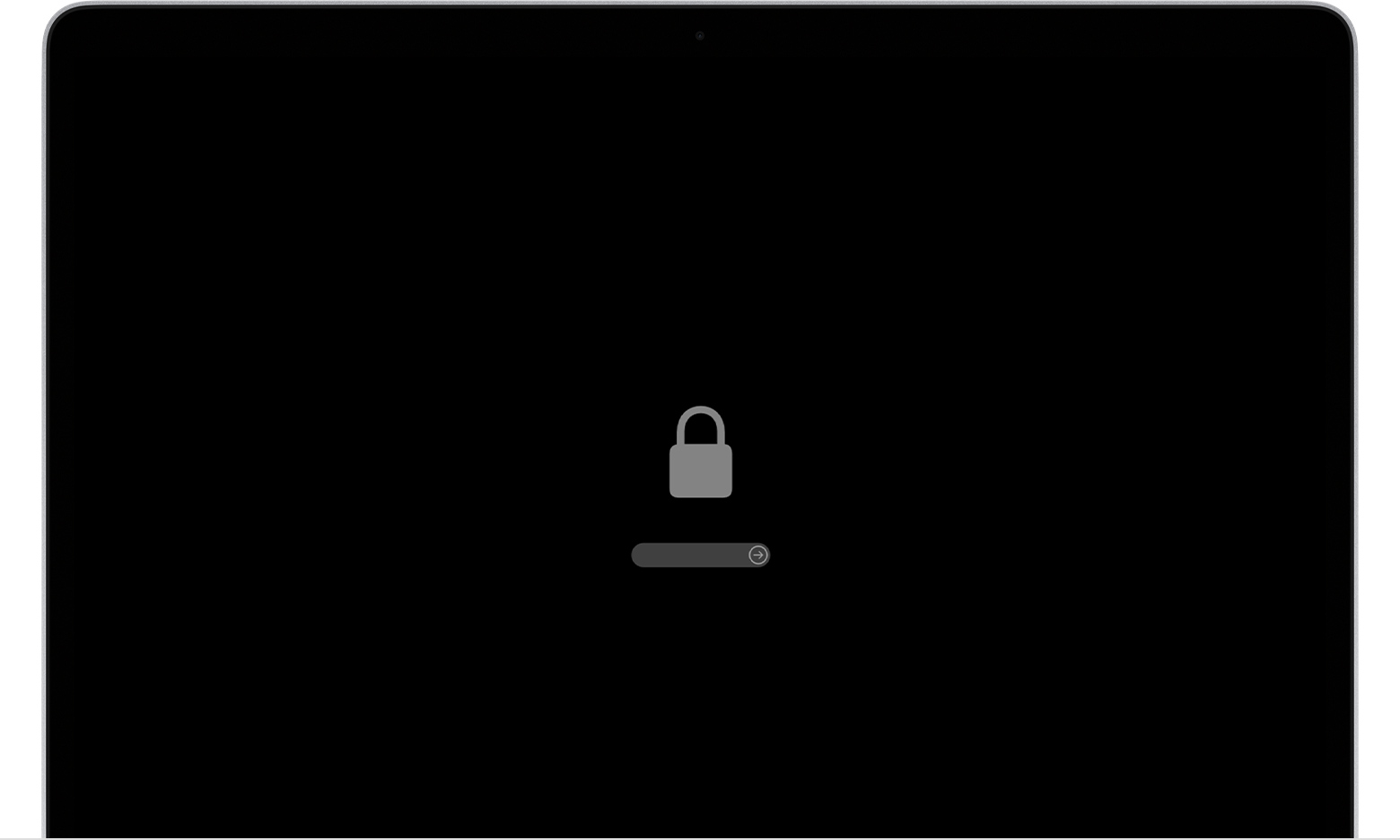
My daughter gave me her old MacBook Air (+-2012). She put it back to factory settings. Its not connected to Apple ID. I have forgotten my password and now can't login. After three attempts I am shown HINT but am not given the option to reset my password. I have tried CMD R but I just see a lock symbol and no further options. I've been Googling for days but with no luck.

Posted on Jul 6, 2023 1:29 PM

Reply
Question marked as Top-ranking reply

Posted on Jul 6, 2023 7:38 PM

A lock symbol like this one?


Read If your Mac doesn't start up all the way - Apple Support, and the link within it: Set a firmware password on your Mac - Apple Support.


If your daughter does not recall that password, or does not recall ever setting one, then follow the instructions under If you forgot your firmware password. There is no circumventing it.


Otherwise please explain the roadblock you are encountering.

2 replies
Question marked as Top-ranking reply

Jul 6, 2023 7:38 PM in response to Teckelvriend

A lock symbol like this one?


Read If your Mac doesn't start up all the way - Apple Support, and the link within it: Set a firmware password on your Mac - Apple Support.


If your daughter does not recall that password, or does not recall ever setting one, then follow the instructions under If you forgot your firmware password. There is no circumventing it.


Otherwise please explain the roadblock you are encountering.

This thread has been closed by the system or the community team. You may vote for any posts you find helpful, or search the Community for additional answers.

Forgotten Password

Welcome to Apple Support Community
A forum where Apple customers help each other with their products. Get started with your Apple Account.