Hello Asuraid,
Thank you for reaching out to Apple Support Communities, and we'll be happy to help in any way we can. We understand you're having issues with your Apple Pencil. Try unpairing it and pairing it again to see if that resolves the issue: Pair Apple Pencil with your iPad - Apple Support
"Before you begin

Pair your Apple Pencil (2nd generation) with your iPad
Attach your Apple Pencil to the magnetic connector on the side of your iPad, like this:
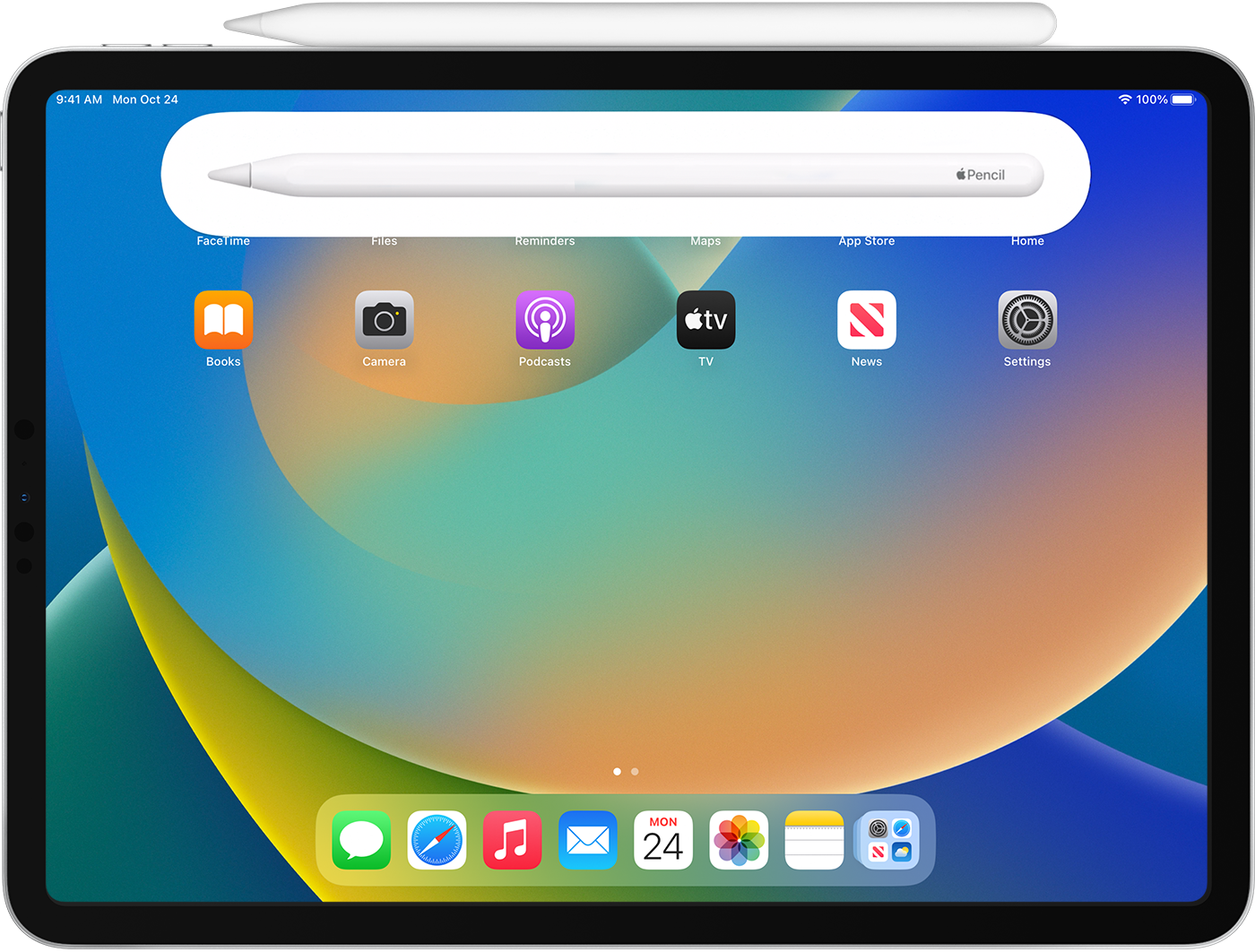
Pair your Apple Pencil (1st generation) with your iPad (10th generation)
Remove the cap and plug your Apple Pencil and a USB-C cable into the USB-C to Apple Pencil Adapter. Plug the other end of the cable into your iPad.

When the Pair button appears, tap it. Wait for your Apple Pencil to pair, then unplug it from the USB-C to Apple Pencil Adapter.
Your Apple Pencil and iPad stay paired until you restart your iPad or pair your Apple Pencil with another iPad. When you’re ready to use your Apple Pencil again, use the same steps to pair it with your iPad.
Pair your Apple Pencil (1st generation) with your iPad (6th through 9th generations)
Remove the cap and plug your Apple Pencil into the Lightning connector on your iPad.

When the Pair button appears, tap it.
Your Apple Pencil and iPad stay paired until you restart your iPad, turn on Airplane Mode, or pair your Apple Pencil with another iPad. When you’re ready to use your Apple Pencil again, use the same steps to pair it with your iPad.
If your Apple Pencil won't pair with your iPad
- Connect your Apple Pencil to your ipad:
- With Apple Pencil (2nd generation): Center your Apple Pencil on the magnetic connector, which is on the side of your iPad with the volume buttons.
- With Apple Pencil (1st generation) and iPad (6th through 9th generations): Remove the cap and plug your Apple Pencil into the Lightning connector on your iPad.
- With Apple Pencil (1st generation) and iPad (10th generation): Remove the cap and plug your Apple Pencil and a USB-C cable into the USB-C to Apple Pencil Adapter. Plug the other end of the cable into your iPad.
- Restart your iPad, then try to pair again.
- Go to Settings > Bluetooth and make sure that Bluetooth is turned on.
- On the same screen, find your Apple Pencil under My Devices. If you find it, tap
 . Then tap Forget this Device.
 - Connect your Apple Pencil into your iPad and tap the Pair button when it appears after a few seconds.
- If the Pair button doesn't appear, wait for one minute while your Apple Pencil charges. Then try connecting your Apple Pencil again and wait until the Pair button appears.
- If the Pair button still doesn't appear, contact Apple Support."
We hope this helps.
Cheers!


