
Device sign in
when signing in to my apple id, i got message saying that my id is being used to sign in to a device in an area not very close to my actual location. what's up with that?
MacBook Air 13″, macOS 10.14
when signing in to my apple id, i got message saying that my id is being used to sign in to a device in an area not very close to my actual location. what's up with that?
MacBook Air 13″, macOS 10.14
Hi eweepeewee,
As previously mentioned location can be approximate depending on your current settings, internet service provider, and and VPNs you may be using. "Your approximate location is determined using information from local Wi-Fi networks." Find this information and check your settings with the help of this guide page: Manage which apps can detect your Mac location
If you have concerns, you can also use the steps below from the article here to help check what devices are associated with your Apple ID:
"Use your Mac to find where you're signed in
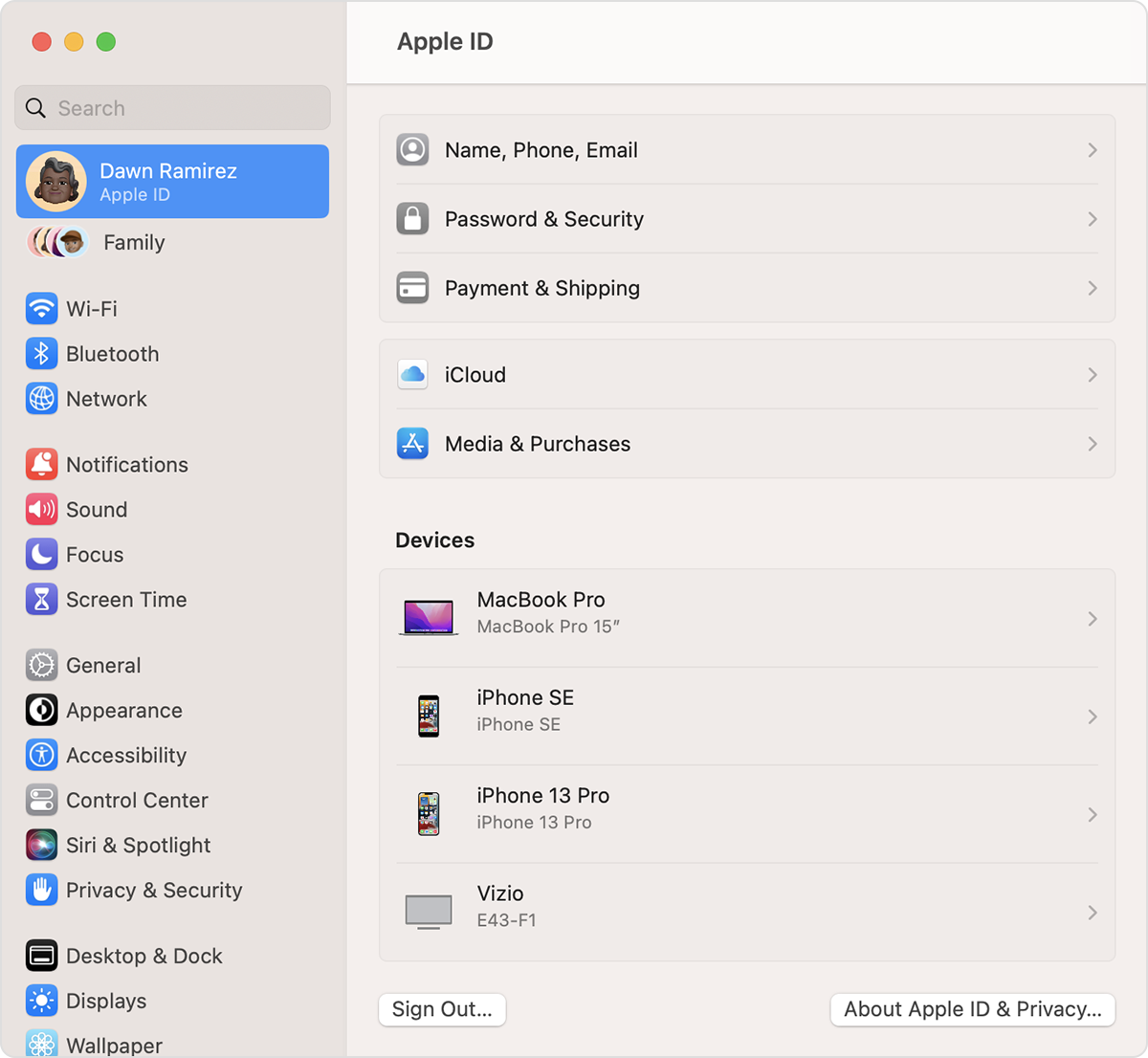
If you ever think your Apple ID has been compromised, these steps will assist: If you think your Apple ID has been compromised
If you need further assistance, reach out to Apple directly to continue. Get connected using the link here: Get Support
Cheers.
Hi eweepeewee,
As previously mentioned location can be approximate depending on your current settings, internet service provider, and and VPNs you may be using. "Your approximate location is determined using information from local Wi-Fi networks." Find this information and check your settings with the help of this guide page: Manage which apps can detect your Mac location
If you have concerns, you can also use the steps below from the article here to help check what devices are associated with your Apple ID:
"Use your Mac to find where you're signed in
If you ever think your Apple ID has been compromised, these steps will assist: If you think your Apple ID has been compromised
If you need further assistance, reach out to Apple directly to continue. Get connected using the link here: Get Support
Cheers.
Hello eweepeewee,
Thanks for using the Apple Support Communities!
The location shown when logging in can vary depending on what kind of connection you're using, if you're using a VPN, which cellular tower you're connected to, etc...
This is normal and not something to be concerned with.
Hope this helps!
even if it's 660 miles away??
Device sign in


