Delete Apple Preview Signatures

Is there a reasonable explanation for why we cannot delete a signature from Apple Preview, yet all other annotations can be changed? If the date can be changed, what value is the signature?


If there is some reason for this, why was there no Save As warning?

I now have a PDF that is not usable.

Posted on Jul 17, 2023 6:59 PM

Reply
Question marked as Top-ranking reply

Posted on Jul 17, 2023 7:39 PM

damionmikol wrote:

Is there a reasonable explanation for why we cannot delete a signature from Apple Preview, yet all other annotations can be changed? If the date can be changed, what value is the signature?

If there is some reason for this, why was there no Save As warning?
I now have a PDF that is not usable.


Not quite sure what you are saying...


A saved signature is a bit of security risk as you might imagine. Once you plant it and save it on a document—it is not the kind of thing you would want easily removed for legal reason— on an important document or a pdf to your grandma.


You can delete signatures moving your mouse over the selection and X, yes
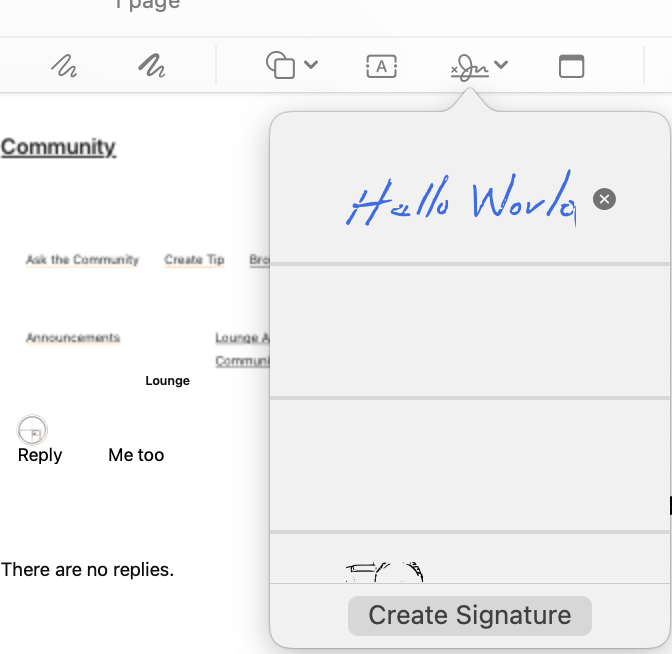


when adding a signature Commnad Z will undo the last commands, you can walk it back.


or select it an use the delete key


You can save and still edit, however if you close the PDF and reopen it then it is fixed.
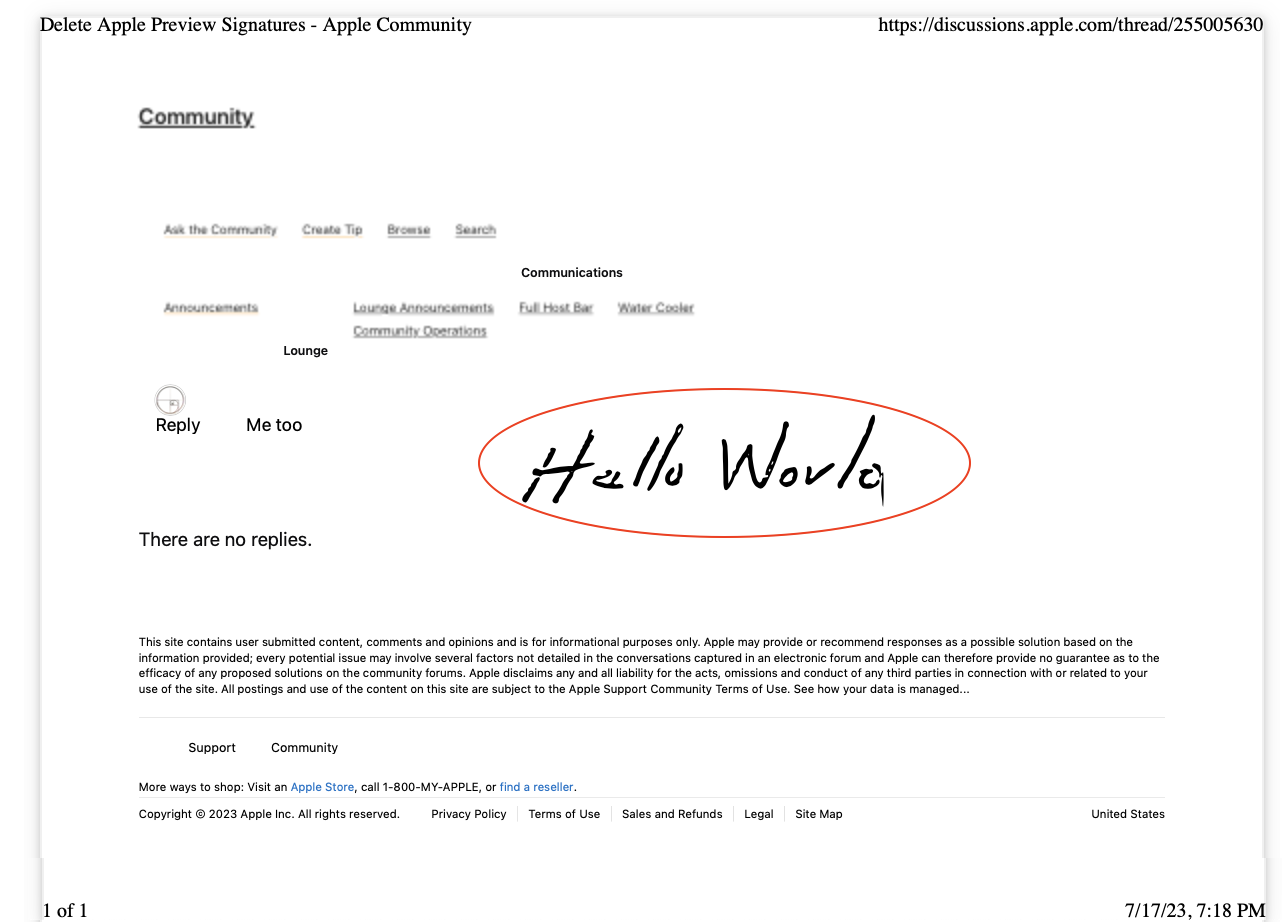


ref: Fill out and sign a PDF form in Preview on Mac - Apple Support


"not useable" (?)


Local snapshots are for reverting to previous recent copies

Preview>File>Recent>Browse all version>Restore


ref: About Time Machine local snapshots on Mac - Apple Support


12 replies
Question marked as Top-ranking reply

Jul 17, 2023 7:39 PM in response to damionmikol

damionmikol wrote:

Is there a reasonable explanation for why we cannot delete a signature from Apple Preview, yet all other annotations can be changed? If the date can be changed, what value is the signature?

If there is some reason for this, why was there no Save As warning?
I now have a PDF that is not usable.


Not quite sure what you are saying...


A saved signature is a bit of security risk as you might imagine. Once you plant it and save it on a document—it is not the kind of thing you would want easily removed for legal reason— on an important document or a pdf to your grandma.


You can delete signatures moving your mouse over the selection and X, yes


when adding a signature Commnad Z will undo the last commands, you can walk it back.


or select it an use the delete key


You can save and still edit, however if you close the PDF and reopen it then it is fixed.


ref: Fill out and sign a PDF form in Preview on Mac - Apple Support


"not useable" (?)


Local snapshots are for reverting to previous recent copies

Preview>File>Recent>Browse all version>Restore
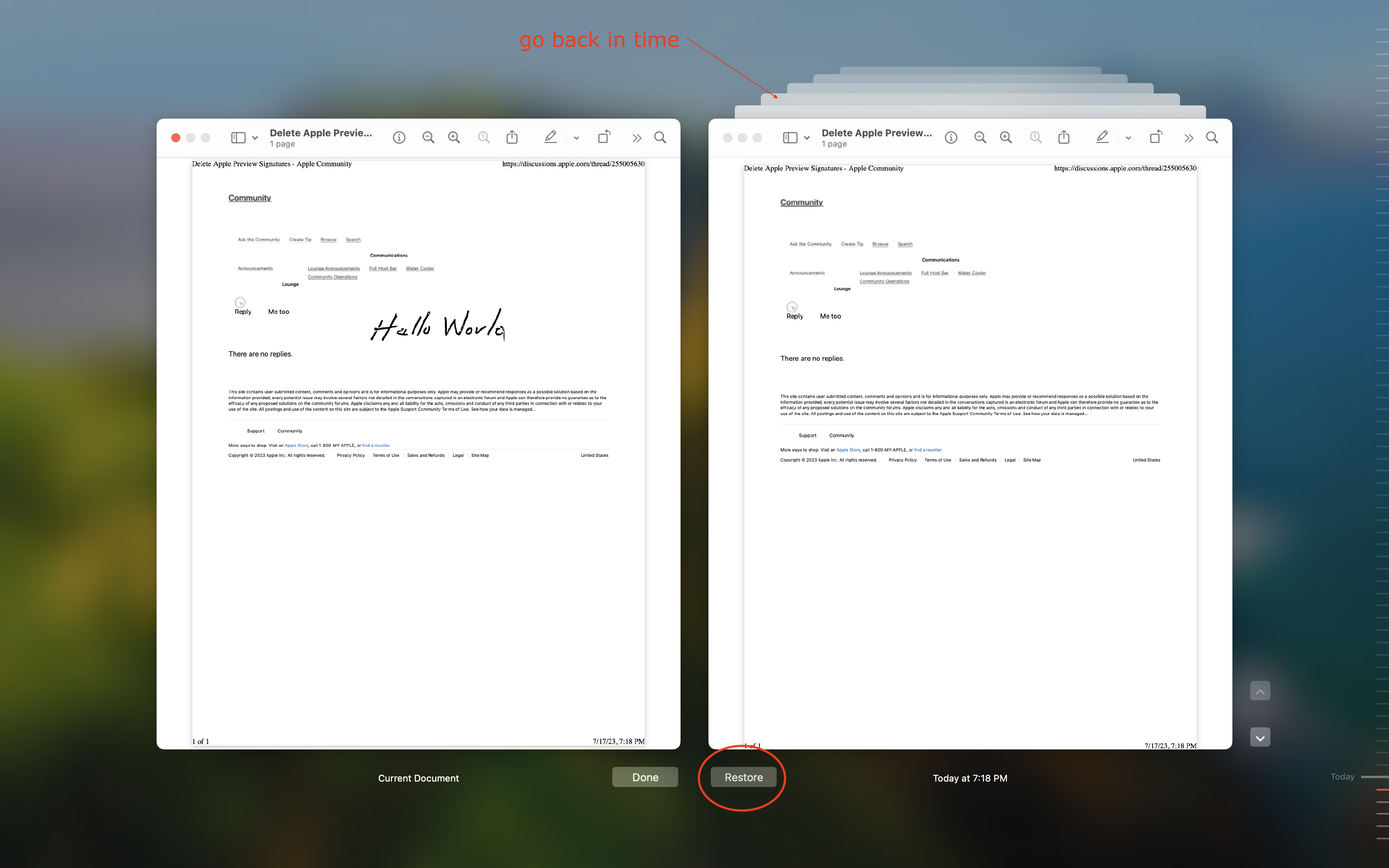


ref: About Time Machine local snapshots on Mac - Apple Support


Jul 17, 2023 8:10 PM in response to damionmikol

damionmikol wrote:

Time machine is an unfortunate and presumptive workaround.


Sorry not sure what that means either.


It is a way of reverting to previous copy(ies) of a document / image if you make a mistake or need to go back for any reason.


If you can not revert —you can always copy and paste something over your signature...


but I do not know if this considered unfortunate and presumptive workaround.

I would call it saving my bacon.


This thread has been closed by the system or the community team. You may vote for any posts you find helpful, or search the Community for additional answers.

Delete Apple Preview Signatures

Welcome to Apple Support Community
A forum where Apple customers help each other with their products. Get started with your Apple Account.
