Set up Bluetooth ear headphones that are not apple
my wireless ear phones are not Bluetooth to my iphone
iPhone 12 Pro, iOS 16
my wireless ear phones are not Bluetooth to my iphone
iPhone 12 Pro, iOS 16
Hello Macknate77,
You should be able to pair most accessories with your iPhone 12 Pro. If you haven't yet, try the instructions outlined in Pair a third-party Bluetooth accessory with your iPhone or iPad for the best results.
Turn on Bluetooth on your device
Depending on the apps that you're using, you might see an alert that says you need to enable Bluetooth before you can pair an accessory with Bluetooth.
1. Go to Settings > Privacy & Security and tap Bluetooth.
2. Turn on Bluetooth for the apps that you want to use.
Pair your device with a Bluetooth accessory
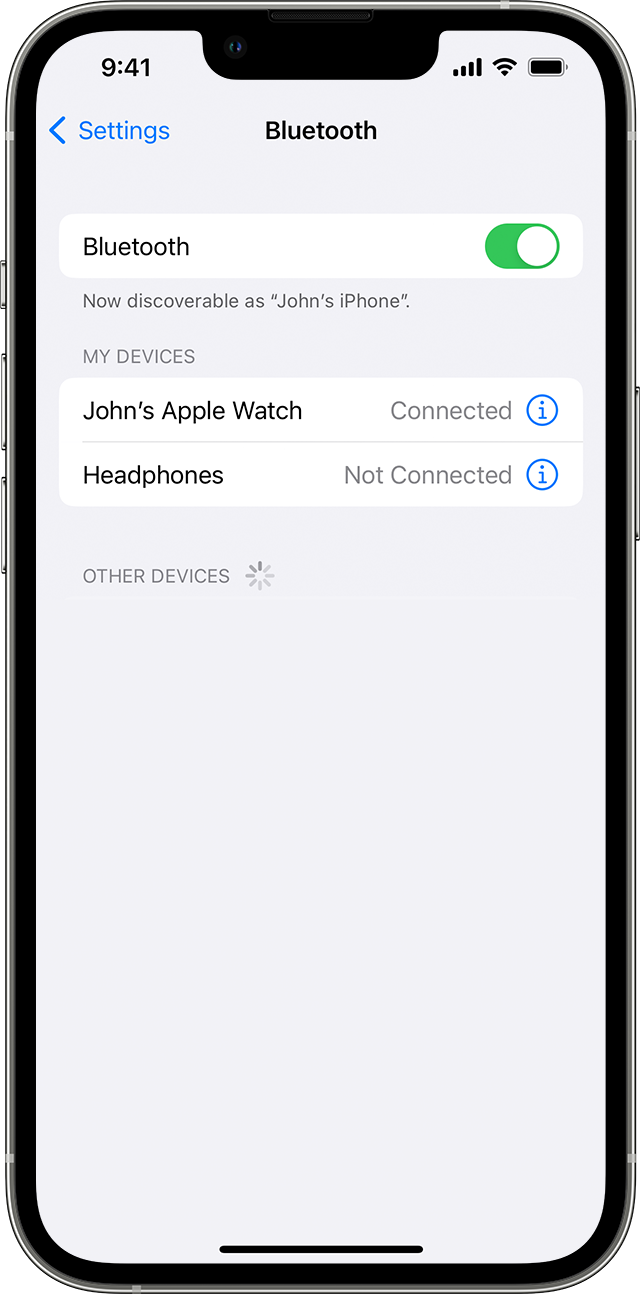
1. On your device, go to Settings > Bluetooth and turn on Bluetooth. Stay on this screen until you complete the steps to pair your accessory.
2. Place your accessory in discovery mode and wait for it to appear on your device. If you don't see it or aren't sure how to make it discoverable, check the instructions that came with your accessory or contact the manufacturer.
3. To pair, tap your accessory name when it appears onscreen. You might need to enter the PIN or passcode. If you aren't sure what your PIN or passcode is, check the documentation for your accessory.
Did this resolve your issue? If not, please let us know more about your issue. Additional information may help facilitate replies from Apple Support Communities users like yourself.
• Which brand and model of headphones are you attempting to pair?
• What happens when you try to pair?
• Are you able to pair the headphones to other devices?
We look forward to learning more.
Regards.
Hello Macknate77,
You should be able to pair most accessories with your iPhone 12 Pro. If you haven't yet, try the instructions outlined in Pair a third-party Bluetooth accessory with your iPhone or iPad for the best results.
Turn on Bluetooth on your device
Depending on the apps that you're using, you might see an alert that says you need to enable Bluetooth before you can pair an accessory with Bluetooth.
1. Go to Settings > Privacy & Security and tap Bluetooth.
2. Turn on Bluetooth for the apps that you want to use.
Pair your device with a Bluetooth accessory
1. On your device, go to Settings > Bluetooth and turn on Bluetooth. Stay on this screen until you complete the steps to pair your accessory.
2. Place your accessory in discovery mode and wait for it to appear on your device. If you don't see it or aren't sure how to make it discoverable, check the instructions that came with your accessory or contact the manufacturer.
3. To pair, tap your accessory name when it appears onscreen. You might need to enter the PIN or passcode. If you aren't sure what your PIN or passcode is, check the documentation for your accessory.
Did this resolve your issue? If not, please let us know more about your issue. Additional information may help facilitate replies from Apple Support Communities users like yourself.
• Which brand and model of headphones are you attempting to pair?
• What happens when you try to pair?
• Are you able to pair the headphones to other devices?
We look forward to learning more.
Regards.
Set up Bluetooth ear headphones that are not apple