
U have been saying to join wifi personal n now it says to join private. Im confused
Which do i use personal r private?
Apple Watch SE, watchOS 9
Which do i use personal r private?
Apple Watch SE, watchOS 9
Hello Helper2999,
Thank you for reaching out to Apple Support Communities, and we'll be happy to help in any way we can. We understand you're having issues with joining a Wi-Fi network. Follow the information here about using a private Wi-Fi network: Use private Wi-Fi addresses on iPhone, iPad, iPod touch, and Apple Watch - Apple Support
"About private Wi-Fi addresses
To communicate with a Wi-Fi network, a device must identify itself to the network using a unique network address called a Media Access Control (MAC) address. If the device always uses the same Wi-Fi MAC address across all networks, network operators and other network observers can more easily relate that address to the device's network activity and location over time. This allows a kind of user tracking or profiling, and it applies to all devices on all Wi-Fi networks.
Starting with iOS 14, iPadOS 14, and watchOS 7, your device improves privacy by using a different MAC address for each Wi-Fi network. This unique MAC address is your device's private Wi-Fi address, which it uses for that network only.
In some cases, your device will change its private Wi-Fi address:

Join Wi-Fi networks with a private Wi-Fi address
Connect to Wi-Fi networks like you normally do. A private Wi-Fi address doesn't affect how you join or use most Wi-Fi networks.
If a network doesn’t allow your device to join, or doesn’t allow it further network or internet access after joining, you can follow the steps bellow to stop using a private Wi-Fi address with that network.
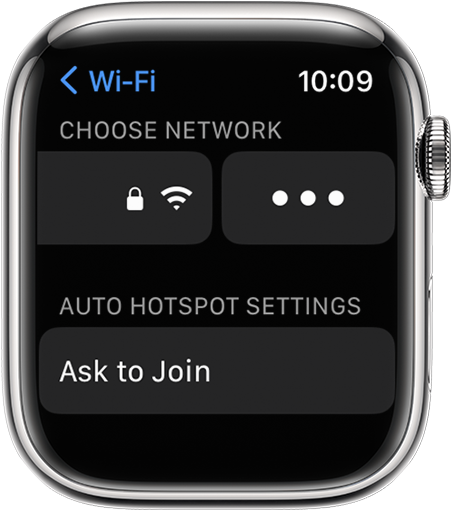
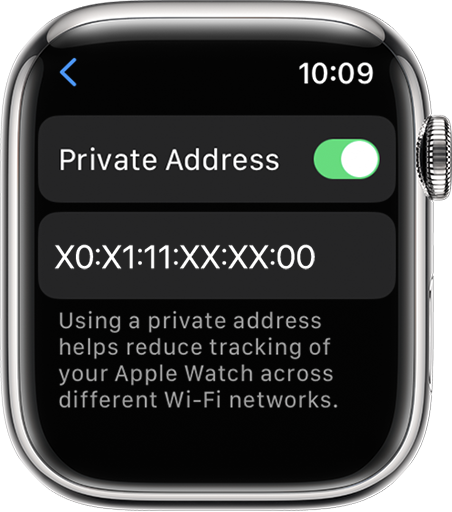
Turn this feature off or on for a network
Your device uses a private Wi-Fi address by default. For improved privacy, leave this feature turned on for all networks that support it.
iPhone, iPad, or iPod touch
 next to a network.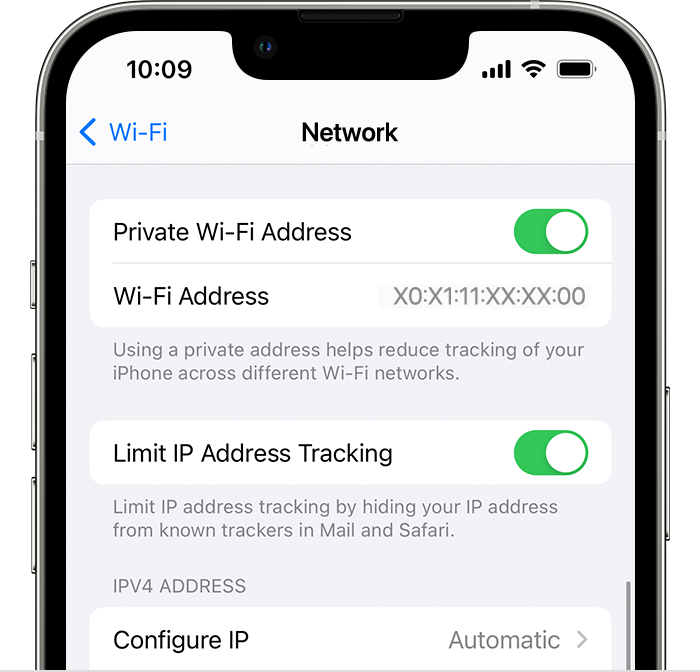
Apple Watch
 .
.
For network administrators
If you manage a Wi-Fi router that's configured to notify you when a new device joins the network, you are notified when a device first joins with a private address.
Businesses and other organizations might need to update their Wi-Fi network security to work with private addresses. Or they can use an MDM-defined network profile to turn off Private Address for enrolled devices that join their Wi-Fi network. Learn more about private Wi-Fi addresses and enterprise networks."
We hope this helps.
Cheers!
U have been saying to join wifi personal n now it says to join private. Im confused

