Hello HL1289,
Thank you for reaching out to Apple Support Communities.
Let's verify autocorrect and predictive text is disabled by following these steps:
"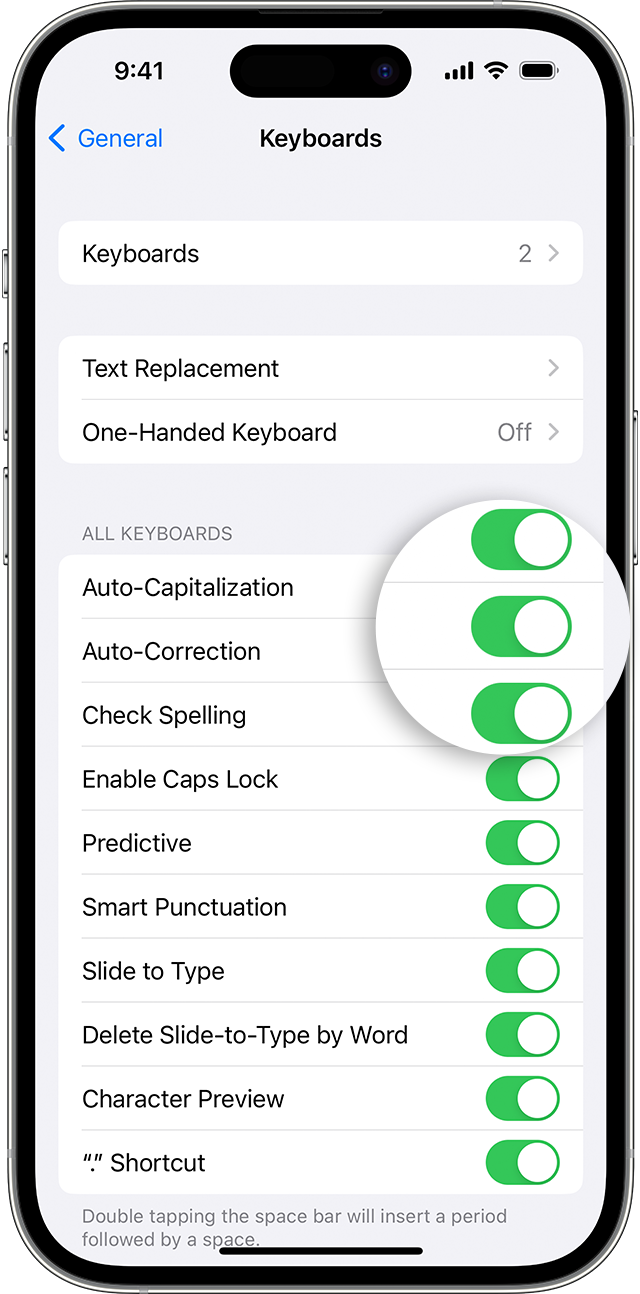
Use Auto-Correction
Auto-Correction uses your keyboard dictionary to spellcheck words as you type, automatically correcting misspelled words for you. To use it, just type in a text field.
To make sure that Auto-Correction is turned on:
- Open the Settings app.
- Tap General > Keyboard.
- Turn on Auto-Correction. By default, Auto-Correction is on.

Use predictive text
With predictive text, you can write and complete entire sentences with just a few taps.
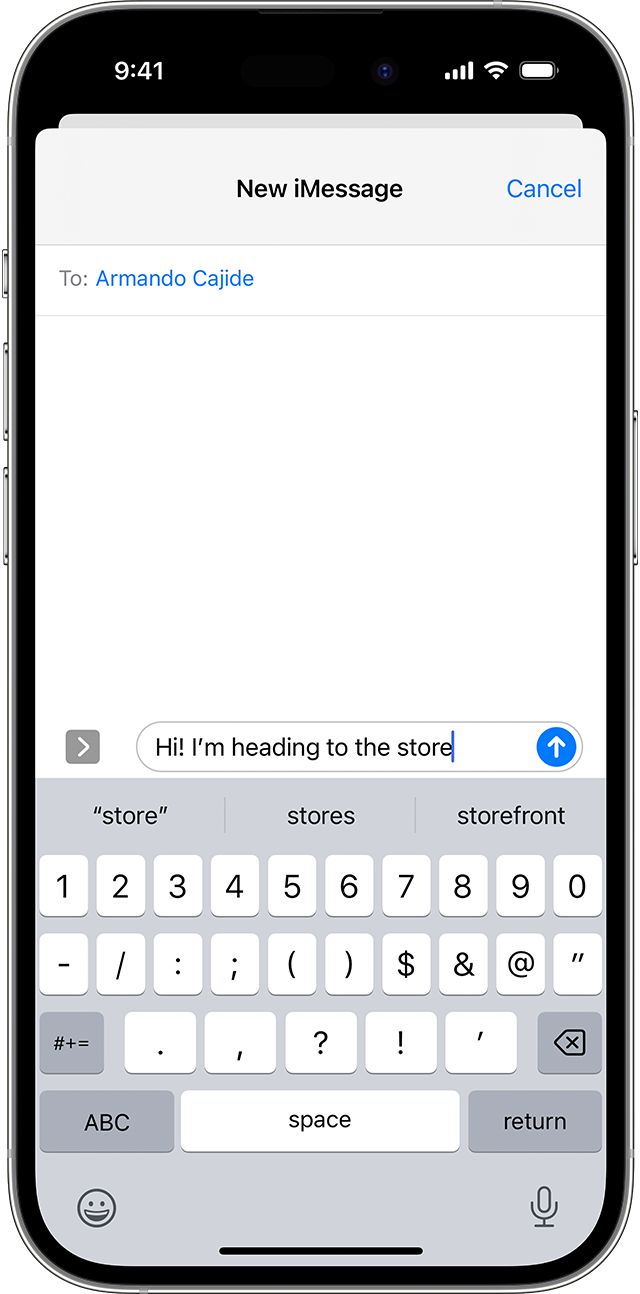
As you type, you can see choices for words and phrases you'd probably type next, based on your past conversations, writing style, and even websites you visit in Safari.
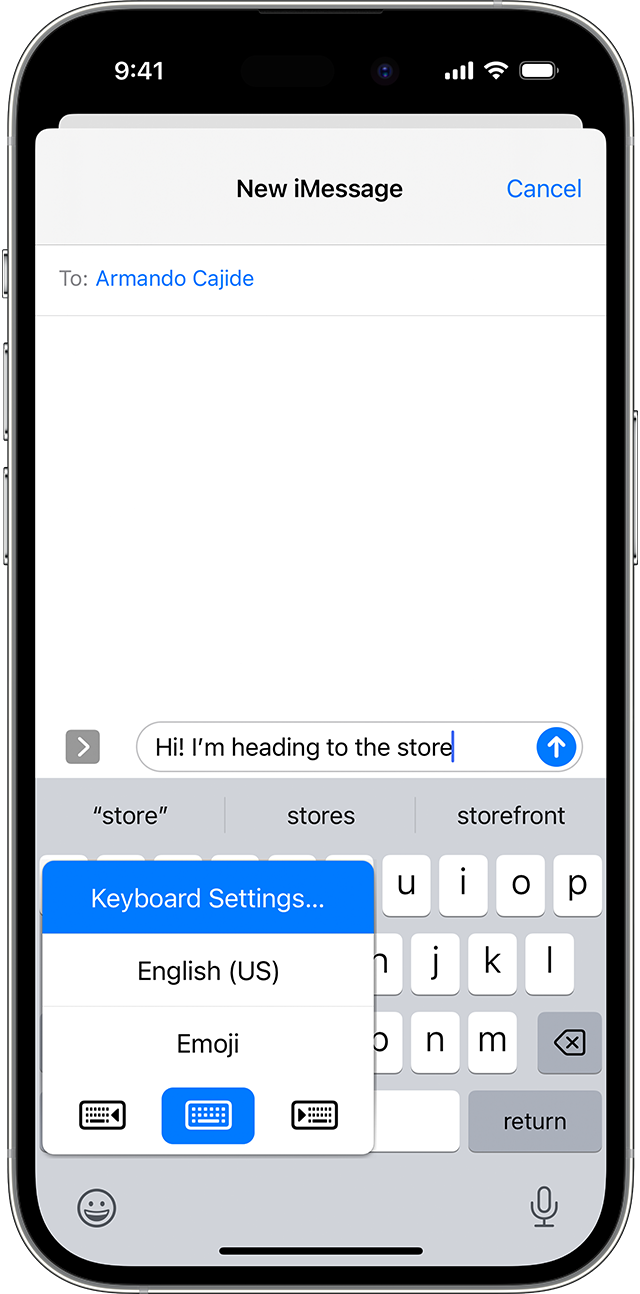
To turn predictive text off or on:
- Touch and hold the smile emoji
 or the globe icon
  .
. - Tap Keyboard Settings, then turn Predictive on or off.
Or go to Settings > General > Keyboard, and turn Predictive on or off."
Additional details can be found here: How to use Auto-Correction and predictive text on your iPhone, iPad, or iPod touch
If the issue persists, can you provide a few more details? Do you only notice this within one app? Also, which iPhone and iOS version are you currently using?
Cheers!



