Old Browser because old OSX

I have an old iMac running OSX 10.5. Unfortunately, I cannot access most websites with Safari, Chrome, or Firefox, because the browsers are too old and not supported by most websites anymore. I cannot update the browser because the OSX is outdated. Is there a work-around where I can get a modern version of a browser onto the old OSX?


Thanks for the help!

Earlier Mac models

Posted on Jul 21, 2023 2:43 AM

Reply
Question marked as Top-ranking reply

Posted on Jul 21, 2023 5:47 AM

Getting a website to load with any browser that can run in OS X 10.5 "Leopard" is going to be a challenge.


First, upgrade that Mac to OS X 10.6.3 "Snow Leopard". It will offer nothing but improvements over OS X 10.5.


To do that you will need to find a retail, white Mac OS X Snow Leopard DVD from a reputable aftermarket source. It must be in a white box bearing an image of a snow leopard:
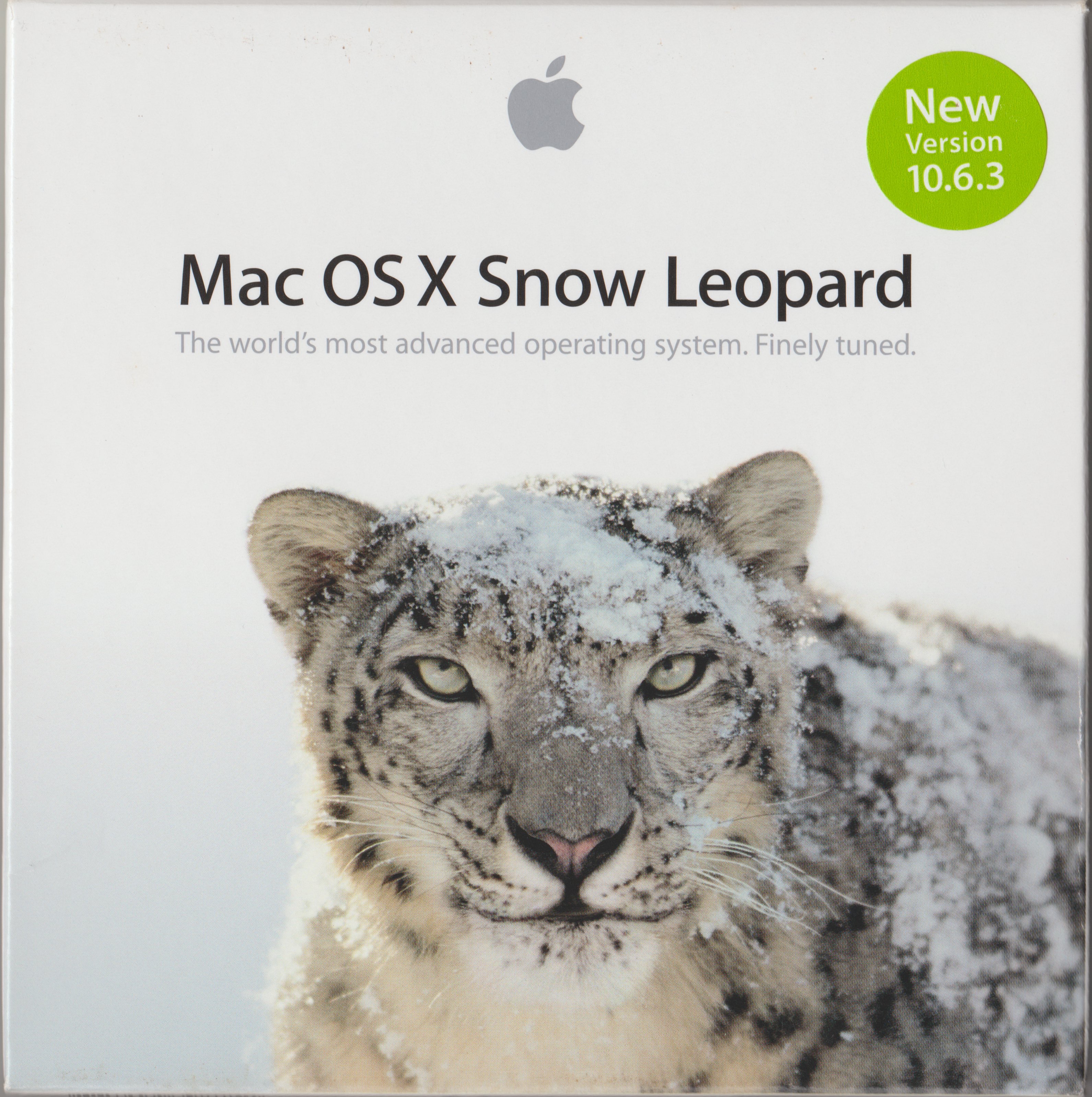


Apple no longer sells them. No authorized download sources exist, so if you find a site offering it to download it is a scam.


Then, update OS X using Software Update. That gives you the App Store. Then, update to the latest version your Mac can run through the App Store. Refer to How to download and install macOS - Apple Support.


Then, consider installing Brave, or Firefox. One or both may be able to run in the OS X / macOS version you are able to install on that Mac.


https://brave.com/

https://www.mozilla.org/en-US/firefox/new/


Short of buying a new Mac, those are your options. Please write back if you need help.

1 reply
Question marked as Top-ranking reply

Jul 21, 2023 5:47 AM in response to Rerin

Getting a website to load with any browser that can run in OS X 10.5 "Leopard" is going to be a challenge.


First, upgrade that Mac to OS X 10.6.3 "Snow Leopard". It will offer nothing but improvements over OS X 10.5.


To do that you will need to find a retail, white Mac OS X Snow Leopard DVD from a reputable aftermarket source. It must be in a white box bearing an image of a snow leopard:


Apple no longer sells them. No authorized download sources exist, so if you find a site offering it to download it is a scam.


Then, update OS X using Software Update. That gives you the App Store. Then, update to the latest version your Mac can run through the App Store. Refer to How to download and install macOS - Apple Support.


Then, consider installing Brave, or Firefox. One or both may be able to run in the OS X / macOS version you are able to install on that Mac.


https://brave.com/

https://www.mozilla.org/en-US/firefox/new/


Short of buying a new Mac, those are your options. Please write back if you need help.

This thread has been closed by the system or the community team. You may vote for any posts you find helpful, or search the Community for additional answers.

Old Browser because old OSX

Welcome to Apple Support Community
A forum where Apple customers help each other with their products. Get started with your Apple Account.