
Don't have a passcode
My phone is locked don't have a passcode setup
iPhone SE, iOS 16
My phone is locked don't have a passcode setup
iPhone SE, iOS 16
Hello Jgales,
Thank you for reaching out to Apple Support Communities, and we'll be happy to help in any way we can. We understand you're having issues with being prompted to use a passcode on your iPhone. If your iPhone is requesting a passcode but you don't know what it is, please follow the steps here to resolve the issue: If you forgot your iPhone passcode - Apple Support
"Forgot your iPhone passcode? Learn how to put your iPhone into recovery mode so you can erase it and set it up again.
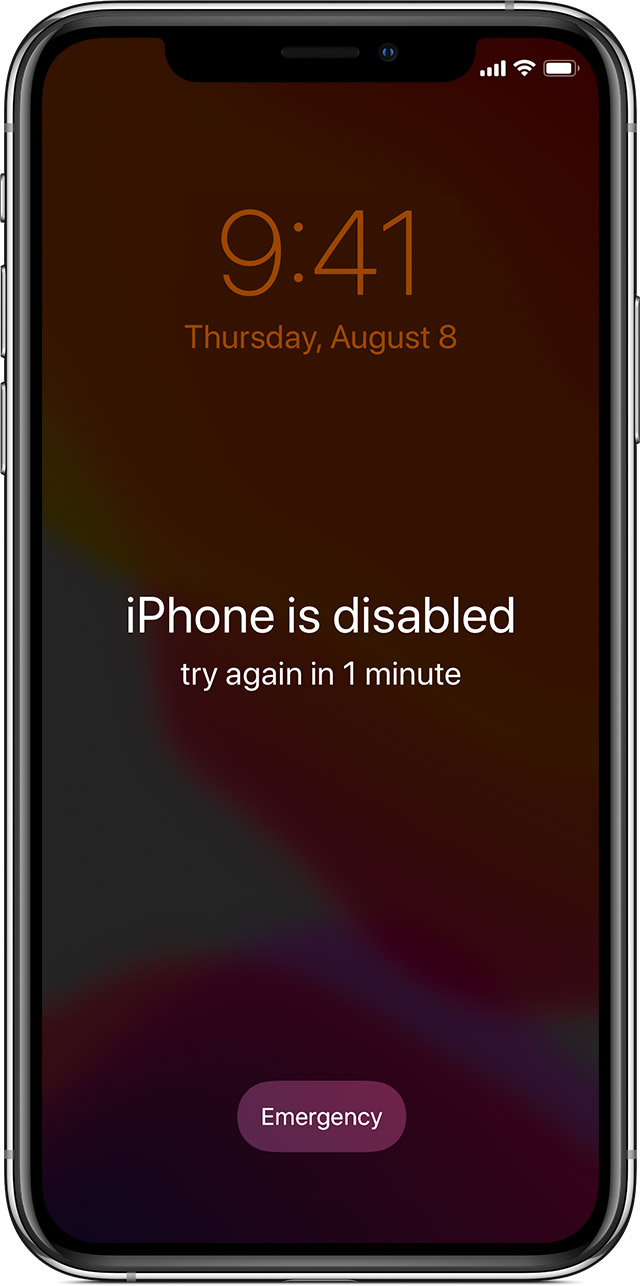
If you enter the wrong passcode on your iPhone Lock Screen too many times, an alert lets you know that your iPhone is disabled. (Learn what to do if you see "[Device] unavailable" or "Security Lockout" on your iPhone or iPad.)
If you can’t remember your passcode when you try again, use a computer to put your iPhone in recovery mode. Recovery mode allows you to erase the iPhone, giving you access to set it up again.
After you erase your iPhone, you can restore your data and settings from a backup. If you didn't back up your iPhone, you can set it up as a new device and then download any data that you have in iCloud.

Step 1: Make sure that you have a computer (Mac or PC)
This process requires a Mac or PC. If you're using a PC, make sure that it has Windows 10 or later, and that iTunes is installed. You also need the cable that came with your iPhone, or another compatible cable, to connect your iPhone to the computer.
If you don't have a computer and you can't borrow one, you need to go to an Apple Retail Store or Apple Authorized Service Provider for help.

Step 2: Turn off your iPhone
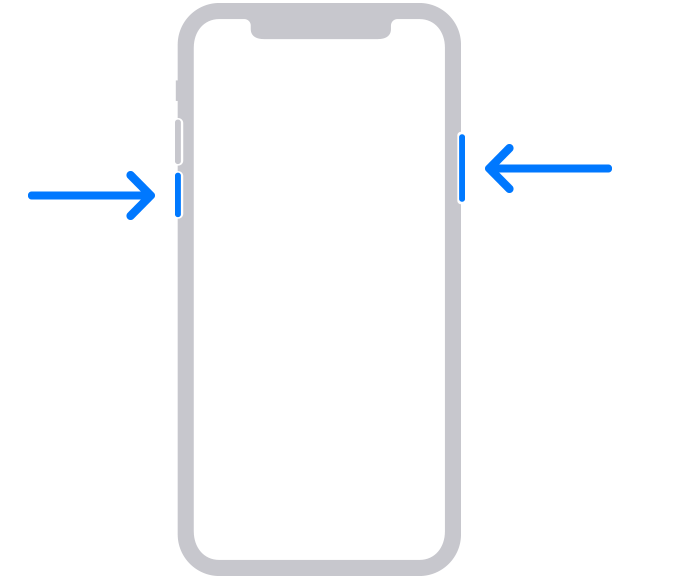
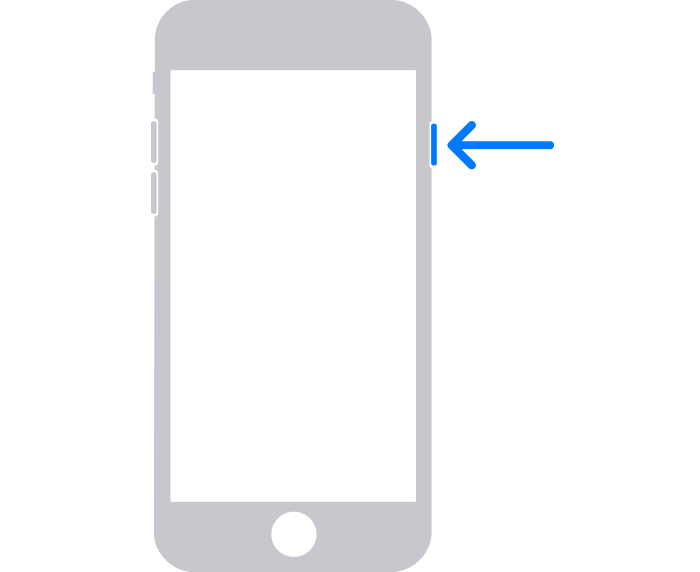
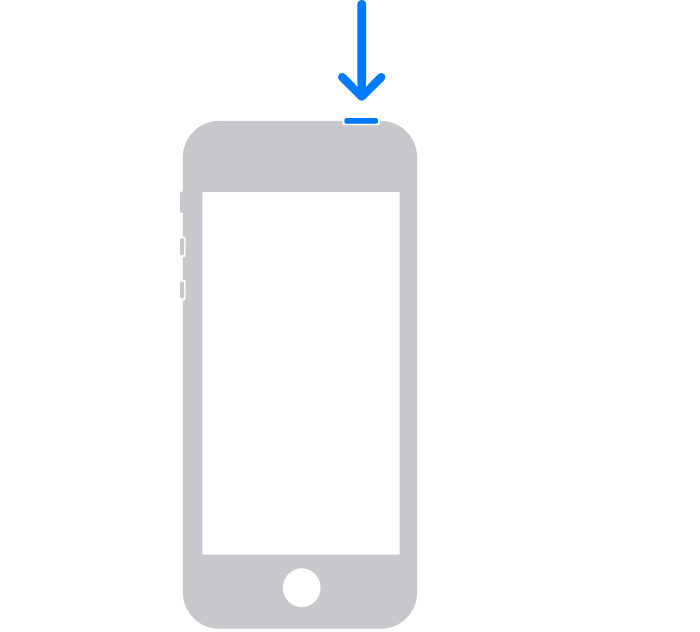
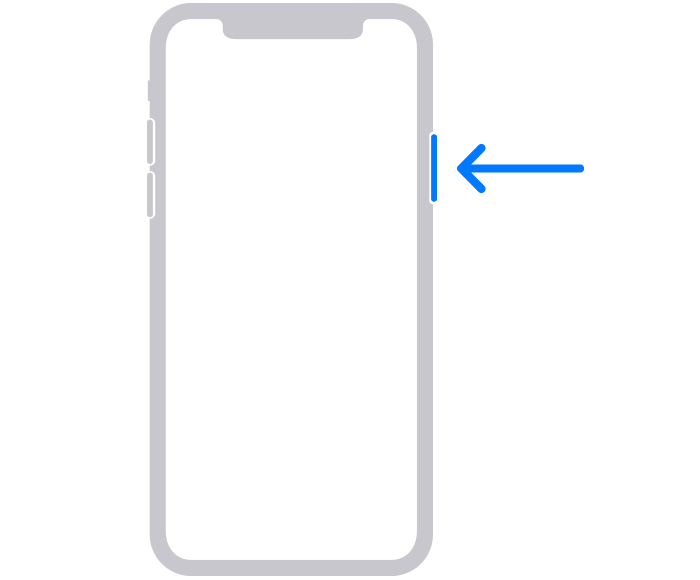
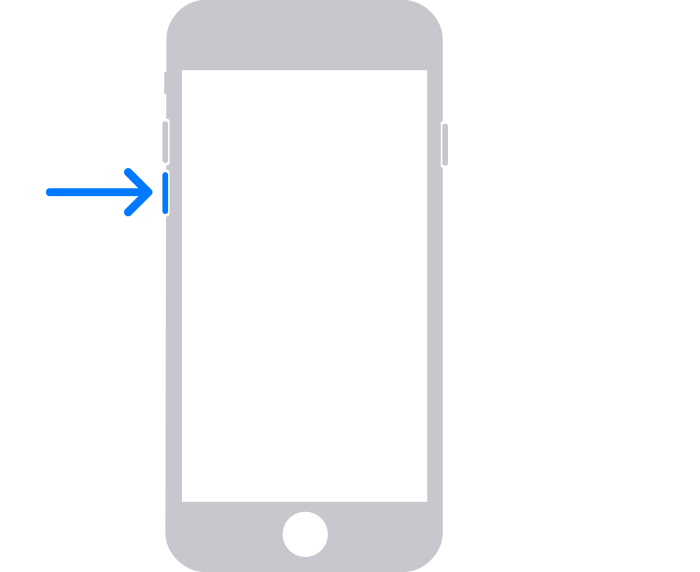
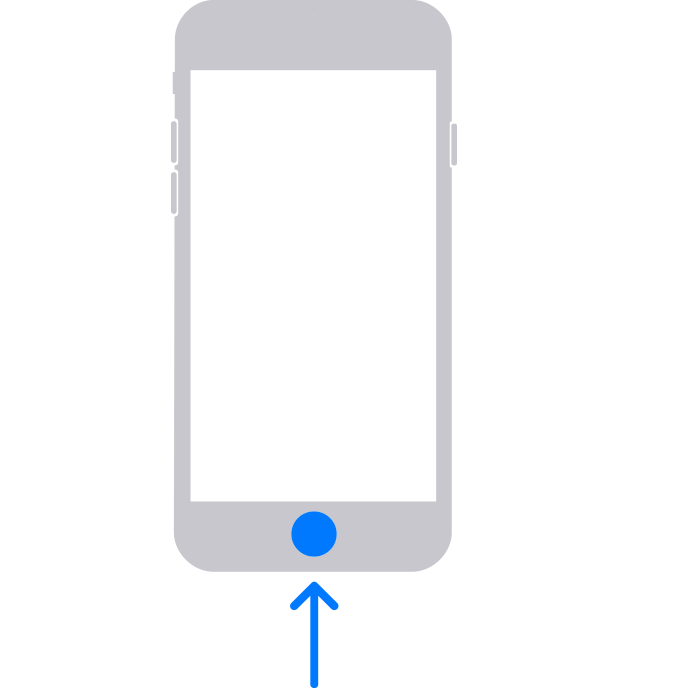
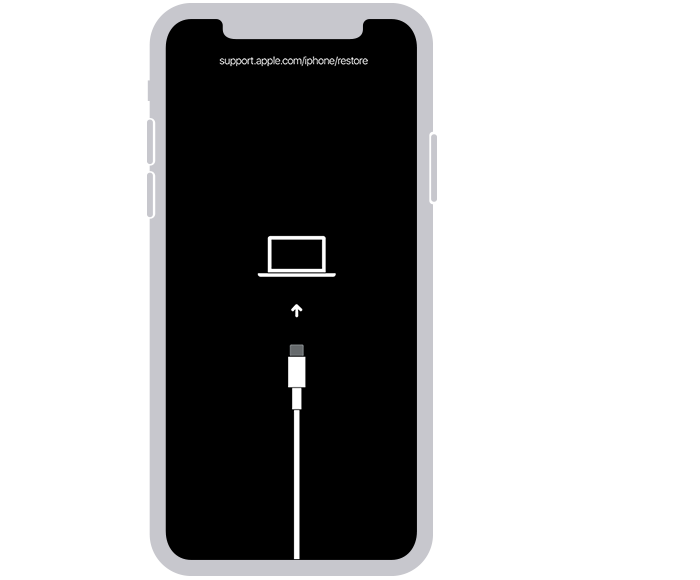
Step 3: Put your iPhone in recovery mode
If you can’t get your iPhone to show the recovery mode screen and you need help, contact Apple Support.
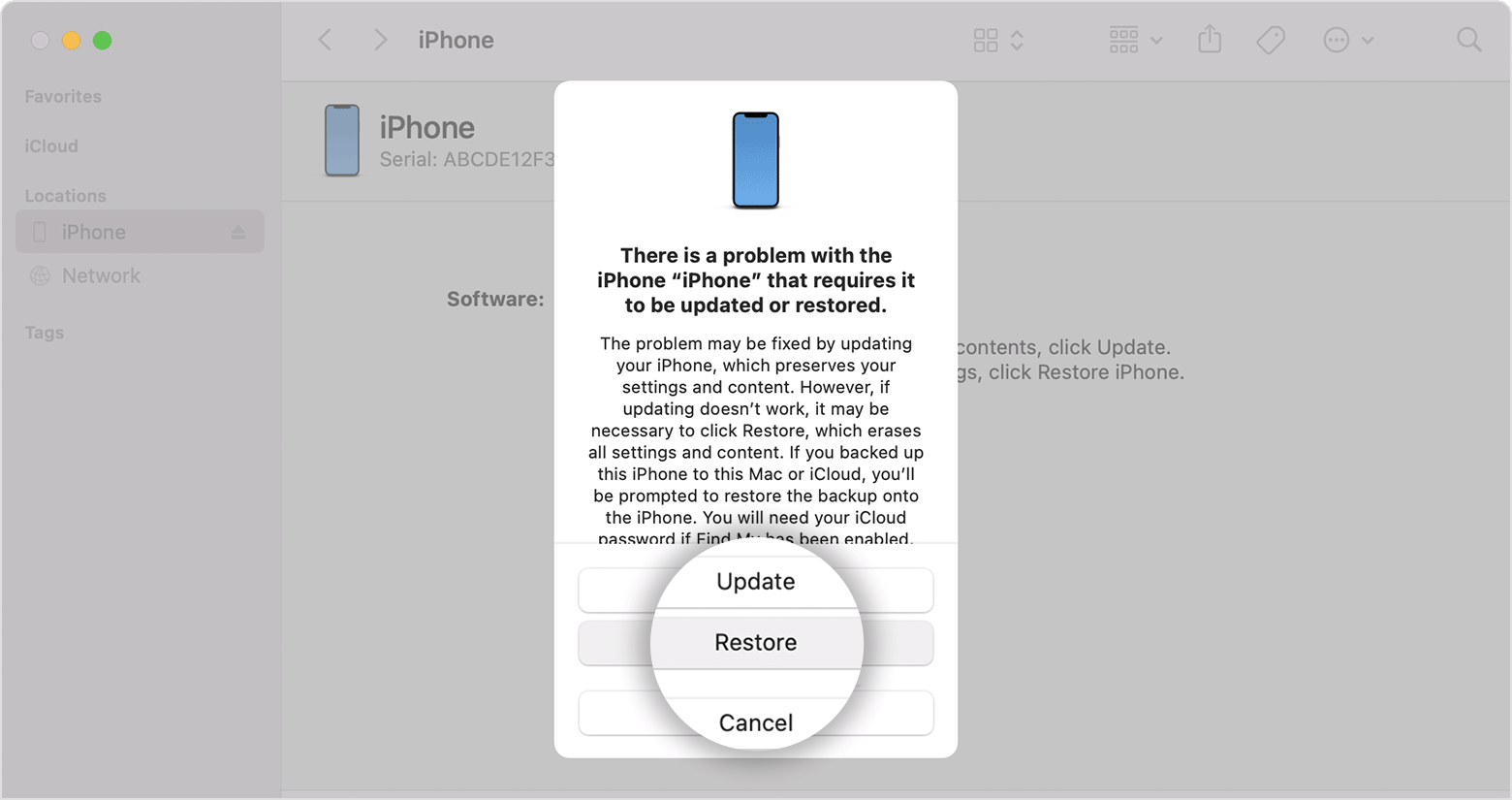
Step 4: Restore your iPhone
Need more help?
Learn what to do if you see an error when you update or restore your iPhone, iPad, or iPod.
If you can't complete any of these steps, if you're still prompted for a passcode, or if you need any other assistance, contact Apple Support."
We hope this helps.
Cheers!
Hello Jgales,
Thank you for reaching out to Apple Support Communities, and we'll be happy to help in any way we can. We understand you're having issues with being prompted to use a passcode on your iPhone. If your iPhone is requesting a passcode but you don't know what it is, please follow the steps here to resolve the issue: If you forgot your iPhone passcode - Apple Support
"Forgot your iPhone passcode? Learn how to put your iPhone into recovery mode so you can erase it and set it up again.
If you enter the wrong passcode on your iPhone Lock Screen too many times, an alert lets you know that your iPhone is disabled. (Learn what to do if you see "[Device] unavailable" or "Security Lockout" on your iPhone or iPad.)
If you can’t remember your passcode when you try again, use a computer to put your iPhone in recovery mode. Recovery mode allows you to erase the iPhone, giving you access to set it up again.
After you erase your iPhone, you can restore your data and settings from a backup. If you didn't back up your iPhone, you can set it up as a new device and then download any data that you have in iCloud.
Step 1: Make sure that you have a computer (Mac or PC)
This process requires a Mac or PC. If you're using a PC, make sure that it has Windows 10 or later, and that iTunes is installed. You also need the cable that came with your iPhone, or another compatible cable, to connect your iPhone to the computer.
If you don't have a computer and you can't borrow one, you need to go to an Apple Retail Store or Apple Authorized Service Provider for help.
Step 2: Turn off your iPhone
Step 3: Put your iPhone in recovery mode
If you can’t get your iPhone to show the recovery mode screen and you need help, contact Apple Support.
Step 4: Restore your iPhone
Need more help?
Learn what to do if you see an error when you update or restore your iPhone, iPad, or iPod.
If you can't complete any of these steps, if you're still prompted for a passcode, or if you need any other assistance, contact Apple Support."
We hope this helps.
Cheers!
Don't have a passcode

