Apple remote stop working when using Homepod mini as default speaker

Hi,


I've been having problems with one of my apple remotes. Started same day as I bought an homepod mini and used it as the default speaker.


I brought the apple TV in question to myu country house and the remote started working perfectly. Today I came back home, remote still working until I get proped that the apple TV want to connect to the homepod mini again -> problem reapperad.


Now Im certain that the homepod mini is the issue. This need to be fixed in an upcoming bug-fix.

Posted on Jul 30, 2023 1:02 PM

Reply
Question marked as Top-ranking reply

Posted on Aug 4, 2023 11:27 AM

Hi,


thank you for these guides. I’ve done them both before but tried again, with two different remotes. Both work individually on another non-HomePod-paired Apple TV. However, none work on the Apple TV paired to the HomePod mini.


Briefly they connect but loose connection rendering the remote useless. I read another article a few months back that this is a Bluetooth issue and can only be fixed by an update from Apple.


Just to prove its the HomePod that’s causing this I disconnected from

it and lo and behold - the remote works as intended.

3 replies
Question marked as Top-ranking reply

Aug 4, 2023 11:27 AM in response to hc1111

Hi,


thank you for these guides. I’ve done them both before but tried again, with two different remotes. Both work individually on another non-HomePod-paired Apple TV. However, none work on the Apple TV paired to the HomePod mini.


Briefly they connect but loose connection rendering the remote useless. I read another article a few months back that this is a Bluetooth issue and can only be fixed by an update from Apple.


Just to prove its the HomePod that’s causing this I disconnected from

it and lo and behold - the remote works as intended.

Jul 31, 2023 10:07 AM in response to iAttei

Hey there iAttei,


If you're running into trouble with your Apple TV remote responding, try restarting and/or resetting it following the steps below:


Restart your remote
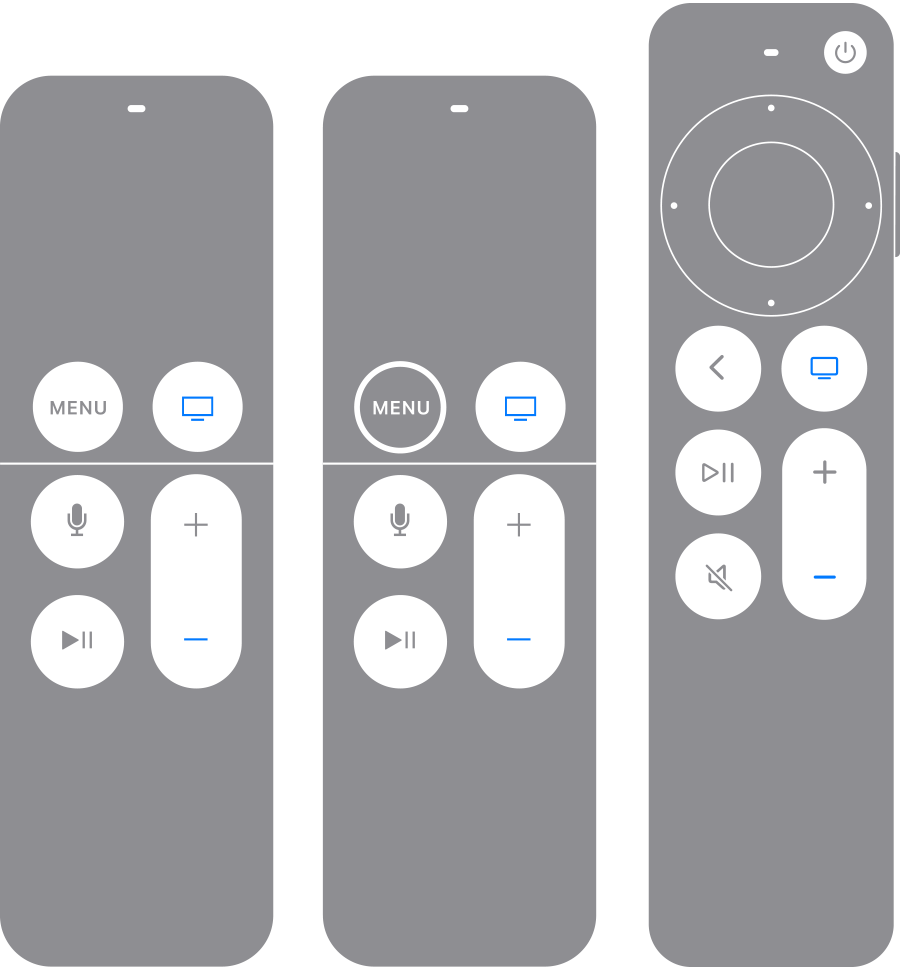
Apple TV remotes with TV/Control Center button and Volume Down button highlighted in blue

If your remote still isn't working as expected, try restarting your remote.

1. Press and hold the TV/Control Center button  and the Volume Down button  at the same time. Hold the buttons down for about 5 seconds, or until the status light on your Apple TV turns off and on again.  

2. Release the buttons. Then wait 5 to 10 seconds for a Connection Lost notification to appear on your TV screen.
3. Wait while your remote restarts. When the Connected notification appears, you can use your remote.

Pair your remote
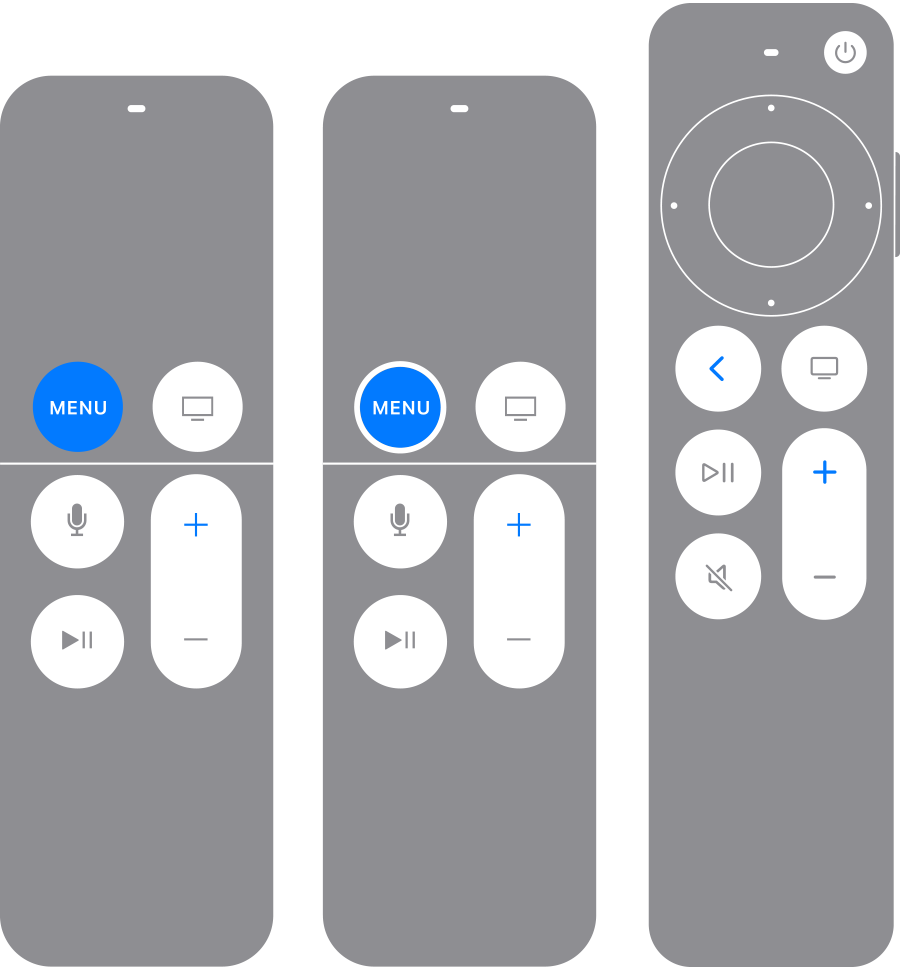
Apple TV remotes with Back (or Menu) and Volume Up buttons highlighted in blue

If your remote still isn't working as expected, try pairing your remote to your Apple TV again. 

1. Point your remote at your Apple TV. Make sure that the remote is about three inches from your Apple TV. 
2. Press and hold Back   (or Menu) and Volume Up  for five seconds.
3. If asked, place your remote on top of Apple TV to complete pairing.

If you can't pair your remote, make sure that your Apple TV is updated to the latest version of tvOS.

You can use the Apple TV Remote on your iPhone or iPad to navigate your Apple TV to check which version of tvOS you have. 

If you still need help, contact Apple Support.


If your Siri Remote or Apple TV Remote isn't working - Apple Support


Take care!


This thread has been closed by the system or the community team. You may vote for any posts you find helpful, or search the Community for additional answers.

Apple remote stop working when using Homepod mini as default speaker

Welcome to Apple Support Community
A forum where Apple customers help each other with their products. Get started with your Apple Account.