Hi there pkayee288,
We'd suggest restarting your iPhone to begin to see if that resolves the issue for you since it can reset some caches and other things that may be affecting your ability to view your tabs in Safari. To restart your iPhone, follow these steps:
How to restart your iPhone X, 11, 12, 13, or later
1. Press and hold either volume button and the side button until the power-off slider appears.
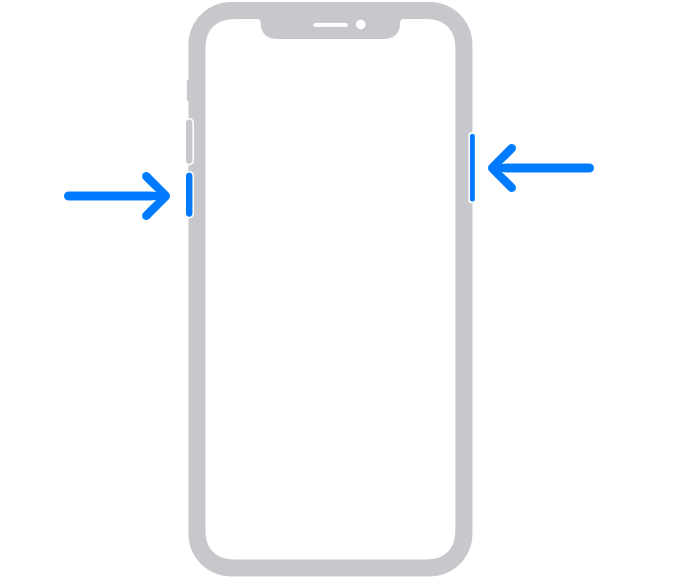
2. Drag the slider, then wait 30 seconds for your device to turn off. If your device is frozen or unresponsive, force restart your device.
3. To turn your device back on, press and hold the side button (on the right side of your iPhone) until you see the Apple logo.
You'll find those steps here: Restart your iPhone - Apple Support
If you're still having difficulty accessing tabs, make sure your iPhone is running the latest software version, which is iOS 16.6. You can view the currently installed version in Settings > General > About > Software Update. To learn how to update your iPhone, review the information in this support article: Update your iPhone or iPad - Apple Support
Let us know how it goes.
Cheers!


