I can’t hear on my left AirPod
I can’t hear on the left side of my iPod pro
[Re-Titled by Moderator]
iPhone 14 Pro Max, iOS 16
I can’t hear on the left side of my iPod pro
[Re-Titled by Moderator]
iPhone 14 Pro Max, iOS 16
Hi Aadriiannaa,
Since you're experiencing sound issues with your left AirPod, we recommend trying the steps in the link below.
If your left or right AirPod isn't working - Apple Support
To perform the recommended troubleshooting steps via the link above, complete the steps in the section titled "If there's no sound in one AirPod."
1. Make sure that your charging case is fully charged.
2. Place both AirPods in your charging case and let them charge for 30 seconds.
3. Open the charging case near your iPhone or iPad.
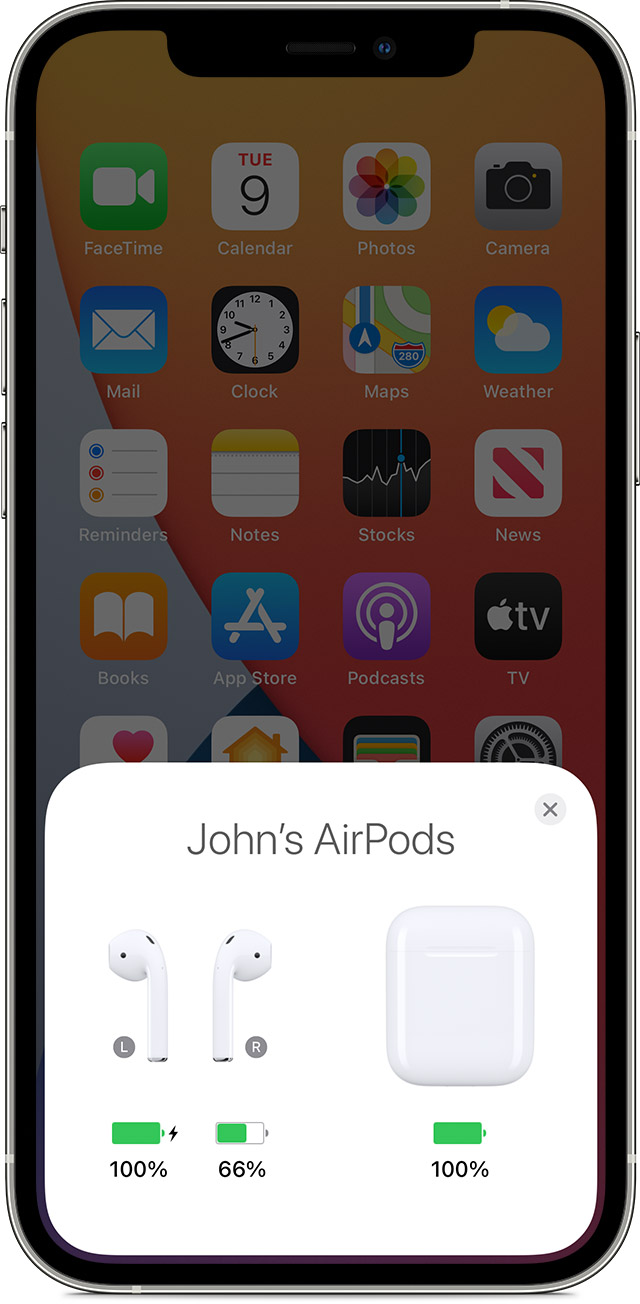
4. Check the charge status on your iPhone or iPad to make sure that each AirPod is charging.
5. Put both AirPods in your ears.
6. Play audio to test both AirPods.
7. If an AirPod still isn't working, reset your AirPods or contact Apple Support.
We recommend the steps above because they will show you what to do if there's no sound in one AirPod.
Please let us know the outcome after giving the above steps a try.
Thanks for using the Apple Support Communities.
Cheers!
Hi Aadriiannaa,
Since you're experiencing sound issues with your left AirPod, we recommend trying the steps in the link below.
If your left or right AirPod isn't working - Apple Support
To perform the recommended troubleshooting steps via the link above, complete the steps in the section titled "If there's no sound in one AirPod."
1. Make sure that your charging case is fully charged.
2. Place both AirPods in your charging case and let them charge for 30 seconds.
3. Open the charging case near your iPhone or iPad.
4. Check the charge status on your iPhone or iPad to make sure that each AirPod is charging
5. Put both AirPods in your ears.
6. Play audio to test both AirPods.
7. If an AirPod still isn't working, reset your AirPods or contact Apple Support.
We recommend the steps above because they will show you what to do if there's no sound in one AirPod.
Please let us know the outcome after giving the above steps a try.
Thanks for using the Apple Support Communities.
Cheers!
I can’t hear on my left AirPod