My Watch will not charge upon multiple tries

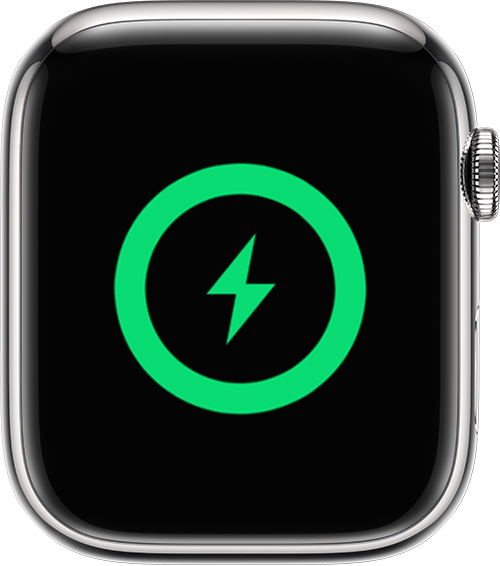
Upon trying to recharge my iWatch, the logo appears and disappears, but the watch does not charge. What could be the problem? The logo just continues to flash on and off.


[Re-Titled by Moderator]


Apple Watch Series 1

Posted on Aug 14, 2023 10:26 AM

Reply
Question marked as Top-ranking reply

Posted on Aug 15, 2023 9:39 AM

Hello 1351Mab,


If your Apple Watch won't charge, then you'd want to take these steps for a solution: If your Apple Watch won't charge or it won't turn on


If your Apple Watch won't charge or it won't turn on

Learn how to find out if your Apple Watch is charging, and get help with charging issues.

Find out if your Apple Watch is charging

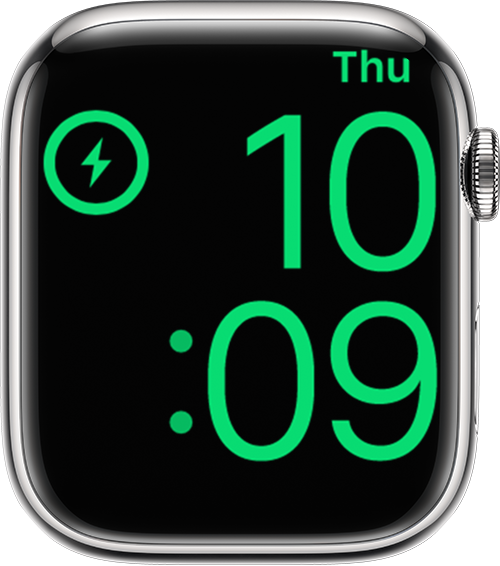
When you connect your Apple Watch to its charging cable and power, a lightning bolt green lightning bolt should appear on the screen.

If your Apple Watch with watchOS 9 is in Low Power Mode, the icons, time, and day shown below all appear in yellow.
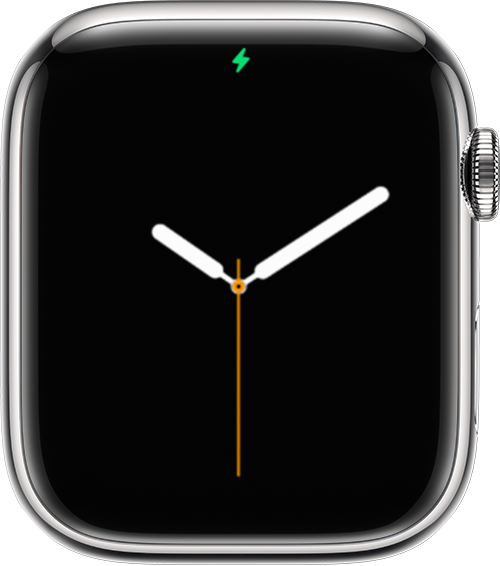
Apple Watch showing charging icon 
Apple Watch showing time 
Apple Watch showing charging screen 


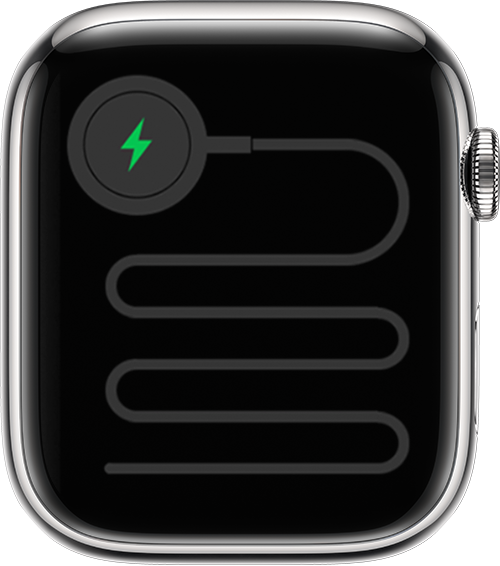
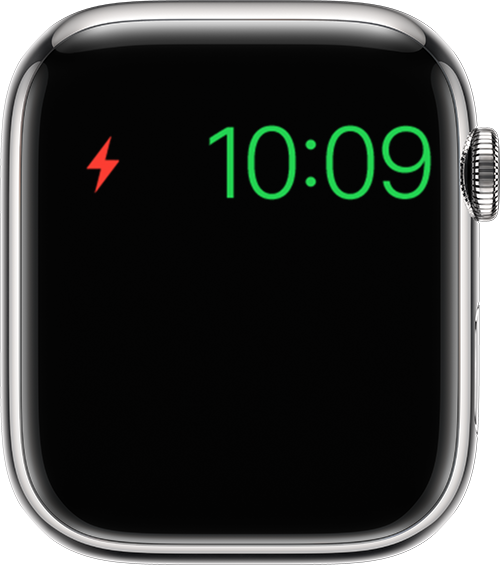
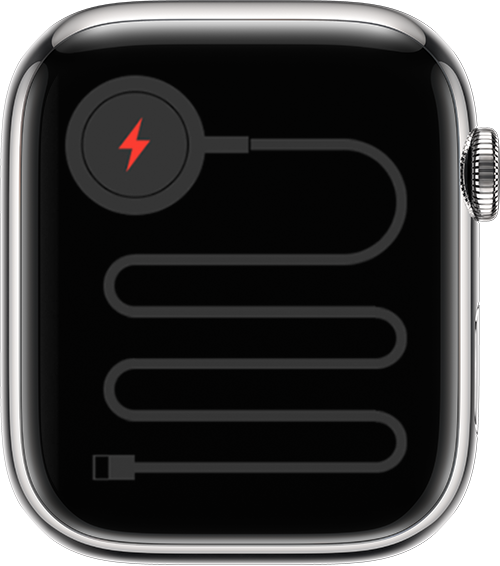
If your watch requires charging, a red lightning bolt red lightning bolt appears on the screen. (You might need to press the side button to make the watch face appear.) When your watch is charging, the red lightning bolt red lightning bolt changes to a green or yellow lightning bolt green lightning bolt. If your screen is blank or the charging cable icon and a red lightning bolt red lightning bolt appear on the screen, charge your watch for up to 30 minutes.
 
Apple Watch showing icon that indicates the watch needs to be connected to power 
Apple Watch showing that the watch has been connected to power

Apple Watch showing Power Reserve mode 

Get help if your Apple Watch won't charge

If your Apple Watch won't charge, or a message on your watch says that charging with this accessory isn't supported, try these tips: 

* Make sure that you're using the Apple Magnetic Charging Cable or USB-C Magnetic Fast Charging Cable that came with your Apple Watch.

* Make sure that you plug the Apple Magnetic Charging Cable or USB-C Magnetic Fast Charging Cable all the way into the USB Power Adapter, then make sure that you plug the adapter all the way into a power outlet.

* If you use a third-party charging stand, use the charging cable that shipped in the box with your Apple Watch.

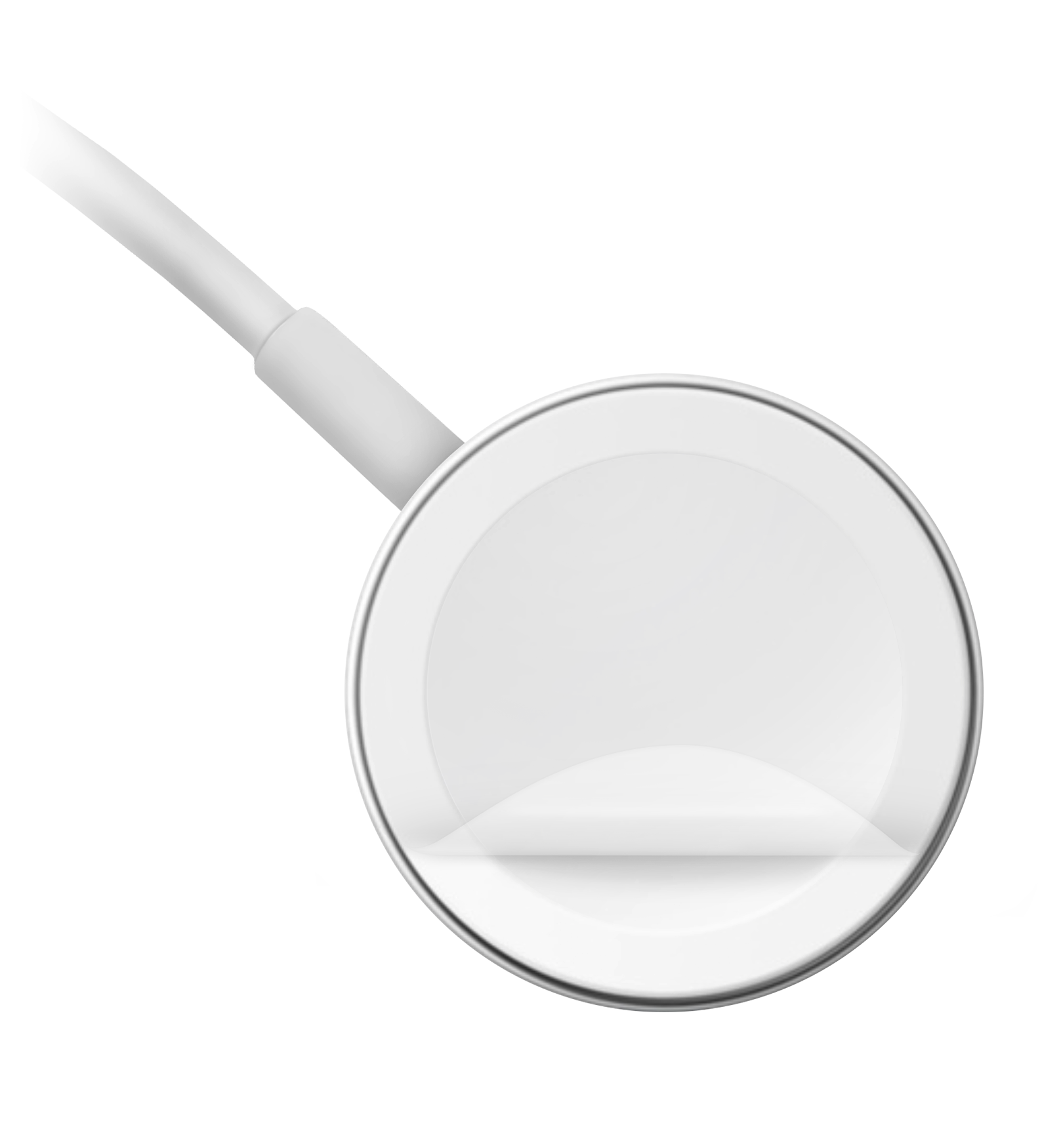
* Completely remove any plastic wrap from both sides of the charger. 

Apple Watch charging cable

* Make sure that the back of your Apple Watch and the magnetic charger are clean.

* Reposition the back of your Apple Watch on the charger. When the charger's magnets align correctly with your Apple Watch, a green or yellow lightning bolt green lightning bolt should appear on the watch face.*

* Try a different Apple Watch Magnetic Charging Cable or USB-C Magnetic Fast Charging Cable, and a different USB Power Adapter. If your Apple Watch is out of power, you might need to wait a few minutes for the lightning bolt green lightning bolt to appear after you start charging your device. 

* If your Apple Watch still won't charge, force it to restart. Press and hold both the side button and Digital Crown for at least 10 seconds, or until the Apple logo appears.

* If you use the Apple Watch Magnetic Charging Dock or the Apple MagSafe Duo Charger with a larger Apple Watch model (44mm, 45mm, or 49mm), you might need to adjust the charger's position. Adjust the charger to a different angle, or lay it completely flat, to make sure that its magnets align with the magnets in your watch. If you have Apple Watch Ultra and it won't connect reliably with these charging devices even when they're lying flat, try removing the watch's band before placing the watch on the charger.

Learn more

If you still need help, contact Apple Support.


As mentioned at the bottom, if you still need support then it would be best to contact Apple directly: Get Support They would need to take it from here.


Take care.

1 reply
Question marked as Top-ranking reply

Aug 15, 2023 9:39 AM in response to 1351Mab

Hello 1351Mab,


If your Apple Watch won't charge, then you'd want to take these steps for a solution: If your Apple Watch won't charge or it won't turn on


If your Apple Watch won't charge or it won't turn on

Learn how to find out if your Apple Watch is charging, and get help with charging issues.

Find out if your Apple Watch is charging

When you connect your Apple Watch to its charging cable and power, a lightning bolt green lightning bolt should appear on the screen.

If your Apple Watch with watchOS 9 is in Low Power Mode, the icons, time, and day shown below all appear in yellow.
Apple Watch showing charging icon 
Apple Watch showing time 
Apple Watch showing charging screen 


If your watch requires charging, a red lightning bolt red lightning bolt appears on the screen. (You might need to press the side button to make the watch face appear.) When your watch is charging, the red lightning bolt red lightning bolt changes to a green or yellow lightning bolt green lightning bolt. If your screen is blank or the charging cable icon and a red lightning bolt red lightning bolt appear on the screen, charge your watch for up to 30 minutes.
 
Apple Watch showing icon that indicates the watch needs to be connected to power 
Apple Watch showing that the watch has been connected to power

Apple Watch showing Power Reserve mode 

Get help if your Apple Watch won't charge

If your Apple Watch won't charge, or a message on your watch says that charging with this accessory isn't supported, try these tips: 

* Make sure that you're using the Apple Magnetic Charging Cable or USB-C Magnetic Fast Charging Cable that came with your Apple Watch.

* Make sure that you plug the Apple Magnetic Charging Cable or USB-C Magnetic Fast Charging Cable all the way into the USB Power Adapter, then make sure that you plug the adapter all the way into a power outlet.

* If you use a third-party charging stand, use the charging cable that shipped in the box with your Apple Watch.

* Completely remove any plastic wrap from both sides of the charger. 
Apple Watch charging cable

* Make sure that the back of your Apple Watch and the magnetic charger are clean.

* Reposition the back of your Apple Watch on the charger. When the charger's magnets align correctly with your Apple Watch, a green or yellow lightning bolt green lightning bolt should appear on the watch face.*

* Try a different Apple Watch Magnetic Charging Cable or USB-C Magnetic Fast Charging Cable, and a different USB Power Adapter. If your Apple Watch is out of power, you might need to wait a few minutes for the lightning bolt green lightning bolt to appear after you start charging your device. 

* If your Apple Watch still won't charge, force it to restart. Press and hold both the side button and Digital Crown for at least 10 seconds, or until the Apple logo appears.

* If you use the Apple Watch Magnetic Charging Dock or the Apple MagSafe Duo Charger with a larger Apple Watch model (44mm, 45mm, or 49mm), you might need to adjust the charger's position. Adjust the charger to a different angle, or lay it completely flat, to make sure that its magnets align with the magnets in your watch. If you have Apple Watch Ultra and it won't connect reliably with these charging devices even when they're lying flat, try removing the watch's band before placing the watch on the charger.

Learn more

If you still need help, contact Apple Support.


As mentioned at the bottom, if you still need support then it would be best to contact Apple directly: Get Support They would need to take it from here.


Take care.

This thread has been closed by the system or the community team. You may vote for any posts you find helpful, or search the Community for additional answers.

My Watch will not charge upon multiple tries

Welcome to Apple Support Community
A forum where Apple customers help each other with their products. Get started with your Apple Account.