How To Change Master Password
My Master Password does not work and I can't change it because I would need the old password to change it. That disappeared too. Hoe would I create a new Master Password?
Mac mini (2018)
My Master Password does not work and I can't change it because I would need the old password to change it. That disappeared too. Hoe would I create a new Master Password?
Mac mini (2018)
Hi there heschaars,
It sounds like you need to change your administrator password as it has been forgotten. This article shows multiple options on how to possibly do that: If you forgot your Mac login password
We've included one option from that article below:
Choose a password-reset option
After you enter a password up to three times, your Mac should show one of these password-reset options.
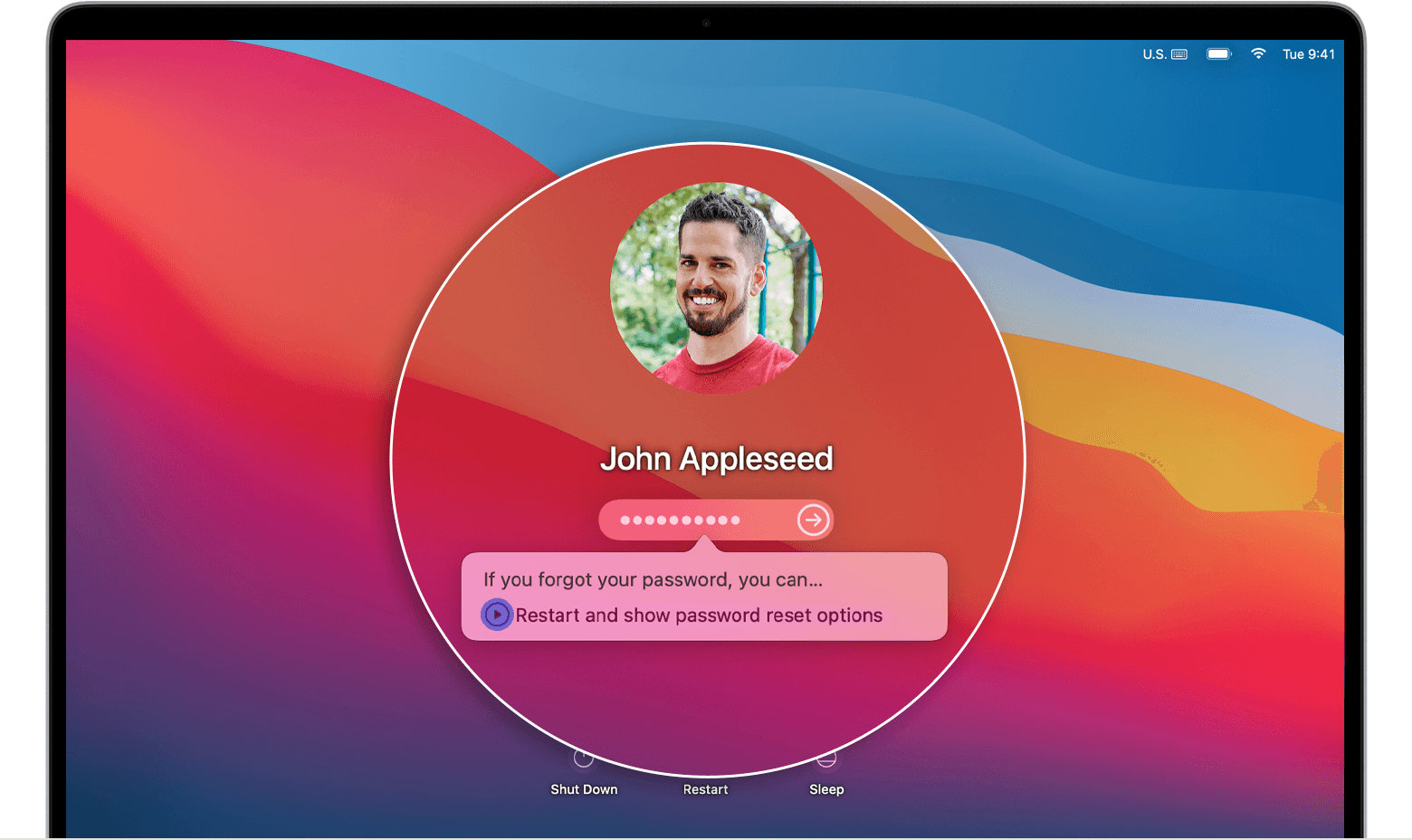
Option 1: Restart and show password options
1. If you see the option to restart and show password reset options, click it to restart your Mac. Then take one of these steps:
* Sign in with your Apple ID, if asked. You might also be asked to enter the verification code sent to your other devices.
* Enter your FileVault recovery key, if asked. It's the long string of letters and numbers you received when you turned on FileVault and chose to create a recovery key instead of allowing your iCloud account (Apple ID) to unlock your disk.
2. Select a user that you want to reset the password for, then click Next.
3. Enter your new password information, then click Next.
4. When the password reset is completed, click Restart.
We hope those steps help.
Take care!
Hi there heschaars,
It sounds like you need to change your administrator password as it has been forgotten. This article shows multiple options on how to possibly do that: If you forgot your Mac login password
We've included one option from that article below:
Choose a password-reset option
After you enter a password up to three times, your Mac should show one of these password-reset options.
Option 1: Restart and show password options
1. If you see the option to restart and show password reset options, click it to restart your Mac. Then take one of these steps:
* Sign in with your Apple ID, if asked. You might also be asked to enter the verification code sent to your other devices.
* Enter your FileVault recovery key, if asked. It's the long string of letters and numbers you received when you turned on FileVault and chose to create a recovery key instead of allowing your iCloud account (Apple ID) to unlock your disk.
2. Select a user that you want to reset the password for, then click Next.
3. Enter your new password information, then click Next.
4. When the password reset is completed, click Restart.
We hope those steps help.
Take care!
How To Change Master Password