Here's how to add money to your Apple Account balance:
- Open the App Store app.
- Tap your photo, initials, or the sign-in button
 at the top of the screen.
 - Tap "Add Money to Account."
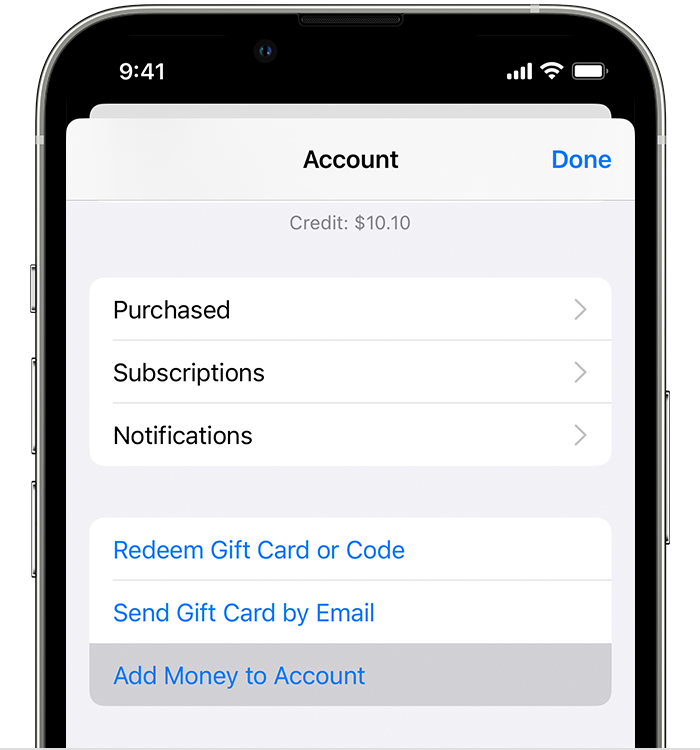
- To add funds instantly, tap the amount that you want to add. Or to automatically add to your balance in the future, tap Set Up Auto Reload. What's auto reload?
- Follow the onscreen instructions to complete the purchase. Some payment methods might prompt you to verify your purchase with a text message or other method.
Note that Apple Wallet is a different service than Media & Purchases tied to your Apple ID settings, which is where the payment methods for the App Store and your Apple Account balance top-up get pulled from. This is why you might have to enter your card information a second time for App Store purchases after adding them to the Wallet.
If you want to skip adding funds to your Apple Account balance and pay for purchases using your Apple ID directly, you can add a payment method to your Apple ID:
- Open the Settings app.
- Tap your name.
- Tap Media & Purchases, then tap View Account. You might be asked to sign in with your Apple ID.
- Tap Manage Payments.
- Tap Add Payment Method.

- Enter the payment method details, then tap Done.
You can also add a payment method after signing in to appleid.apple.com. Hope this helps, and you have a great day!

