
How can I delete a failed to send message on messenger?
I have a failed to send message in messenger from 5 month ago that I have had no luck in deleting ! How can I delete it?
iPad mini 5, iPadOS 16
I have a failed to send message in messenger from 5 month ago that I have had no luck in deleting ! How can I delete it?
iPad mini 5, iPadOS 16
Hi str8_fan_03,
You started from a great resource: Use Messages on your iPhone or iPad
To delete a message you'll want to complete the steps below found in the article here: Delete messages on iPad - Apple Support
"Delete a message
 ."
."You can also view helpful information to attempt to send the message as a text or try again. The steps below from the article here can assist.
"If you see a red exclamation point
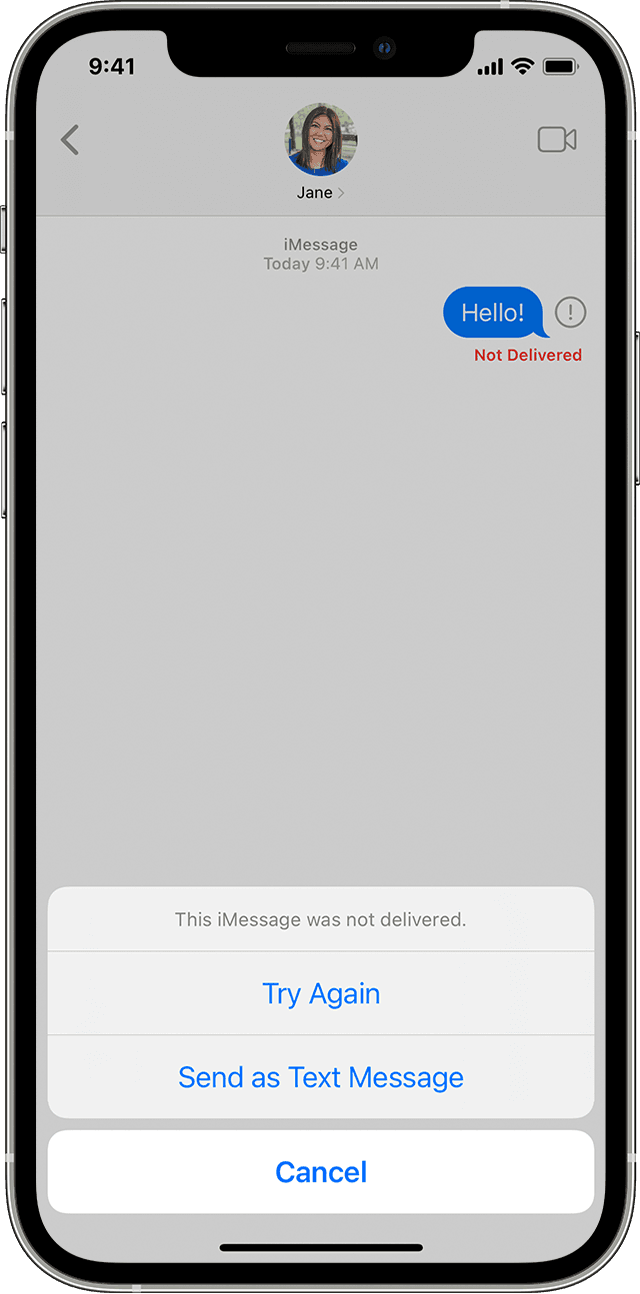
If you try to send a message and you see  with an alert that says Not Delivered, follow these steps:
, then tap Try Again., then tap Send as Text Message. Messaging rates may apply. Contact your carrier for more information."Be sure to also check the "If you still need help" section from the article shared above. If you continue to have issues, reach out to Apple Support directly to further assist. Get Support
Best.
How do I delete failed to send messages off my screen?
Nothing
How can I delete a failed to send message on messenger?

