Deleting an album by accident
Help!!!! I accidentally deleted an album form my library and it had at least half of the songs that I listen to. Is there anyway that I can get it back?
iPhone 11
Help!!!! I accidentally deleted an album form my library and it had at least half of the songs that I listen to. Is there anyway that I can get it back?
iPhone 11
Hi halle218,
Thanks for posting in Apple Support Communities.
Depending on how the music was added to your device, you can add it back in a number of ways. If you purchased from iTunes, go to your Purchase History and download it again.
Redownload music in the iTunes Store app on your iPhone, iPad, or iPod touch
1. Open the iTunes Store app.
* On your iPhone or iPod touch: At the bottom of your screen, tap More, then tap Purchased.
* On your iPad: Tap Purchased.
4. Tap Music. If you use Family Sharing, tap a family member’s name to see music that they purchased.
5. Find the music that you want to redownload, then tap it.
6. Tap the download buttonnext to a song or album.
Don't see the music that you purchased?
Redownload music - Apple Support
If you are an Apple Music subscriber, simply go to the Apple Music catalog in the Music app and search and add to your library again.
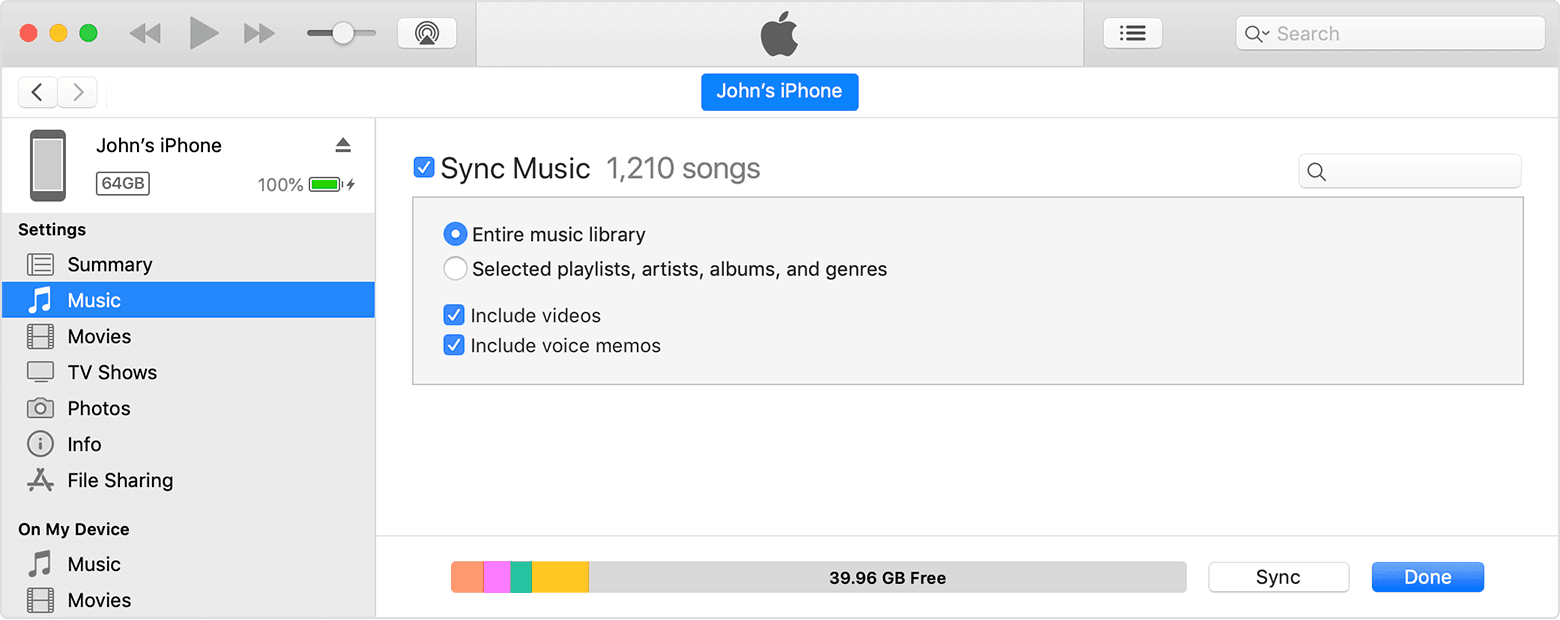
If the music was synced from a computer from your own collection, you will need to sync the music from your computer.
Sync or remove content using iTunes
1. Open iTunes and connect your device to your computer with a USB cable.
2. Click the device icon in the upper-left corner of the iTunes window. Learn what to do if you don't see the icon.
3.
4. From the list under Settings on the left side of the iTunes window, click the type of content that you want to sync or remove.* To turn syncing on for a content type, select the checkbox next to Sync.
5.
6. Select the checkbox next to each item that you want to sync.
7. Click the Apply button in the lower-right corner of the window. If syncing doesn't start automatically, click
the Sync button.
Use iTunes to sync your iPhone, iPad, or iPod with your computer - Apple Support
Regards.
Hi halle218,
Thanks for posting in Apple Support Communities.
Depending on how the music was added to your device, you can add it back in a number of ways. If you purchased from iTunes, go to your Purchase History and download it again.
Redownload music in the iTunes Store app on your iPhone, iPad, or iPod touch
1. Open the iTunes Store app.
* On your iPhone or iPod touch: At the bottom of your screen, tap More
* On your iPad: Tap Purchased.
4. Tap Music. If you use Family Sharing, tap a family member’s name to see music that they purchased.
5. Find the music that you want to redownload, then tap it.
6. Tap the download button
Don't see the music that you purchased?
Redownload music - Apple Support
If you are an Apple Music subscriber, simply go to the Apple Music catalog in the Music app and search and add to your library again.
If the music was synced from a computer from your own collection, you will need to sync the music from your computer.
Sync or remove content using iTunes
1. Open iTunes and connect your device to your computer with a USB cable.
2. Click the device icon in the upper-left corner of the iTunes window. Learn what to do if you don't see the icon.
3.
4. From the list under Settings on the left side of the iTunes window, click the type of content that you want to sync or remove.* To turn syncing on for a content type, select the checkbox next to Sync.
5.
6. Select the checkbox next to each item that you want to sync.
7. Click the Apply button in the lower-right corner of the window. If syncing doesn't start automatically, click
the Sync button.
Use iTunes to sync your iPhone, iPad, or iPod with your computer - Apple Support
Regards.
Deleting an album by accident