Hi Steelers-Chiefs,
Welcome to Apple Support Communities. We recommend for your mother in law to visit the iCloud website and see if the calendar invitation can be accepted through the website directly. From there, it may help her to view the calendar invitations directly on her device. Here are the steps on how to view and accept the invitation on iCloud:
Receive event invitations as in-app notifications or emails
1. In Calendar on iCloud.com, click  in the bottom-left corner, then choose Preferences.
2. Click the Advanced pane, then choose either of the following options for invitations:
* In-app notifications: Event invitations appear in the notifications list below the calendar.
* Email to [email address]: Event invitations are emailed to the address used for your Apple ID. This option is useful if your primary calendar isn’t your iCloud calendar.
3. Click Save.
Accept, decline, or say maybe to an event invitation
Do either of the following:
* If you chose to receive event invitations as in-app notifications: In Calendar on iCloud.com, click  below the calendar. If you have one or more pending invitations, the button shows a number instead of an arrow.
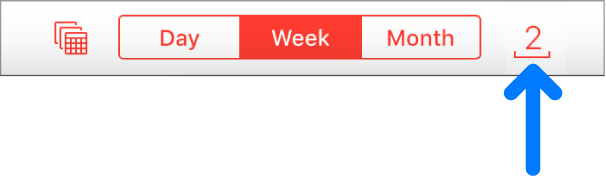
* In the event notification, click Accept, Decline, or Maybe.
* If you chose to have event invitations emailed to you: In the invitation email you received, choose Accept, Decline, or Maybe.
You can update your reply in the event on your calendar or in the original email invitation.
Following these steps may help and is outlined in this article: Receive and reply to a calendar event invitation on iCloud.com - Apple Support
Best regards.


