Sharing FaceTime constantly
My iPhone SE constantly has FaceTime on, I can’t turn it off
iPhone SE, iOS 16
My iPhone SE constantly has FaceTime on, I can’t turn it off
iPhone SE, iOS 16
Hi there Hanksty,
To confirm, you always see the FaceTime app as open and can't switch to another app on your iPhone SE? If that is correct, you could see if restarting your iPhone SE may help, as it can refresh the software and apps which can help unexpected issues.
If needed, the steps below show how to restart:
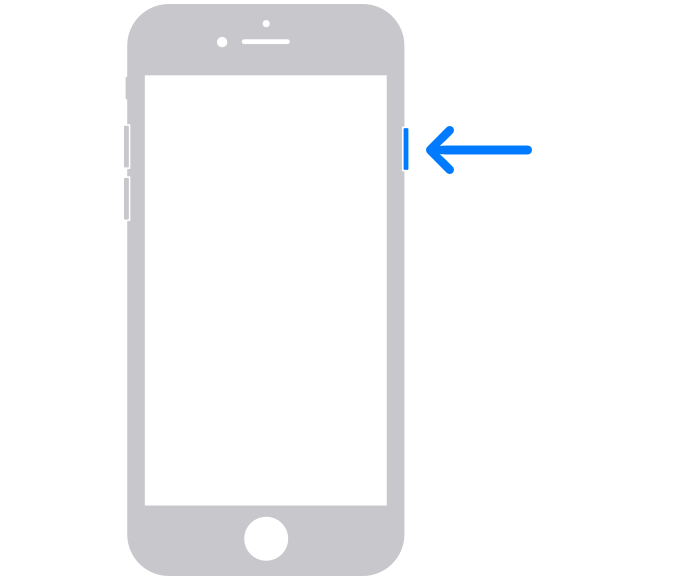
How to restart your iPhone 6, 7, 8, or SE (2nd or 3rd generation)
1. Press and hold the side button until the power-off slider appears.
2. Drag the slider, then wait 30 seconds for your device to turn off. If your device is frozen or unresponsive, force restart your device.
3. To turn your device back on, press and hold the side button until you see the Apple logo.
Those steps are from this article: Restart your iPhone - Apple Support
Let us know how restarting goes or if you've already tried that.
Take care.
Hi there Hanksty,
To confirm, you always see the FaceTime app as open and can't switch to another app on your iPhone SE? If that is correct, you could see if restarting your iPhone SE may help, as it can refresh the software and apps which can help unexpected issues.
If needed, the steps below show how to restart:
How to restart your iPhone 6, 7, 8, or SE (2nd or 3rd generation)
1. Press and hold the side button until the power-off slider appears.
2. Drag the slider, then wait 30 seconds for your device to turn off. If your device is frozen or unresponsive, force restart your device.
3. To turn your device back on, press and hold the side button until you see the Apple logo.
Those steps are from this article: Restart your iPhone - Apple Support
Let us know how restarting goes or if you've already tried that.
Take care.
Sharing FaceTime constantly