How do I back up my IPhone from my iPad?

My iPhone won’t turn on after I dropped it in my pool, so I’m thinking of buying a new one! I just need to know how to backup my phone!

iPhone X, iOS 16

Posted on Sep 5, 2023 11:46 PM

Reply
Question marked as Top-ranking reply

Posted on Sep 6, 2023 12:29 AM

If you dropped the phone in the pool, and it won't turn on, and you're not going to repair the phone, it is too late to do a backup. Any data that you had stored on that phone, that does not exist somewhere else, is gone.


That said,


  • Your phone may have been set up to do automatic backups to iCloud when connected to WiFi and A/C power. If that is the case, you may have backups in iCloud – from before the accident – that could possibly be restored to a new phone.
  • Your phone may have been set up to use iCloud Photos. If it was, and you had enough iCloud storage space, all of your photos that the phone had a chance to upload to iCloud should be stored safely in iCloud, just waiting to be accessed from iCloud Photos on another device (like a computer or new phone). There is a Web interface to iCloud ( https://www.icloud.com/ ) that you could use even before you get a new phone to check on your photos.
  • You may have had some files in iCloud Drive (ones that you were syncing between your phone and a computer). Those files would also still be safe in iCloud.
  • Some other data that synchronizes through iCloud (like calendar events) might still be available in iCloud.
  • Whether or not you're using an Apple e-mail address, and whether or not you were syncing Mail through iCloud, e-mail is often set up to use an IMAP connection that leaves the master copies of mail on your e-mail provider's server. For instance, if you use Gmail, your mail normally lives on Google's servers, not on your phone. So while your phone might be dead, your e-mail might be sitting safe on your e-mail provider's server – waiting for you to access with a new phone ( or with a Web interface like Google's https://www.google.com/gmail/ one ).


3 replies
Question marked as Top-ranking reply

Sep 6, 2023 12:29 AM in response to Bootyface123

If you dropped the phone in the pool, and it won't turn on, and you're not going to repair the phone, it is too late to do a backup. Any data that you had stored on that phone, that does not exist somewhere else, is gone.


That said,


  • Your phone may have been set up to do automatic backups to iCloud when connected to WiFi and A/C power. If that is the case, you may have backups in iCloud – from before the accident – that could possibly be restored to a new phone.
  • Your phone may have been set up to use iCloud Photos. If it was, and you had enough iCloud storage space, all of your photos that the phone had a chance to upload to iCloud should be stored safely in iCloud, just waiting to be accessed from iCloud Photos on another device (like a computer or new phone). There is a Web interface to iCloud ( https://www.icloud.com/ ) that you could use even before you get a new phone to check on your photos.
  • You may have had some files in iCloud Drive (ones that you were syncing between your phone and a computer). Those files would also still be safe in iCloud.
  • Some other data that synchronizes through iCloud (like calendar events) might still be available in iCloud.
  • Whether or not you're using an Apple e-mail address, and whether or not you were syncing Mail through iCloud, e-mail is often set up to use an IMAP connection that leaves the master copies of mail on your e-mail provider's server. For instance, if you use Gmail, your mail normally lives on Google's servers, not on your phone. So while your phone might be dead, your e-mail might be sitting safe on your e-mail provider's server – waiting for you to access with a new phone ( or with a Web interface like Google's https://www.google.com/gmail/ one ).


Sep 6, 2023 12:11 AM in response to SravanKrA

SravanKrA wrote:

There are two places you can keep back up (iTunes or iCloud)


I think the OP is asking how to back up his dead iPhone (the one that he dropped into the pool, and that won't turn on) using an iPad.


The answer is – you don't. If the iPhone won't turn on, there's no way that any other device could pull data from it. (Short of, say, the NSA or KGB taking such an interest in the OP that they're willing to try to unsolder the flash chip from the phone, then crack whatever encryption there might be on the contents of the chip, to get the data.)


Any data on that phone that is not stored elsewhere is gone.


Even if the phone is in working order, you can't use an iPad to back up an iPhone. As you said, the iPhone backup systems are designed around computers (running Finder/iTunes) and iCloud. Apple never came out with tools for managing an iPhone from an iPad.

Sep 5, 2023 11:50 PM in response to Bootyface123

There are two places you can keep back up (iTunes or iCloud)


Use iCloud Backup


How to back up with iCloud

  1. Connect your device to a Wi-Fi network.
  2. Go to Settings > [your name], and tap iCloud.
  3. Tap iCloud Backup.
  4. Tap Back Up Now. Stay connected to your Wi-Fi network until the process completes. See the Pic below


How to back up your iPhone, iPad, and iPod touch - Apple ...


Back up to Computer...


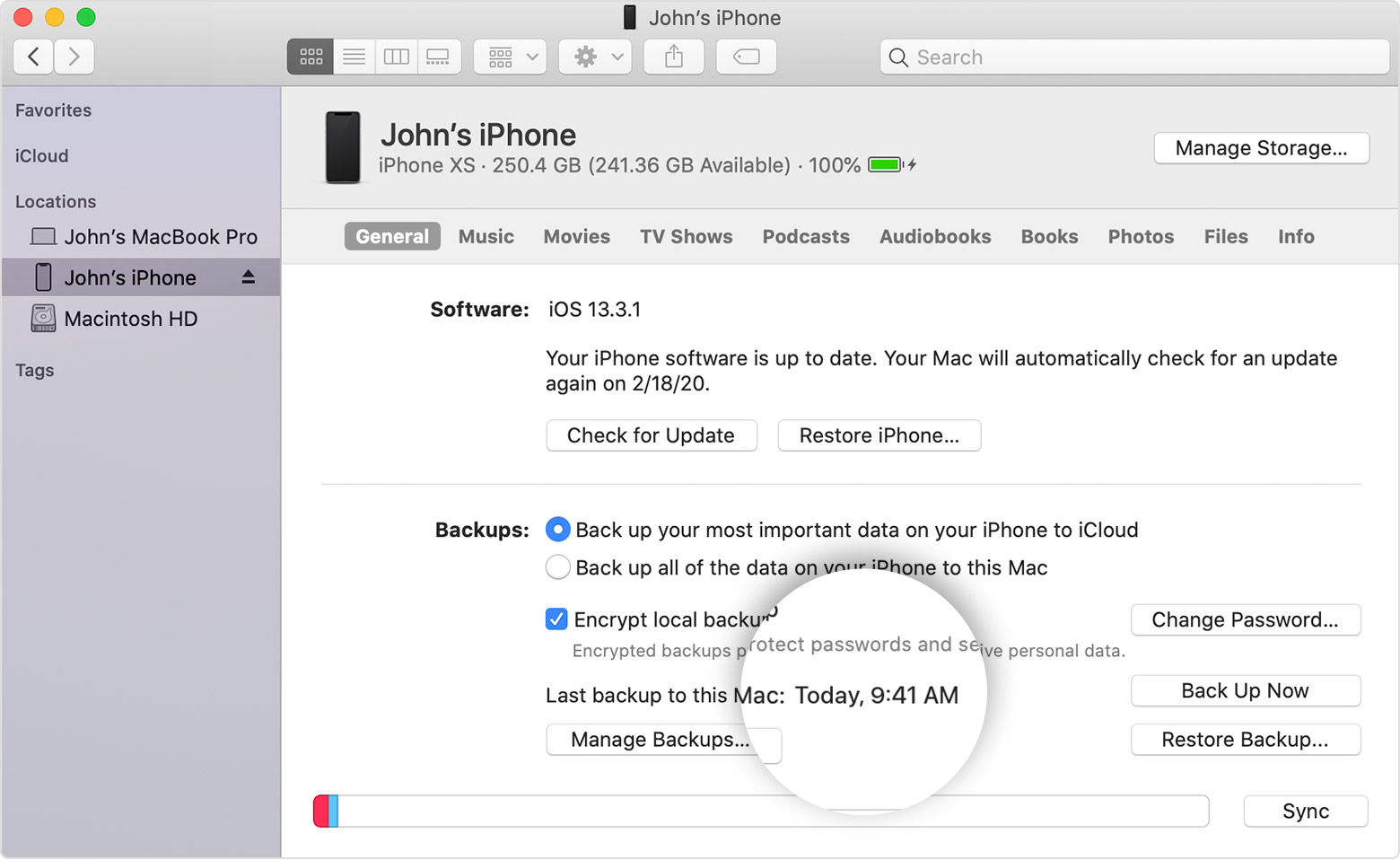
How to backup with your computer
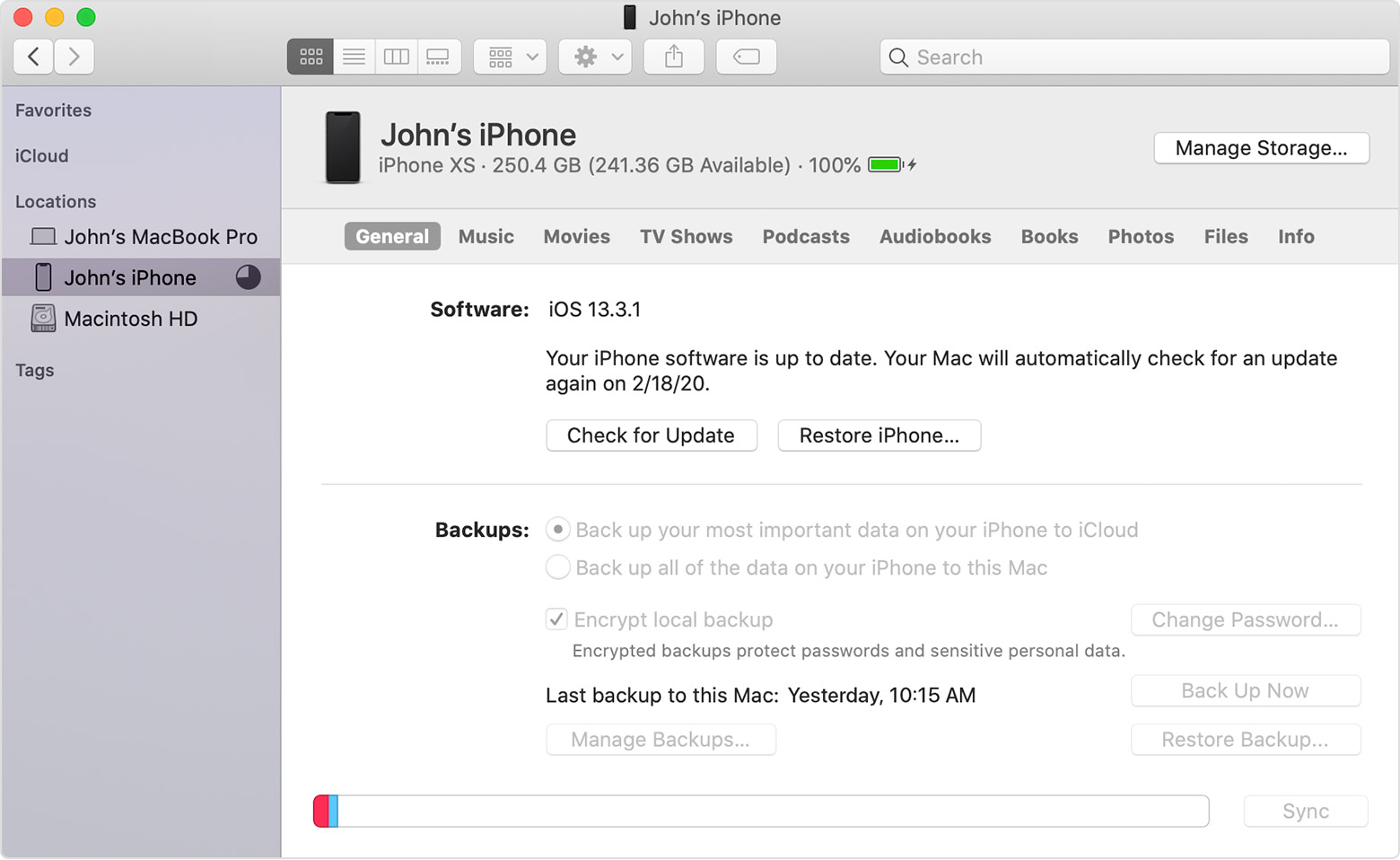
  1. Connect your device to your computer. On a Mac with macOS Catalina 10.15, open Finder. On a Mac with macOS Mojave 10.14 or earlier, or on a PC, open iTunes.
  2. If a message asks for your device passcode or to Trust This Computer, follow the onscreen steps. If you forgot your passcode, get help.
  3. Locate your device on your computer. If your device doesn't appear on your computer, learn what to do.
  4. If you want to save Health and Activity data from your device or Apple Watch, you need to encrypt your backup: Select the box called Encrypt [device] backup and create a memorable password. If you don't need to save your Health and Activity data, you can make a backup that isn't encrypted. Just click Back Up Now.
  5. Write down your password and store it somewhere safe, because there's no way to recover your iTunes backups without this password.
  6. When the process ends, you can see if the backup finished successfully.


This thread has been closed by the system or the community team. You may vote for any posts you find helpful, or search the Community for additional answers.

How do I back up my IPhone from my iPad?

Welcome to Apple Support Community
A forum where Apple customers help each other with their products. Get started with your Apple Account.