Hi deege,
Thank you for reaching out in Apple Support Communities. You mentioned being up to date with the macOS software. We noticed in your post that you're currently on macOS 13.5. There was a recent update which is now macOS Ventura 13.5.2. Let's ensure that your Mac is updated to that specific version, as it helps provide software improvements that can help. Here's how:
Use Software Update
To check for new software, open Software Update. It's in System Settings (or System Preferences), which you can open from the Apple menu in the corner of your screen:
* Choose Apple menu > System Settings. Click General on the left side of the System Settings window, then click Software Update on the right.
* Or choose Apple menu > System Preferences, then click Software Update.
If Software Update finds new software, click the button to install it. You will be asked to enter your administrator password. During installation, your Mac might show a progress bar or blank screen several times, and you should avoid putting it to sleep or closing its lid.
If Software Update says that your Mac is up to date, then no new software is currently available for your Mac model. Software Update shows only software that is compatible with your Mac.
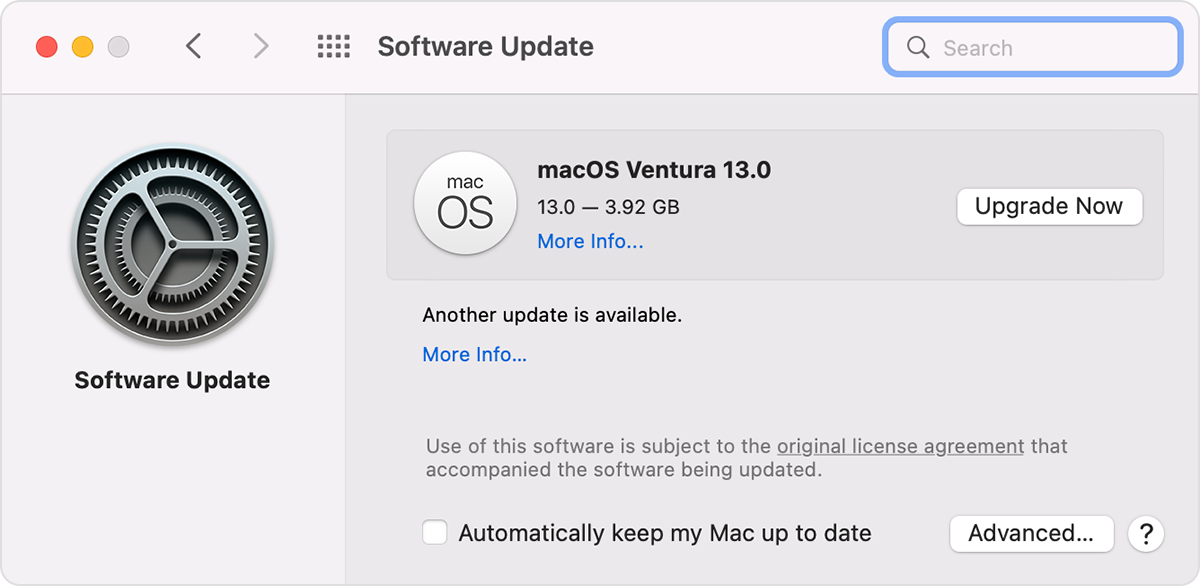
These steps are outlined in this article: Update macOS on Mac - Apple Support
Also, please make sure that you're signed in with the same Apple ID account on both your Mac and iPhone. Then, verify that "Enable Messages in iCloud" is turned on for your Mac by having the Message app open > selecting Messages in the menu bar > select the "iMessage" tab" > Enable Messages in iCloud.
Following these steps may help you to view and access the messages from your iPhone to your Mac.
Kind regards.


