I need help to pair the Apple Watch
Idk
Idk
Hello Bfiv5,
Thanks for that info and for choosing the Apple Support Communities. If we understand correctly, you are unable to pair your Apple Watch. To help with this, please make sure you are following these steps:
"Check your Apple Watch connection
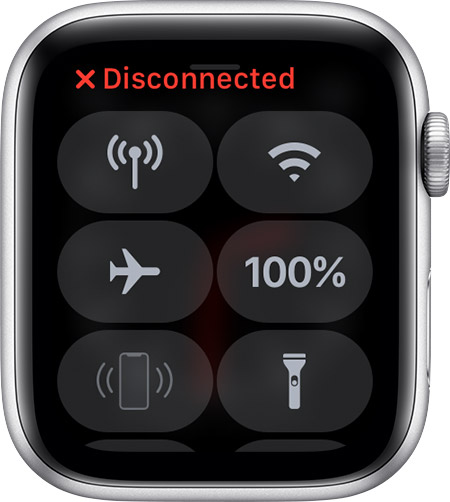
If you don't get notifications, messages, or calls on your Apple Watch, your Apple Watch and iPhone might not be connected. When your devices disconnect, the red iPhone iconor the red X icon
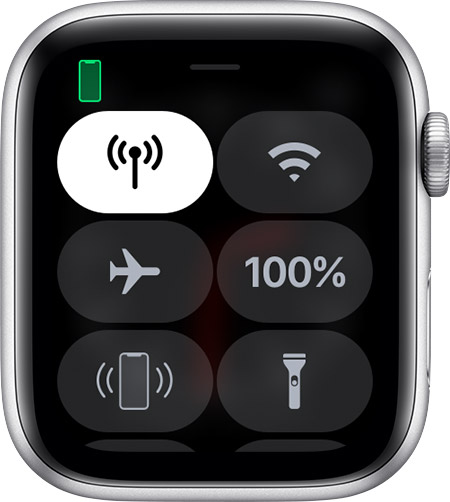
appears on your watch face. You can also check your connection in Control Center. When your Apple Watch connects again, the green iPhone icon
appears.
First, bring your Apple Watch and paired iPhone close together. If you still see that the devices are disconnected and need help, try the steps below. After each step, see if your devices can connect.
Try to connect your Apple Watch and iPhone again
1. Keep your Apple Watch and paired iPhone close together to make sure that they're in range.
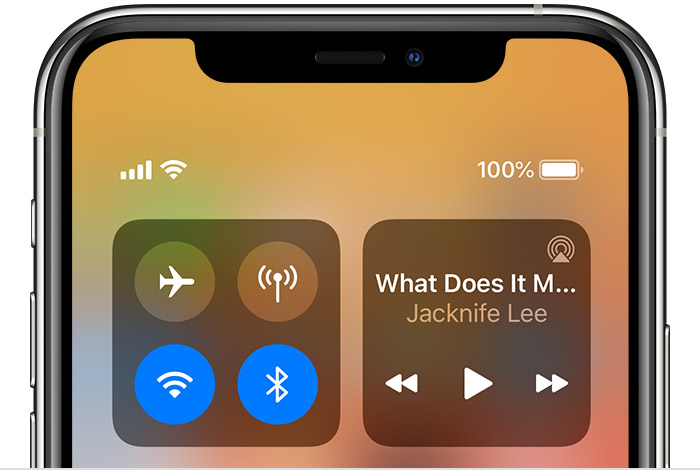
2. On your iPhone, make sure that Airplane Mode is off and that Wi-Fi and Bluetooth are on. To check, open Control Center.
3.
4. If you see the Airplane Mode iconon your watch face, Airplane Mode is on. Open Control Center, then turn off Airplane Mode.
5. Restart your Apple Watch and iPhone.
Unpair your devices, then pair them again
If your Apple Watch still can't connect, unpair it from your iPhone, then pair your Apple Watch and iPhone again.
Contact us
If you still need help, contact Apple Support.
Learn more
* If you forgot your passcode, you can reset it.
* If you want to connect your Apple Watch to a different iPhone, you can transfer your Apple Watch and its content.
* If your Apple Watch won't charge, learn what to do.
* If you can't find the "i" icon, learn what to do."
And those steps are from here: If your Apple Watch isn't connected or paired with your iPhone - Apple Support If that isn't helpful, please give more details so we can look at possible next steps.
Cheers!
Hello Bfiv5,
Thanks for that info and for choosing the Apple Support Communities. If we understand correctly, you are unable to pair your Apple Watch. To help with this, please make sure you are following these steps:
"Check your Apple Watch connection
If you don't get notifications, messages, or calls on your Apple Watch, your Apple Watch and iPhone might not be connected. When your devices disconnect, the red iPhone icon
First, bring your Apple Watch and paired iPhone close together. If you still see that the devices are disconnected and need help, try the steps below. After each step, see if your devices can connect.
Try to connect your Apple Watch and iPhone again
1. Keep your Apple Watch and paired iPhone close together to make sure that they're in range.
2. On your iPhone, make sure that Airplane Mode is off and that Wi-Fi and Bluetooth are on. To check, open Control Center.
3.
4. If you see the Airplane Mode icon
5. Restart your Apple Watch and iPhone.
Unpair your devices, then pair them again
If your Apple Watch still can't connect, unpair it from your iPhone, then pair your Apple Watch and iPhone again.
Contact us
If you still need help, contact Apple Support.
Learn more
* If you forgot your passcode, you can reset it.
* If you want to connect your Apple Watch to a different iPhone, you can transfer your Apple Watch and its content.
* If your Apple Watch won't charge, learn what to do.
* If you can't find the "i" icon, learn what to do."
And those steps are from here: If your Apple Watch isn't connected or paired with your iPhone - Apple Support If that isn't helpful, please give more details so we can look at possible next steps.
Cheers!
I need help to pair the Apple Watch