Hello rk161,
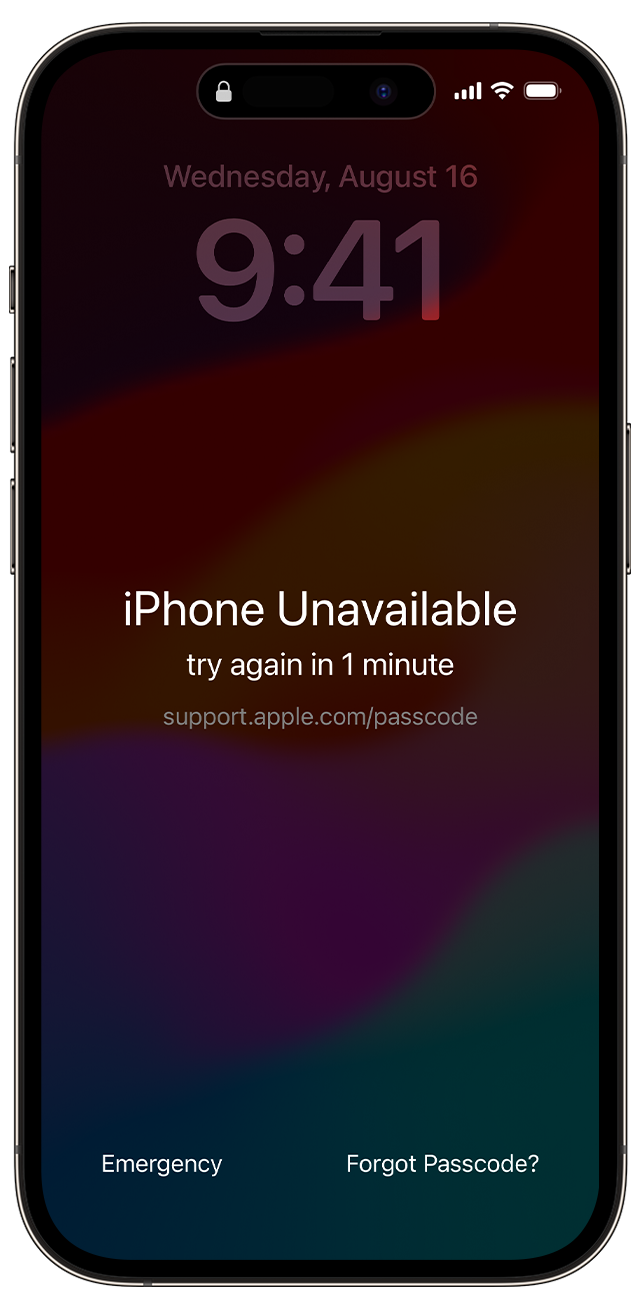
It sounds like the device is locked, due to a forgotten passcode or failed passcode attempts. You can wait for the timeframe provided, if applicable, or you can use these steps to resolve the issue: If you see an iPhone or iPad unavailable message or Security Lockout screen
If you see an iPhone or iPad unavailable message or Security Lockout screen
If you forgot your passcode, you can use your Apple ID and password to erase and reset your device without a computer.
Before you reset your device
* You need to have a device that's using iOS 15.2 or iPadOS 15.2 or later.
* Your iPhone, iPad, or iPod touch needs to be connected to a cellular or Wi-Fi network.*
* You'll need your Apple ID and password that you used to set up your device.
* If you restart your device when you see "Security Lockout" on the Lock Screen, you won't be able to reconnect to a Wi-Fi network until your device is unlocked. Cellular devices will reconnect to a cellular network if you have active service.
How to reset your device in iOS 17
If you're using an eSIM on iOS 16 or earlier, contact your carrier before trying these steps and ask for a QR code to set up your eSIM again.
1. From your device's Lock Screen, try to enter your passcode until the "[Device] Unavailable" screen appears and your device asks you to try again later.
2. When you're able to, tap the Forgot Passcode? option in the bottom corner of the screen.
3. On the Security Lockout screen, tap Start [Device] Reset to confirm.
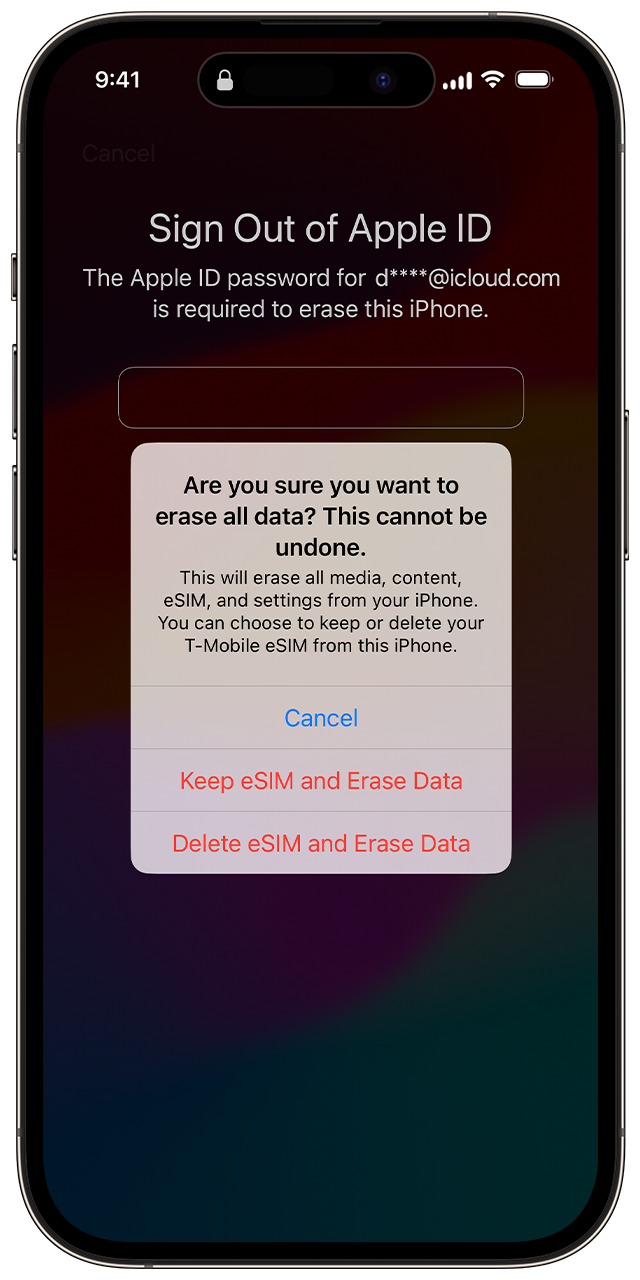
4. Enter your Apple ID password to sign out of your Apple ID on your device.
5. Tap Erase [Device] to permanently delete all of your data and settings. If you use an eSIM with iOS 17 or later, you can also choose to keep your eSIM and erase your data, or to delete your eSIM and erase your data.
6. When your device restart, follow the onscreen instructions to set up your device again, restore your data and setting from a backup, and set a new passcode.
If you can't follow these steps, you can use a computer to reset your device.
You can only reach the "Security Lockout" screen if you have an active cellular or Wi-Fi connection and previously enabled Find My on your device. After you try to enter your password ten times, your device will either erase itself or show Security Lockout and the Forgot Passcode? option without a timer, depending on how you previously set up your device.
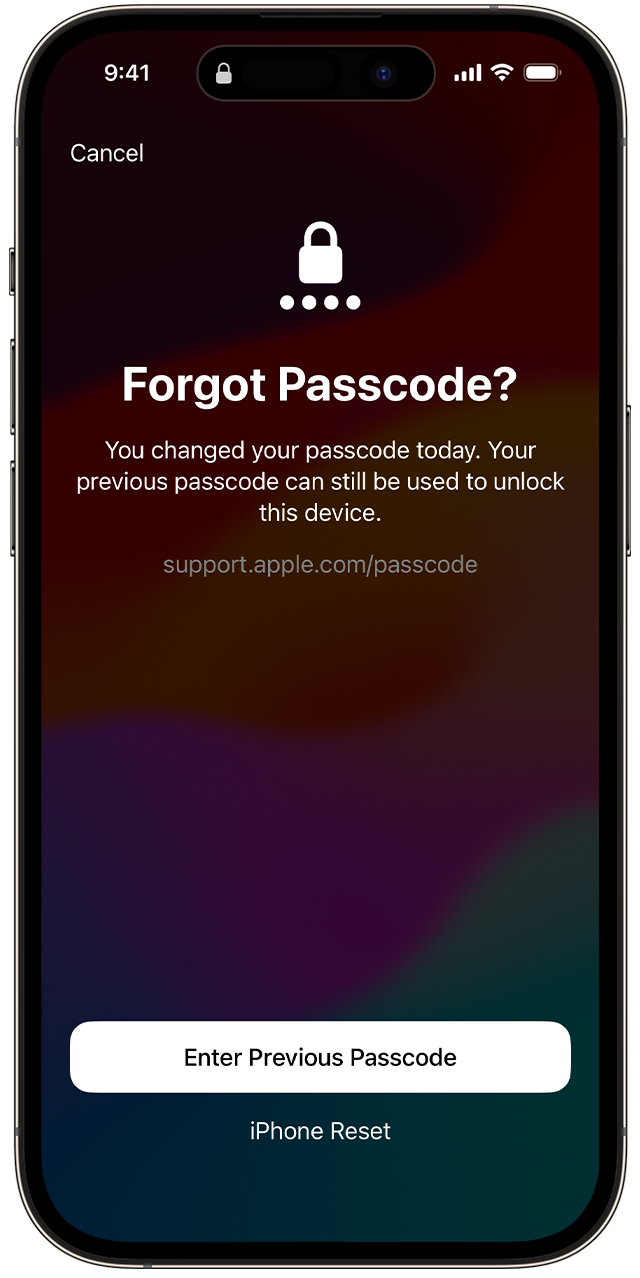
If you recently changed passcodes, use your old passcode to temporarily sign in
When you change your passcode in iOS 17 and later, Passcode Reset gives you 72 hours when your old iPhone passcode can be used to sign in to your phone. When you sign in to your iPhone this way, you must immediately change your passcode again.
To use Passcode Reset:
1. From your device's Lock Screen, try to enter your passcode until the "[Device] Unavailable" screen appears and your device asks you to try again later.
2. When you're able to, tap the Forgot Passcode? option in the bottom corner of the screen.
3. Tap Try Passcode Reset.
4. Enter your old passcode then follow the onscreen instructions to set a new passcode.
If you can't reset your device
* Use a computer to reset your iPhone.
* Use a computer to reset your iPad.
* Use a computer to reset your iPod touch.
You wouldn't be able to get the iPhone unlocked unless you wait for the timeframe provided or take the steps above. There isn't a way to back up content prior to taking these steps.
You can sign in to iCloud, when you set up the device again. It will restore what content had been backed up prior to this. However, there may be data loss, which may be unavoidable.
We hope this helps out.
Take care.


