why when I have 6GB of memory I can't download the new update can you help
.
iPhone 12, iOS 16
.
iPhone 12, iOS 16
Hey marchela112,
Are you receiving an alert that there's not enough storage to download the update?
If so, see if you can use a computer to install the update. Using a computer to update iOS will have the update download to the computer's storage, and then the update will install on the iPhone. Check out that suggestion in the following article: If you need more space for an update on your iPhone, iPad, or iPod touch - Apple Support
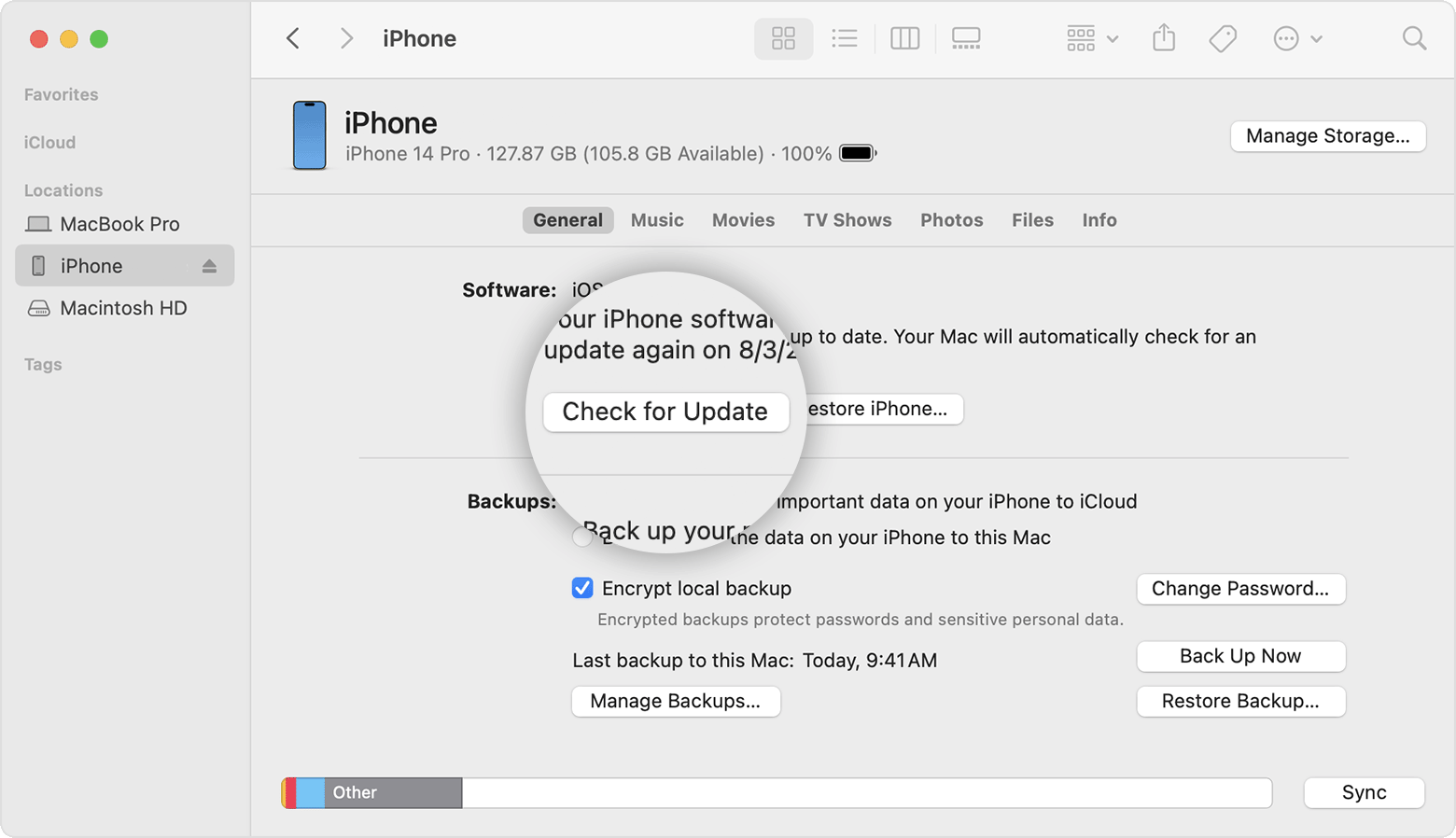
Use your computer to update your iPhone, iPad, or iPod touch
1. On a Mac with macOS Catalina or later, open the Finder. On a Mac with macOS Mojave or earlier, or on a PC, open iTunes.
2. Plug your device into your computer.
3. Locate your device on your computer. You might need to trust your device to continue.
4. Click Check for Update.
5. Click Download and Update.
If an alert appears during an update, learn how to resolve an error or alert.
Kind regards.
Hey marchela112,
Are you receiving an alert that there's not enough storage to download the update?
If so, see if you can use a computer to install the update. Using a computer to update iOS will have the update download to the computer's storage, and then the update will install on the iPhone. Check out that suggestion in the following article: If you need more space for an update on your iPhone, iPad, or iPod touch - Apple Support
Use your computer to update your iPhone, iPad, or iPod touch
1. On a Mac with macOS Catalina or later, open the Finder. On a Mac with macOS Mojave or earlier, or on a PC, open iTunes.
2. Plug your device into your computer.
3. Locate your device on your computer. You might need to trust your device to continue.
4. Click Check for Update.
5. Click Download and Update.
If an alert appears during an update, learn how to resolve an error or alert.
Kind regards.
why when I have 6GB of memory I can't download the new update can you help