
No ellipsis in my apple wallet
There is no ellipsis in my apple wallet when I pull up a ticket or even before I pull one up, so how do I delete expired tickets??
There is no ellipsis in my apple wallet when I pull up a ticket or even before I pull one up, so how do I delete expired tickets??
Hi gnolmik,
It sounds like you need help with an expired pass with Apple Wallet. If so, the steps below found in the article here will assist: Remove passes from Apple Wallet - Apple Support
"Expired passes
Some limited or single-use passes, such as boarding passes or event tickets, are automatically hidden after they expire. These passes are moved to a separate list, where you can view, unhide, or delete them:
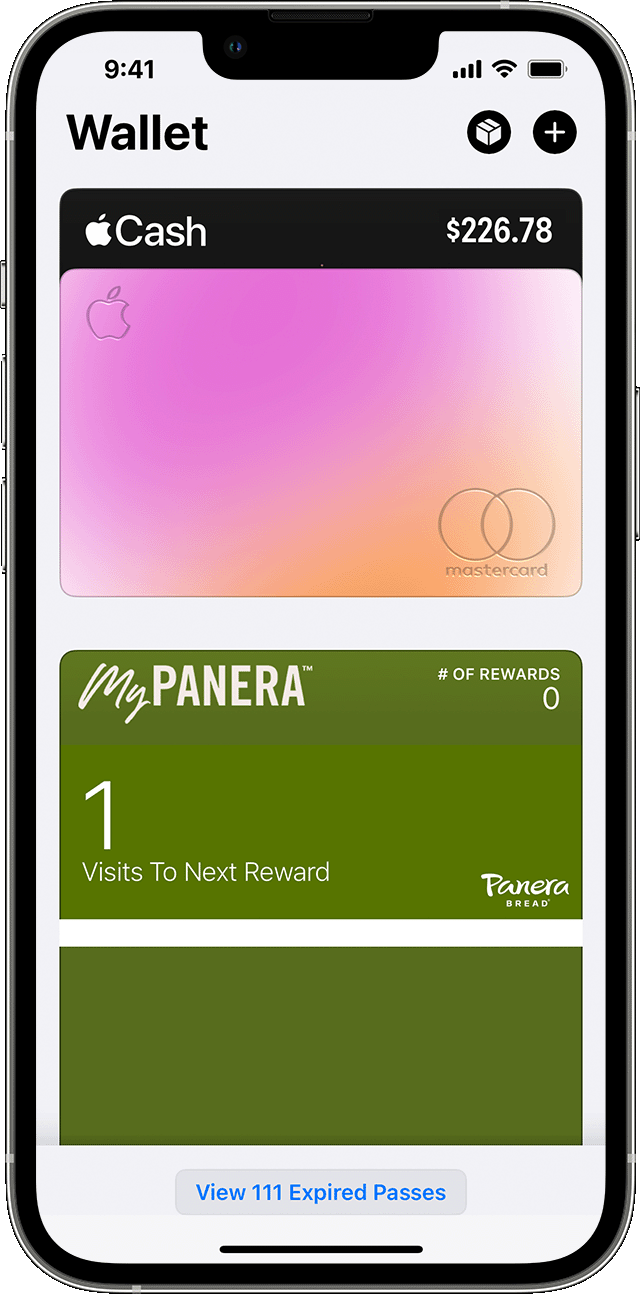
How to view, unhide, or delete expired passes on your iPhone
You can also tap Edit to unhide or delete multiple passes at once."
If you continue to have an issue, ensure your iPhone is updated and restart to test. Update your iPhone or iPad Reach out to Apple directly if the issue continues. Get Support
Best.
Hi gnolmik,
It sounds like you need help with an expired pass with Apple Wallet. If so, the steps below found in the article here will assist: Remove passes from Apple Wallet - Apple Support
"Expired passes
Some limited or single-use passes, such as boarding passes or event tickets, are automatically hidden after they expire. These passes are moved to a separate list, where you can view, unhide, or delete them:
How to view, unhide, or delete expired passes on your iPhone
You can also tap Edit to unhide or delete multiple passes at once."
If you continue to have an issue, ensure your iPhone is updated and restart to test. Update your iPhone or iPad Reach out to Apple directly if the issue continues. Get Support
Best.
No ellipsis in my apple wallet
