
There is a Apple Watch attached to my phone and I do not own a Apple Watch. Have do I get rid of it?
Apple Watch is pulling up as an option to do things with on my iPhone XR and I do have an Apple Watch
iPhone XR, iOS 16
Apple Watch is pulling up as an option to do things with on my iPhone XR and I do have an Apple Watch
iPhone XR, iOS 16
Hey Helpmeoutpleasethanks,
We'd recommend reviewing this article for help removing devices associated with your Apple ID: View and remove your devices that are associated with Apple ID purchases - Apple Support
If the Apple Watch is showing as being paired with your iPhone, you'll want to follow the steps here: Unpair and erase your Apple Watch - Apple Support
"How to unpair and erase your Apple Watch if you have your iPhone
 next to the watch that you want to unpair.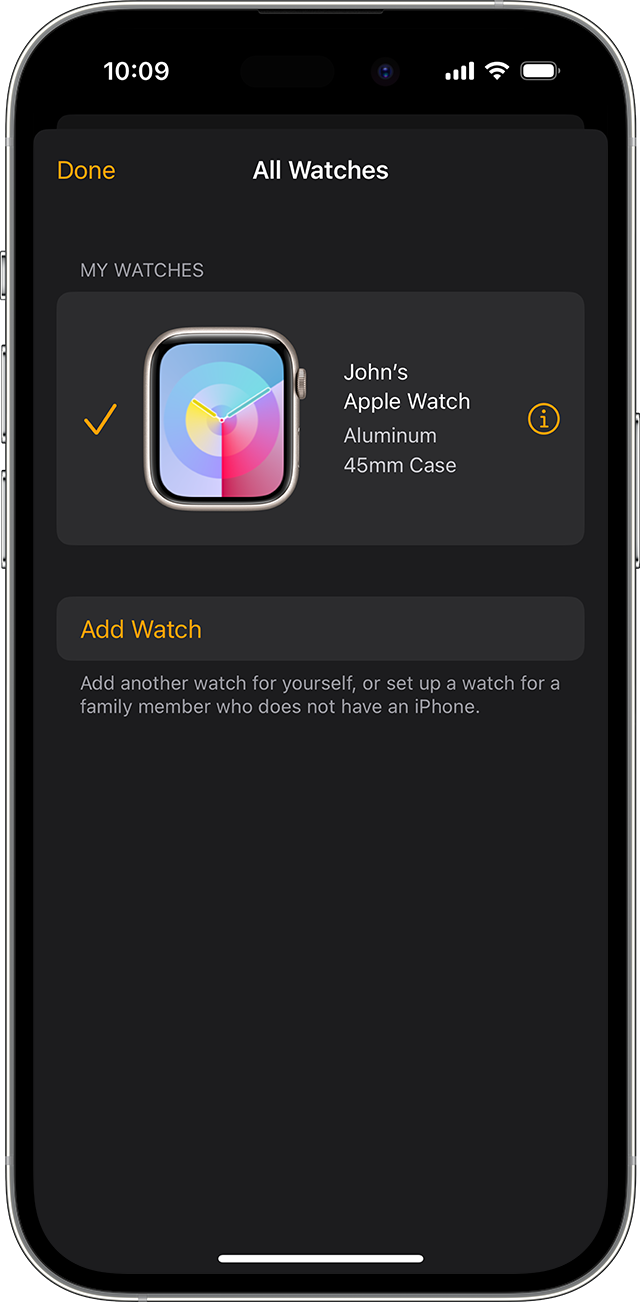
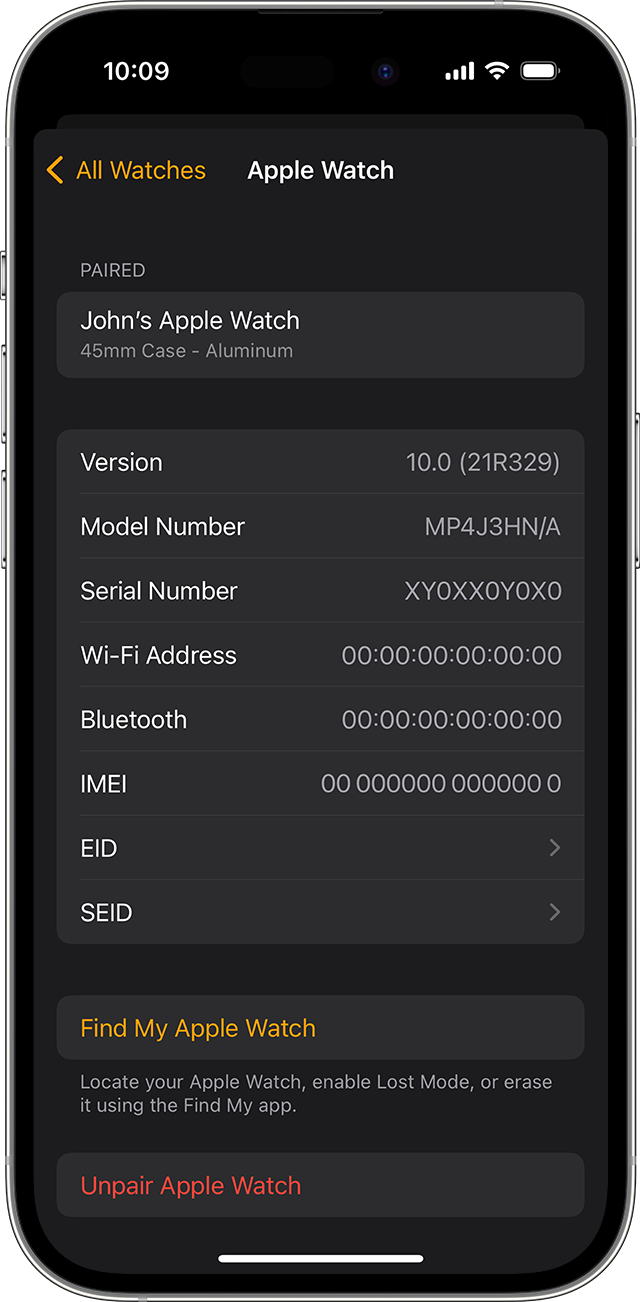
Before erasing all content and settings on your Apple Watch, your iPhone creates a new backup of your Apple Watch. You can use the backup to restore a new Apple Watch. After your Apple Watch unpairs, you'll see the Start Pairing message.
Now you can set up your Apple Watch again or turn it off if you're selling it or giving it away."
Thanks!
Hey Helpmeoutpleasethanks,
We'd recommend reviewing this article for help removing devices associated with your Apple ID: View and remove your devices that are associated with Apple ID purchases - Apple Support
If the Apple Watch is showing as being paired with your iPhone, you'll want to follow the steps here: Unpair and erase your Apple Watch - Apple Support
"How to unpair and erase your Apple Watch if you have your iPhone
next to the watch that you want to unpair. Before erasing all content and settings on your Apple Watch, your iPhone creates a new backup of your Apple Watch. You can use the backup to restore a new Apple Watch. After your Apple Watch unpairs, you'll see the Start Pairing message.
Now you can set up your Apple Watch again or turn it off if you're selling it or giving it away."
Thanks!
There is a Apple Watch attached to my phone and I do not own a Apple Watch. Have do I get rid of it?

