You're judging Keyers on their "at first drop" condition. Keying is something of an art form. A good key takes work and if you're willing to spend the time, you can get a very good key out of just about any keyer... even mine:
https://youtu.be/1ZUcjY3FNbg
All of the greenscreen clips used were 720 upscaled to 1080 in this video.
I know nothing of Hawaiki Keyer... or the iMovie keyer.
The "problem" with Final Cut's Keyer is that it's too busy. I'm sure a lot of people thing they have to fiddle with all of the parameters included... and that will usually just mess thing up. Then there's the automatic Green or Blue key... but if you need to key another color, then you have to get into those ridiculous color controls.
My keyer (scKeyer) is ultra basic. The only parameter is a checkbox to turn it on. You start with creating an Effects Mask > Color Mask (based on any color), then you decide what you might need as you go along. If you need spill suppression, it's added separately. If you need Matte refinements, it's added separately. Plus there's a whole "toybox" of things to do with the alpha channels.
That said, for a great many of my effects, the ability to remove colors and substitute other media is a built in part of a great many of them meaning, starting with a Keyer is usually completely unnecessary.
Here's a video where I compare another effect **capable** of keying (as just one aspect of the overall effect) vs. the Final Cut Keyer:
https://youtu.be/aztnPFc9x_o
Basically it just comes down to how you prefer to work. The Keyer is very capable and perhaps, arguably, overly so. PLUS, there are no supporting Effects Masks with Keyer (or Draw Mask or the built in Shape Mask, etc.). And, like I said, I know nothing of Hawaiki, so I don't know if it's similar to Final Cut, but from a video I watched, it looks like it also does not have the support of Effects Masks Shape Masks. My effects, however, all have access to accessory Effects Masks, all are made modular so you only add what you need.
This sample is a green screened subject over a landscape (sky keyed out) over the breaking ice ("black water" keyed out) over another video (bar glasses being filled). Check the hair detail (zoom in if you can) - the landscape "edge" - and the broken Ice over the "bottom video":
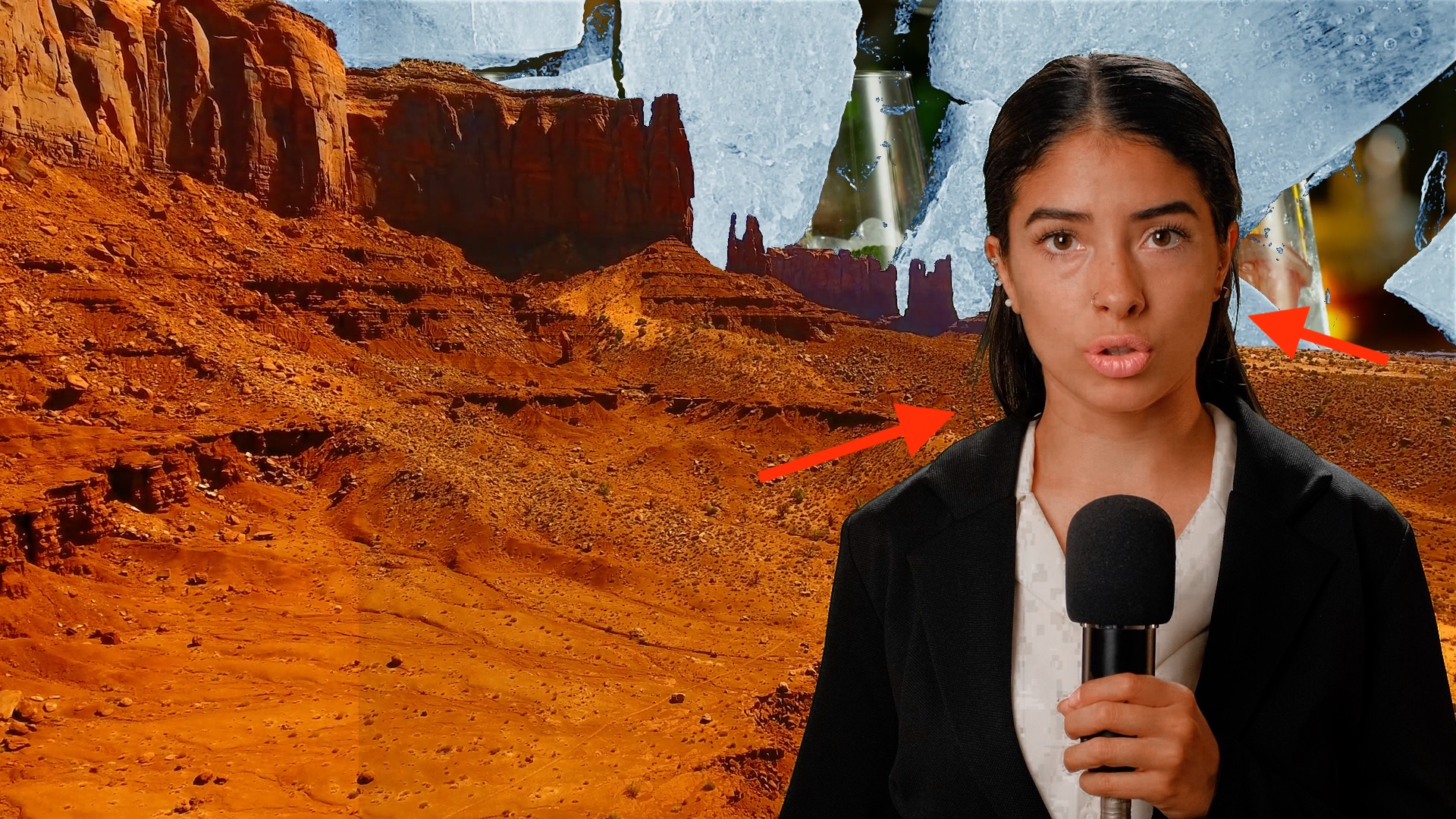
All of this uses the effects I made for the way I work with media. The way I work is not for everybody. I don't like the built in Keyer. I don't like any part of the Color Board tools. I spent too many years developing Photoshop skills before Adobe threw in all the tools to do everything for you. Now, nobody seems to know what they're doing... they just "add this" or "that" and it's done — they don't even know why.
[PS - just for fun, I used 3 separate keyers on the gradient sky of the landscape... sometimes keeping the color range "tight" makes the edges come out better." Since this is the extent of my keyer:
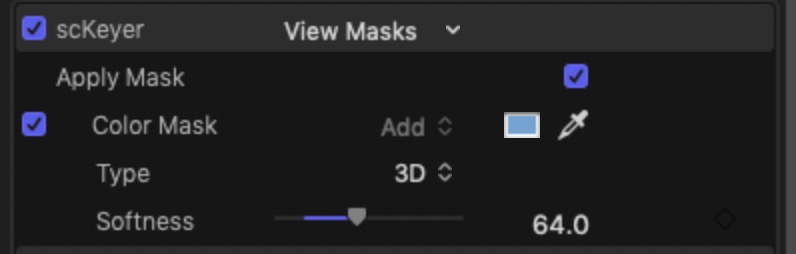
it's really easy to add as many as you need to get the best key possible.]
There really is no "best" — it's just what's best for you and how you prefer to work.
Knowing HOW to get to the best key is a skill (worth learning). If Premiere makes things easier for you... that's where you should be. (I apologize.)

